The short answer: open Windsurf, press Cmd+L (Mac) or Ctrl+L (Windows/Linux) to open the AI panel, press ⌃+⌥+R (Mac) or Ctrl+Alt+R (Windows/Linux), speak your coding requirements for 30-60 seconds, and AICHE inserts the formatted prompt for Windsurf to process.
Cascade Needs a Good Starting Prompt
Windsurf by Codeium has a feature called Cascade. It takes a prompt, breaks it into steps, and executes them autonomously across multiple files. It can create files, edit existing code, run commands, and build features end-to-end.
Cascade is powerful, but it is also autonomous. Once it starts, it makes decisions on its own. If your initial prompt is vague, those decisions may not match what you wanted. If your initial prompt is detailed, Cascade follows your intent through every step.
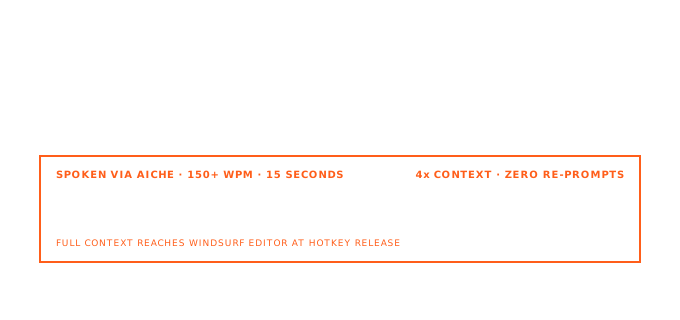
This makes the first prompt critical. A thorough specification spoken in 60 seconds produces better results than an abbreviated one typed in 3 minutes. You need to describe the feature, the constraints, the existing patterns to follow, and the edge cases to handle. Speaking naturally lets you cover all of that without the friction of typing it out.
How It Works
- Open Windsurf and load your project.
- Press Cmd+L (Mac) or Ctrl+L (Windows/Linux) to open the AI chat panel.
- Press your AICHE hotkey (⌃+⌥+R on Mac, Ctrl+Alt+R on Windows/Linux) to start recording.
- Speak your complete requirement with context (example: "extract the authentication logic from UserController into a separate AuthService class, add JWT refresh token rotation with 7-day expiry, implement Redis caching for active sessions with automatic cleanup, and add rate limiting on the login endpoint at 10 requests per minute per IP address. Follow the same service pattern used in the existing PaymentService").
- Press the hotkey again. AICHE transcribes, applies Message Ready formatting, and inserts the text.
- Press Enter to send the prompt to Windsurf.
- Watch Cascade break the task into steps and execute them across your project.
Flows for Autonomous Multi-Step Tasks
Windsurf Flows let Cascade work through complex tasks that involve multiple files and operations. When you start a Flow, Cascade reads your codebase, plans the implementation, creates and modifies files, and can even run your tests.
The quality of a Flow depends on the initial prompt. A brief instruction like "add user authentication" forces Cascade to make assumptions about your session strategy, your database schema, your frontend routing, and your error handling. Each assumption is a potential mismatch.
Dictate the specifics instead: "add JWT-based authentication using our existing Prisma User model, store refresh tokens in the sessions table, protect all routes under /api except /api/auth/login and /api/auth/register, return 401 with a JSON error body for expired tokens, and redirect to the login page on the frontend when a 401 is received." That level of detail takes 30 seconds to speak and prevents Cascade from going in the wrong direction.
Inline Edits With Cmd+K
For quick edits within a single file, use Cmd+K (Mac) or Ctrl+K (Windows/Linux) instead of Cmd+L. Select a block of code, press Cmd+K, then press your AICHE hotkey and describe the change.
This works well for focused refactoring: "convert this callback chain to async/await, handle the timeout error specifically by retrying once with a doubled timeout value, and add a debug log before each retry." Windsurf rewrites just the selected code.
The difference between Cmd+K and Cmd+L is scope. Use Cmd+K with voice for targeted changes. Use Cmd+L with voice for features that span files.
Heads-up: review the step plan Cascade shows you before it starts executing. Voice prompts tend to be more ambitious, so the generated plan may touch more files than you expect. Verify it matches your intent before proceeding.
Pro tip: mention your project's existing patterns. Saying "follow the same approach as PaymentService" or "use the existing error handling middleware" tells Cascade to search your codebase for those patterns first instead of inventing new ones.
Result: complex multi-file prompts that took 9 minutes to type now take 50 seconds to speak, and Cascade executes with better accuracy because your spoken prompt included the constraints and patterns that prevent wrong turns.
Do this now: open Windsurf, press Cmd+L and your hotkey, then dictate one feature that touches multiple files. Describe the full scope, mention existing patterns to follow, and let Cascade build it.