Short answer: press ⌃+⌥+R (Mac) or Ctrl+Alt+R (Linux/Windows), speak as long as you need, and AICHE drops a clean prompt into Claude Code. You hit Enter. Claude builds.
The Problem
You're sending Claude Code 50+ prompts a day. Each one looks like: type for 3 minutes, wait, review, type for another 3 minutes, wait, review, repeat. The agent thinks at architecture level. Your fingers type at 1995 speed.
What Changes
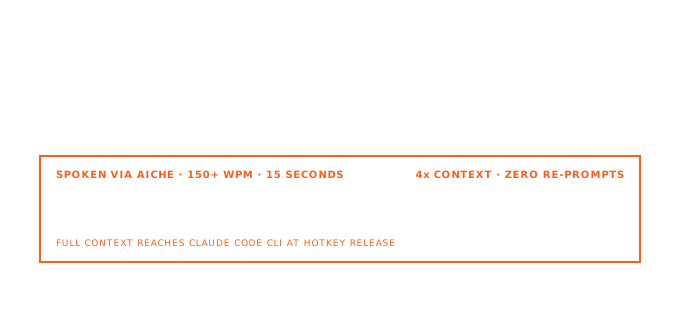
Stand up. Pace. Explain what you need, full context, no editing in your head. AICHE captures the speech, formats it, and inserts it into Claude Code's input. Walk back, hit Enter.
Math: speaking ≈ 150 WPM. Typing ≈ 40 WPM. A 200-word prompt that takes 5 minutes to type takes 80 seconds to speak.
How It Works
- Open Claude Code in your terminal.
- Click into the chat input.
- Press ⌃+⌥+R (Mac) or Ctrl+Alt+R (Linux/Windows) to start.

- Speak the full requirement: "Refactor the auth module to use JWT, add refresh-token rotation with 7-day expiry, add Redis for token blacklisting, and rate-limit the refresh endpoint at 10 req/min per user."
- Press the hotkey again. AICHE transcribes, removes filler, inserts clean text.
- Hit Enter.
Why Longer Prompts Beat Short Ones
Claude Code performs better with context. The more you describe up front (constraints, edge cases, existing patterns), the fewer correction loops you need.
Typing a 200-word prompt is a chore, so most developers cut detail to save time. Then they pay for it in extra round-trips. Speaking removes that bottleneck. You include more context because it's easy. Better prompts, fewer iterations, less wrist strain.
For Non-English Thinkers
Turn on Auto-translation in AICHE settings. Think in German, Mandarin, Spanish, Japanese, whatever your brain runs in. AICHE transcribes and outputs English. Claude reads clean English prompts. Your brain doesn't translate while typing.
The Real Win
This isn't only about typing speed. Standing up and pacing while explaining a problem activates different cognitive patterns than sitting hunched at a keyboard. You catch edge cases. You think through architecture. You explain things more clearly because you are literally talking through them.
Claude Code handles the implementation. AICHE handles the input. You handle the thinking.
What You Get
- Unlimited voice notes with AI cleanup - filler words removed, punctuation and paragraph breaks added.
- Software Development profile (Pro) - recognition tuned for code, APIs, library names, CLI flags.
- Custom vocabulary - drop in your repo names, services, tools, internal jargon. Spelled correctly every time.
- Multilingual voice input + auto-translation - speak in your native language, get English text out.
- Zero-retention audio - audio discarded after processing, no logs.
Plans start at $3.99/mo (annual) with a 7-day free trial, no credit card. See pricing.
Common Questions
Q: Does this work in the Claude Code terminal UI specifically?
A: Yes. AICHE inserts text into whichever field has the cursor, including Claude Code's input prompt. Same for tmux, zellij, or any terminal multiplexer Claude Code is running inside.
Q: My prompts have a lot of code and CLI flags. Will it mangle them?
A: Turn on the Software Development profile (Pro). It's tuned for code-heavy speech: API names, kebab-case flags, snake_case identifiers, library names. Smart quotes off in settings prevents shell-breaking quotes too.
Q: Can I dictate while Claude is mid-stream?
A: Yes. Type or dictate the next prompt while Claude is still streaming. Claude Code queues it.
Q: I'm on Linux. Does the global hotkey work?
A: Yes. Ctrl+Alt+R on Linux. Inserts via the standard X/Wayland event path.
Related Features
- Voice Code for AI Coding Agents - Pro feature: pause-aware auto-send and voice confirmations for the agent loop. Stop talking and the prompt ships without pressing Enter.
- Software Development Profile - Pro: recognition tuned for common developer tooling, protocols, and infrastructure terms.
- Custom Vocabulary - 50 entries for repo names, services, and internal jargon. Synced across all devices.
- Smart Insert - how text arrives at your cursor without touching the clipboard.
Result: prompts you'd skip writing because typing them felt like too much keyboard time now arrive in seconds. Better context, better code, less wrist strain.
Try it now: open Claude Code, press your hotkey, and speak one task you've been avoiding because explaining it felt like too much typing.
