The short answer: open x.com (X), click the post composer, a reply field, thread box, or DM, press ⌃+⌥+R (Mac) or Ctrl+Alt+R (Windows/Linux), speak, press again. AICHE fills the composer. You review character count and click Post. AICHE does not publish or schedule posts.
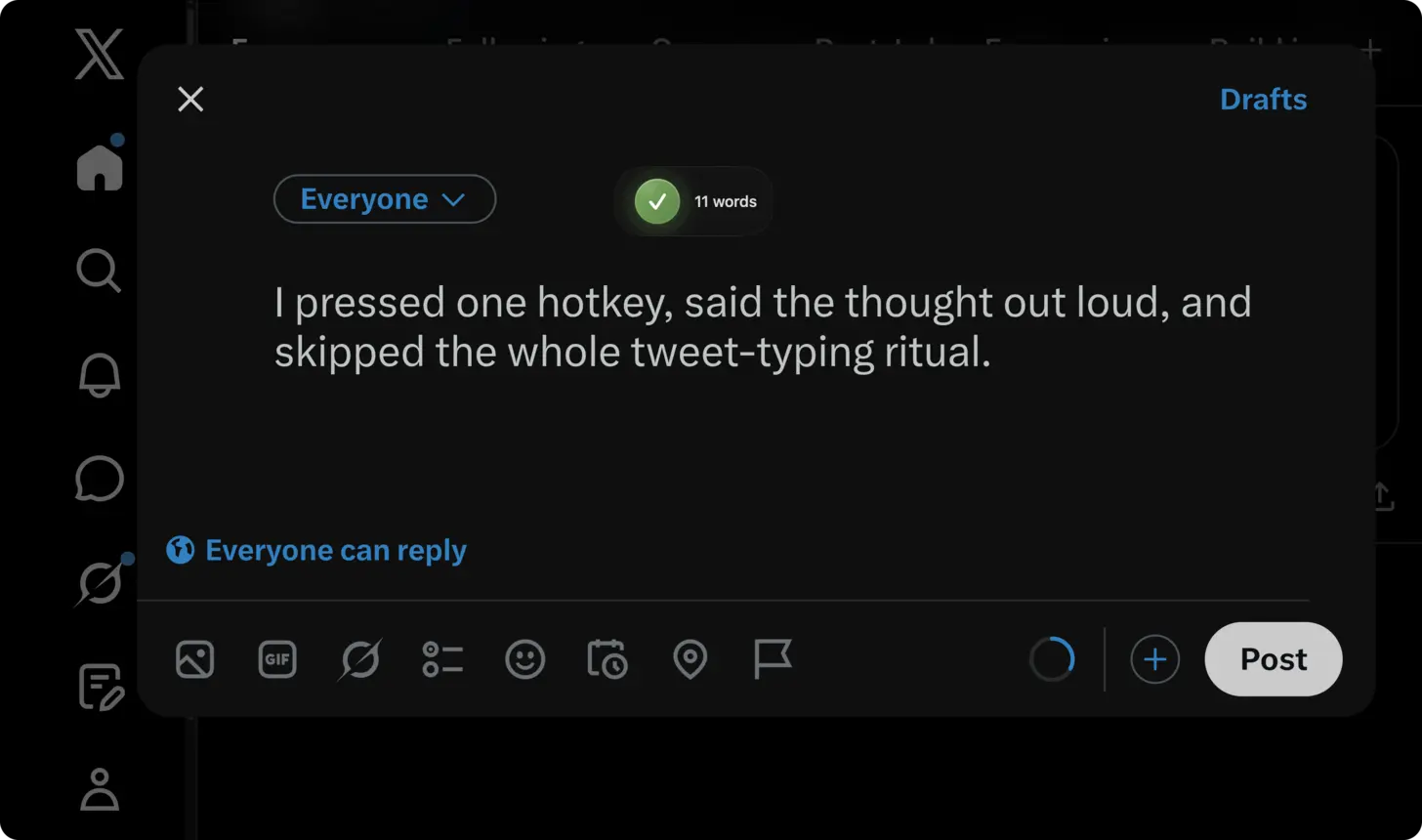
X (formerly Twitter) surfaces: post composer ("What is happening?!"), replies, threads, quote posts, and DMs. Voice helps when a trending reply window is minutes, not hours, or when a thread needs one spoken argument split into multiple posts.
- Open x.com in your browser.
- Click "What is happening?!" to compose a new post, or click into any reply field.
- Press ⌃+⌥+R on Mac or Ctrl+Alt+R on Windows/Linux to start recording.
- Speak your complete thought or response at a normal pace.
- Press the hotkey again to stop. AICHE transcribes your speech and inserts the text at your cursor.
- Review the character count. Edit if needed to stay within 280 characters for a single post.
- Click Post, or add it to a thread if you are building one.
Drafting threads from a single spoken argument
X threads are where longer ideas live on the platform. The best threads read like a single cohesive argument broken into digestible pieces. But writing them tweet-by-tweet creates a choppy, disconnected feel because you lose the thread of your own logic (pun intended) while wrestling with character limits on each individual post.
A better approach: open a text editor or notes app alongside x.com. Press the AICHE hotkey and speak your entire argument in 2-3 minutes without worrying about character counts. Let Message Ready format it into clean paragraphs. Then break the formatted text into individual tweets at natural stopping points. Copy each section into X's thread composer. The result is a thread that flows because it was originally one continuous thought, not eight separate writing sessions. This is how many popular thread writers actually work. They draft long, then chop.
Fast replies and quote posts
The reply game on X is where most audience growth happens. Replying quickly to posts in your niche puts your profile in front of the original poster's audience. But typing a reply that adds genuine value takes 2-3 minutes, and by then the conversation has accumulated 50 other replies.
Voice gets you there in 20 seconds. Click Reply, press the hotkey, speak your point, and post. For quote posts, the same speed advantage applies. You see a post worth commenting on, click the repost icon, select "Quote," press the hotkey, and speak your commentary. The added context from a quote post with your spoken perspective gets significantly more engagement than a bare repost.
DM conversations that do not feel like email
X DMs are increasingly used for networking, business discussions, and collaborations. But the DM interface is cramped, and typing long messages on it feels tedious. Most DM conversations devolve into short, fragmented messages that take 15 back-and-forth exchanges to communicate what one well-structured paragraph could cover.
Speak your DM responses as complete thoughts. Press the hotkey, talk for 20-30 seconds, and send a message that actually moves the conversation forward. This is especially useful for responding to inbound DMs from potential clients, collaborators, or press inquiries where your response quality matters.
Heads-up: X has a 280-character limit for standard posts (X Premium subscribers get 25,000 characters). After dictating, check the character counter in the bottom-right corner. If you are over the limit for a single post, consider splitting into a thread or trimming.
The pro-tip: for quick engagement throughout the day, keep x.com open in a pinned tab. When you see something worth responding to, the hotkey-speak-post cycle takes just a few seconds. Do this 10-15 times throughout the day and your engagement metrics will reflect the consistency.
Result: writing 15 posts and replies that takes 2 hours of typing becomes 35 minutes of dictation. You engage with trending conversations in real-time instead of arriving late. Thread drafting drops from 30 minutes to 10 minutes because you speak the whole argument first and split it after.
Do this now: open x.com, find a post in your field that you have an opinion about, click Reply, press your hotkey, and speak one clear, specific response. Post it.
