Short answer: place your cursor in Ghostty, press ⌃+⌥+R (Mac) or Ctrl+Alt+R (Linux), speak your prompt, press the hotkey again, and AICHE inserts cleaned-up text at your cursor in 2-3 seconds.
Ghostty blew up because it became the default terminal for running Claude Code, Codex, and other AI coding agents. The bottleneck is no longer writing code - it is writing the prompt. A short, vague prompt gets mediocre output. A long, specific prompt with full context gets working code on the first try.
Typing a 300-word prompt is slow. Speaking it takes 90 seconds.
The Real Workflow
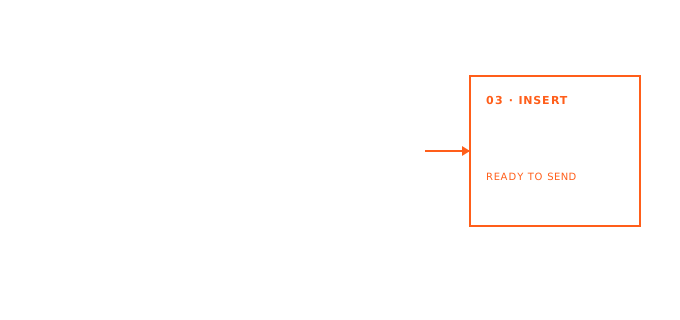
You are inside Ghostty, Claude Code or Codex is waiting for your next message. Instead of typing:
- Press ⌃+⌥+R (Mac) or Ctrl+Alt+R (Linux).
- Describe the task out loud - what you want, what context matters, what constraints apply, what the edge cases are.
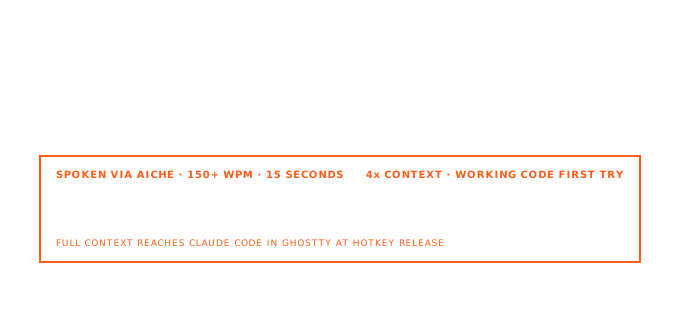
- Press the hotkey again. The prompt appears at your cursor, fully punctuated, filler words removed.
- Hit Enter.
The agent gets a prompt with actual context instead of a sentence. The difference in output quality is real.
Why Prompt Length Matters
AI agents work better with more context. When you type, you compress - you leave out the background, the constraints, the "by the way" details that would make the output actually fit. When you speak, you explain naturally, the same way you would describe a task to a teammate.
"Refactor this to use the repository pattern, the db module is in services/db.ts, keep the existing error handling because we have retry logic upstream, and don't touch the public API surface because three other modules depend on it" is a much better prompt than "refactor this." Speaking it takes 15 seconds.
What Else It Covers
The dictation works anywhere in Ghostty - not just AI agent prompts:
- Commit messages - speak the actual reason for a change instead of writing "fix stuff."
- Heredocs and READMEs - dictate the install steps or architecture notes directly into the file.
- SSH sessions - AICHE inserts into whichever window has focus, so it works on any remote shell through Ghostty.
- Config editing - editing
ghostty/configor any dotfile innviminside Ghostty works the same way.
Why Native Dictation Stalls Here
macOS dictation has been unreliable inside Ghostty: Voice Control icon flashes, no real-time preview, Secure Keyboard Entry conflicts. AICHE sidesteps all of that:
- Records audio independently of the macOS speech stack.
- Transcribes in the cloud over modern TLS, audio discarded after processing.
- Inserts via standard keystroke, which Ghostty handles fine.
Secure Keyboard Entry can stay on. No input-method changes required.
What You Get
- Unlimited voice input with AI cleanup - filler words removed, punctuation added, ready to send.
- System-wide - one hotkey, every text field. Works in your IDE, browser, and Slack too.
- Software Development profile (Pro) - recognition tuned for code terms, CLI flags, library names, and API names.
- Custom vocabulary - add project codenames, internal jargon, and library names. AICHE learns them.
- Zero-retention audio - 2-3 second processing window, then deleted.
Plans start at $3.99/mo (annual) with a 7-day free trial, no credit card required. See pricing.
Common Questions
Q: Does it work with Claude Code specifically?
A: Yes. AICHE inserts text wherever your cursor is. Place your cursor in the Claude Code prompt in Ghostty, dictate, and the text appears there ready to send.
Q: Does it work on Linux Ghostty?
A: Yes. AICHE on Linux uses Ctrl+Alt+R and inserts into whichever window has focus.
Q: Does Secure Keyboard Entry need to be off?
A: No. AICHE does not go through the macOS dictation stack.
Q: What about tmux, zellij, or screen running inside Ghostty?
A: All work. Text inserts into Ghostty and gets forwarded to whatever multiplexer is on top.
Q: My text ends up with smart quotes. How do I avoid that?
A: Turn off "use smart quotes" in AICHE's text-cleanup settings. Plain ASCII quotes are safer for shells.
Result
The agents running in your Ghostty terminal are only as good as the prompts you give them. Speaking your prompts is faster than typing them and produces better output because you naturally include more context when you talk.
Try it now: open Ghostty, start a Claude Code session, place your cursor at the prompt, press your hotkey, describe the task out loud, press the hotkey again.
