Short answer: focus Copilot's input (IDE agent mode, Chat, issue body, or cloud agent prompt box), press ⌃+⌥+R (Mac) or Ctrl+Alt+R (Windows/Linux), speak a complete task spec, press again to insert. You send, assign, or start the session. AICHE does not run agents or approve tools.
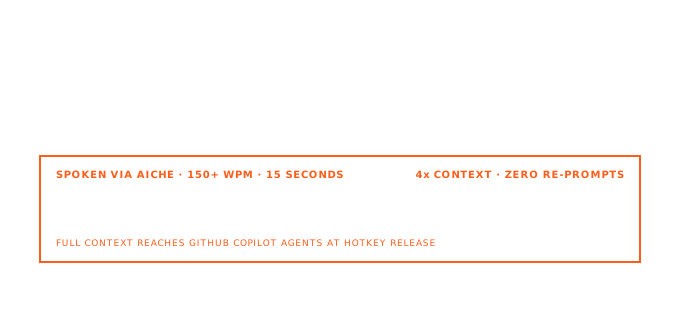
GitHub Copilot now spans inline completions, IDE agent mode (synchronous, tool-using in the editor), and Copilot cloud agent on GitHub (async sessions, branch work, pull requests). AICHE gets long natural-language specs into the field Copilot reads. For Chat with #selection and @workspace, see /works-with/copilot. This page is agent-first.
IDE agent mode (synchronous)
Agent mode in supported editors (VS Code, Visual Studio, JetBrains, Eclipse, Xcode per current GitHub docs) plans multi-step work: read files, propose edits, run terminal commands. You confirm tool use and accept or undo changes in the editor.
Voice workflow:
- Open Copilot Chat and switch to agent mode.
- Click the prompt input.
- Toggle ⌃+⌥+R / Ctrl+Alt+R, speak the brief (goal, paths, constraints, test command), toggle again.
- Send. Review every proposed edit before keeping it.
Example inserted text: Add Retry-After on 429s in api/middleware/rateLimit.ts, match existing logging, update rateLimit.test.ts, run that package's tests, do not change public routes.
Use this when you stay at the machine and want orchestration in the open repo.
Copilot cloud agent (async on GitHub)
Copilot cloud agent runs on GitHub in agent sessions backed by Actions-style environments. Two common starts (see GitHub: kick off a task):
Assign an issue to Copilot
- Open the issue on github.com.
- In Assignees, choose Copilot.
- Optionally fill Optional prompt (patterns, files, test requirements).
- Optionally pick a custom agent from the agent dropdown (repo, org, or enterprise profiles).
- Assignment always opens a pull request when the agent finishes. Copilot reads the issue title, description, and comments at assignment time only. Follow-ups belong on the PR.
Voice workflow: dictate the issue body and optional prompt with AICHE before you assign. Thin issues produce thin PRs.
Start with a prompt (branch first)
- Open the Agents tab in a repo,
github.com/copilot/agents, or the agents panel (Copilot icon, top-right on GitHub). - Select target repo and base branch.
- Type or dictate a task prompt. By default the agent works on a branch; you review the diff and open a PR when ready (unless you ask for a PR in the prompt).
- Optionally pick a custom agent or model from the dropdowns.
Same prompt box appears on your dashboard and in Copilot Chat via /task.
Custom agents (`.github/agents/`)
Commit *.agent.md under .github/agents/ (org/enterprise variants may live under .github-private/agents/ per GitHub docs). Frontmatter includes description (required), optional name, tools, model, and MCP settings; the Markdown body holds team conventions.
Profiles show in the IDE agent picker and in the cloud agent agent dropdown when assigning or starting a session. AICHE fills per-task prompts; profiles supply standing behavior.
Example dictated prompt: Using our migrations agent: add nullable legacy_id to orders, backfill in batches, document rollback in RUNBOOK.md.
How AICHE fits (checklist)
- Install GitHub Copilot. Agent and cloud agent access depend on plan and org policy; verify current GitHub documentation.
- Focus the field Copilot will read.
- Toggle hotkey: start, stop, transcribe, insert at caret.
- You send the Chat message, assign the issue, or press Enter on the cloud prompt.
- Audio streams for transcription and is discarded after processing.
AICHE is a separate desktop app, not a Copilot extension.
What you get
- Agent-mode prompts with file paths and acceptance criteria, not one-line asks.
- Issue bodies dense enough for cloud agent planning.
- Optional prompt text filled by voice when assigning.
- Custom Vocabulary and Software Development profile (Pro) for code-heavy speech.
FAQ
How is this different from /works-with/copilot?
That page covers Chat, #selection, @workspace, and inline comments. This one covers IDE agent mode, Copilot cloud agent, and custom agents.
Does AICHE call read_file or edit_file?
No. Copilot's agent mode does after you send. AICHE inserts text only.
Can AICHE assign issues to Copilot?
No. You dictate, then assign Copilot in GitHub's UI.
Assign vs prompt start?
Assign an issue → PR when done. Prompt start → branch by default; you iterate before opening a PR.
Is recording push-to-talk?
No. Toggle the hotkey.
Related
Try it: download AICHE, open agent mode or an issue body, dictate one multi-file task with test and scope limits, send or assign, review before you merge.
