Short answer: in Linear (app or browser), press C for a new issue or open an existing one, Tab to description, press ⌃+⌥+R (Mac) or Ctrl+Alt+R (Windows/Linux), speak the full spec, press the hotkey again. AICHE inserts text. You set priority, labels, cycle, and assignee with Linear shortcuts.
The Problem
Linear optimizes navigation: C create, J/K move, L labels, 1-4 priority, S status. Descriptions are where velocity dies. Teams create issues in two keystrokes, then leave the description empty because typing repro steps, AC, and links breaks flow. Clarification moves to Slack threads; cycles fill with titles nobody can execute.
Linear AI (where enabled) can suggest titles or summaries from short input. It cannot replace a spoken two-minute brief with file paths, metrics, and "do not touch" constraints you have in your head right after debugging.
AICHE inserts at the cursor. It does not change status, assign owners, or run automations.
What Changes
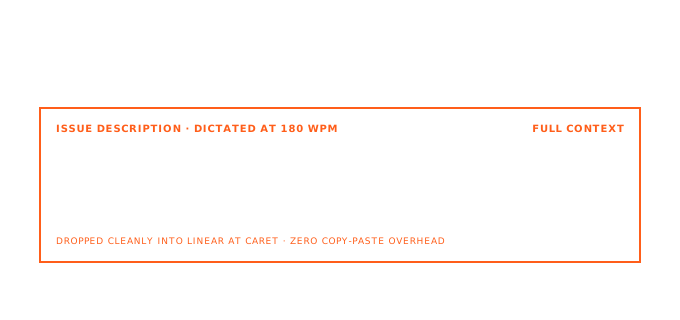
Speaking ≈ 150 WPM. Typing ≈ 40 WPM. A description that takes eight minutes to type takes about a minute to speak, with higher odds you include acceptance criteria, telemetry links, and parent project context.
How It Works
- Open Linear on macOS, Windows, or Linux.
- C → title (typed, short) → Tab to description (or click an existing description).
- Press ⌃+⌥+R or Ctrl+Alt+R to start (toggle).
- Speak: problem, impact, repro, AC, related issues or Figma / GitHub links you'll paste after.
- Press the hotkey again. AICHE transcribes and inserts. Audio is streamed for cloud transcription, processed, and discarded after processing. No persistent audio copy.
- P priority, L labels, assign, add to cycle or project.
Issue Descriptions Engineers Can Implement
Example spoken block (payment webhook): "Stripe sends duplicate invoice.paid within one second. Handler in billing/webhook.ts uses timestamp idempotency key; collisions drop legitimate events (~0.3% last week). Fix: key on Stripe event id. AC: no double processing, no dropped valid events, backward compatible with queued events. Tests: pnpm test billing."
That is ~30 seconds of speech vs many minutes of typing. Triage with J/K: add a scoping comment via hotkey without leaving the queue.
Cycles, Projects, and Updates
Cycle planning: for each candidate issue, hotkey a scope note: "Defer exponential backoff; ship fixed retry count only. Follow-up issue for backoff."
Project / initiative pages: dictate why, milestones, success metrics, and dependencies. Empty project pages are common because specs feel heavy; voice makes them usable for onboarding.
Comments: investigation threads get the same treatment. Speak status, next step, owner, ETA.
Integrations (Your Text, Linear's Graph)
Linear links GitHub, GitLab, Slack, Figma, Sentry, and more. AICHE does not create links. Dictate "Fixes LIN-1234" or paste URLs after insert. If you use Linear Asks or Slack create-issue flows, you can still dictate the long description in the Linear UI afterward.
What You Get
- Dense descriptions without breaking keyboard-first navigation.
- Message Ready (optional) for structured paragraphs.
- Software Development profile (Pro) for paths, flags, and service names.
- Custom Vocabulary for internal codenames.
Plans start at $3.99/mo (annual) with a 7-day free trial, no credit card. See pricing.
FAQ
Does AICHE create issues or set status?
No. Text insertion only.
Markdown in descriptions?
Linear supports markdown. AICHE inserts plain text; add formatting after if needed.
Desktop app vs browser?
Both accept the desktop hotkey when the description field is focused.
What happens to audio?
Audio is streamed for cloud transcription, processed, and discarded after processing. No persistent audio copy.
Related Features
Try it now: press C, type a title, Tab to description, dictate one bug you have been carrying with title-only context.
