Short answer: on Mac or Windows, click into an Adobe desktop text field (Generative Fill prompt, layer name, Premiere Description, caption row) and press ⌃+⌥+R or Ctrl+Alt+R. On Linux, use Firefly or other Adobe web tools in a browser with the same hotkey. Speak, press the hotkey again, and AICHE inserts the text. Native Creative Cloud desktop apps (Photoshop, Premiere Pro, After Effects, Illustrator, InDesign, Acrobat) are supported on macOS and Windows per Adobe's system requirements, not on Linux desktop installs.
The Problem
Adobe's modern workflow is full of text fields that are not part of design work but block design work. Generative Fill needs a prompt. Firefly in the browser needs a long descriptive prompt. Premiere needs clip descriptions, log notes, transcript fixes, and caption edits. Layer and composition names determine whether a PSD or AE project is usable next week. You often have a pen, tablet, or timeline focus, and the cursor wants 40 words of typed text. Prompts come out shorter than what you pictured.
What Changes
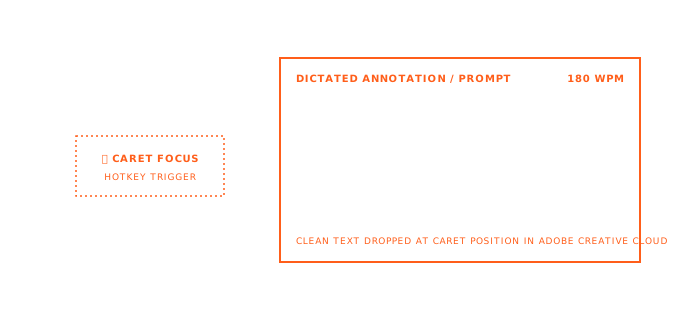
Keep the pen or playhead context. Click the field. Toggle the hotkey. Describe what you want like you would to a colleague. Press the hotkey again. AICHE drops cleaned text into the focused field at the OS level. No Adobe plugin required.
Math: speaking runs about 150 words per minute. Typing one-handed off a tablet or timeline runs about 20-30 words per minute. A 60-word Generative Fill prompt that takes two minutes to type takes about 25 seconds to speak.
How It Works
- On macOS or Windows, open a supported Adobe desktop app (Photoshop, Premiere Pro, After Effects, Illustrator, InDesign, Acrobat, Lightroom). On Linux, open Adobe Firefly or other Adobe web surfaces in your browser; do not assume a native Photoshop or Premiere install.
- Click into a text field: Generative Fill prompt, Firefly prompt bar, layer name, Premiere Description cell, caption row, Acrobat comment, or metadata panel field.
- Press ⌃+⌥+R (Mac) or Ctrl+Alt+R (Windows or Linux) once to start. On Linux, the supported path is a browser tab (Firefly), not a native Photoshop or Premiere install. Toggle on/off, not push-to-talk.
- Speak. Pause between clauses if you want comma breaks in long prompts.
- Press the hotkey again. AICHE transcribes, optionally cleans filler, inserts at the cursor.
- Continue in Adobe (Generate, rename, export) as you normally would.
AICHE inserts wherever the OS accepts typed text. It does not install into Creative Cloud. macOS and Windows: full Creative Cloud desktop app support per Adobe's requirements. Linux (this page): browser-based Adobe tools only, especially Firefly; no native Photoshop or Premiere desktop install.
Generative Fill and expand prompts
In Photoshop, Generative Fill and Generative Expand use the Contextual Task Bar after a selection. Adobe's guidance favors descriptive prompts: subject, lighting, lens feel, style, and what to exclude. Short prompts often produce weaker variations than a full sentence.
Workflow: make the selection with pen or lasso, click the prompt box, toggle hotkey, speak the full brief ("replace sky with overcast late afternoon, soft diffused light, no visible sun, match existing color grade, photorealistic"), stop recording, click Generate.
Current Generative Fill prompt fields expect English. If you think in another language, enable Auto-translation in AICHE settings and speak natively; English lands in the box.
Iteration matters. Speaking the second and third prompt revision takes seconds, so you keep refining instead of settling for the first truncated attempt.
Firefly image prompts in the browser
Firefly on the web (Image models and related tools) rewards the same long prompt shape: subject, descriptors, lens, lighting, composition. That is 30-80 words of spec, not three adjectives.
Click the Firefly prompt bar, toggle hotkey, speak the scene, stop, Generate. Compare variations, then dictate the refinement ("warmer skin tones, less saturation in shadows, same framing") without moving hands back to the keyboard for each round.
Custom Vocabulary helps photography and art-direction terms (bokeh, rim light, tilt-shift) transcribe correctly. The general profile plus your term list is usually enough; Software Development profile is not aimed at this vocabulary.
Premiere transcripts, descriptions, and captions
Premiere's text-based editing treats the transcript as an edit surface. AICHE helps wherever there is an editable text cell, not inside Adobe's audio engine.
Clip descriptions and project metadata. In the Project panel, the Description column is editable. Click a clip, click Description, hotkey, speak searchable notes ("interview take 3, best audio, S-Log3, cold open candidate"). The Metadata panel exposes Log Note, Scene, Shot, and Comment fields the same way. Speaking while reviewing footage beats batch-typing metadata at day's end when memory has faded.
Transcript corrections. When auto-transcription mis-hears a word, open the transcript text, click the word or segment, toggle hotkey, speak the correction. You edit text Premiere already owns; AICHE does not generate transcripts by itself.
Captions. Caption rows in the Captions panel are plain text. Click a row, hotkey, speak the line for musical or unscripted content without source audio, or fix a bad auto-caption. To replace a row, select existing text first, then record; insertion replaces the selection. Cursor at the end appends.
Layer, comp, and asset naming
Unnamed layers ("Layer 23 copy 4") and generically named precomps ("Comp 7") waste time on reopen. Naming during the session is the fix; the keyboard is usually in the wrong place.
Double-click a layer name in Photoshop or Illustrator, toggle hotkey, speak ("hero gradient background, locked, social v2"). Same for After Effects composition names, precomps, nulls, and shape layers. Illustrator artboard and symbol names follow the identical loop.
Names insert as plain text. You confirm with Enter in the panel as usual.
Reviews, forms, and layout copy
Acrobat comments. Client review: click a sticky note or comment box, dictate the full issue ("page 12 chart axis labels overlap; export SVG and fix in Illustrator, do not rasterize"). Long review passes become feasible.
InDesign and long text frames. Body copy, captions, pull quotes, and alt text fields accept dictated prose when the source is in your head, not a Word doc. Optional Message Ready cleanup adds punctuation; you still apply paragraph styles in InDesign.
Lightroom and secondary fields. Titles, captions, and copyright fields in Library modules are small text boxes with the same hotkey workflow.
Common Questions
Q: Does AICHE work in Photoshop's Contextual Task Bar prompt?
A: Yes. Click the prompt field, toggle hotkey, speak, toggle off. Text inserts like typed input.
Q: Will AICHE conflict with Adobe shortcuts?
A: Default AICHE uses ⌃+⌥+R on Mac and Ctrl+Alt+R on Windows/Linux. They do not overlap default Adobe bindings. Remap in AICHE settings if you already use those chords.
Q: Premiere caption row: replace or append?
A: Insertion follows the cursor. Select text to replace; place at end to append.
Q: Two languages (client in Spanish, prompts in English)?
A: Enable Auto-translation. Speak Spanish; English inserts into Generative Fill or Firefly.
Q: Is there a Creative Cloud plugin?
A: No. AICHE inserts at the OS focus level in every Adobe app the same way.
Result: prompt-driven work (Generative Fill, Firefly, captions, metadata, layer names) gets the longer specifications you would skip when typing. The tablet pen or timeline focus stays primary.
Try it now: open Photoshop, make any selection, click the Generative Fill prompt, toggle your hotkey, and speak the thirty-word version of the three-word prompt you would have typed.