Short answer: open the Midjourney web editor (or the Discord /imagine field), click the prompt bar, press ⌃+⌥+R (Mac) or Ctrl+Alt+R (Windows/Linux), describe the scene in plain language, press the hotkey again. AICHE drops a clean prompt at the cursor. You hit Enter.
The Problem
Midjourney rewards detail. A one-line prompt gets you generic stock. A real prompt names the subject, environment, lighting, lens, and art reference, then closes with parameters like --ar 3:2 --stylize 400 --sref (style reference code) and your chosen version flag.
That is 80 to 200 words of compressed visual description. Typing it kills the creative loop. You think in pictures, then translate pictures into keyboard input, then realize halfway through you forgot the lighting, then backspace, then forget what you were doing. Most people end up shipping a shorter prompt than they wanted just to get something on the screen.
What Changes
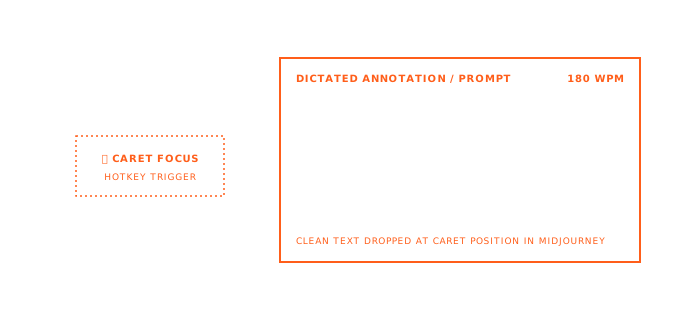
You look at the prompt bar, press the hotkey, and talk through the image the way you would describe it to a photographer. Subject, where they are, time of day, mood, what it looks like, what style. AICHE captures the speech, strips filler ("uh", "like", "you know"), inserts clean text into the field. You add the parameters at the end (or dictate those too) and press Enter.
Math: speaking runs about 150 WPM. Typing runs about 40 WPM. A 150-word prompt that takes four minutes to type takes 60 seconds to speak.
How It Works
- Open midjourney.com and click into the prompt bar at the top, or open Discord and type
/imagine. - Place the cursor in the prompt field.
- Press ⌃+⌥+R (Mac) or Ctrl+Alt+R (Windows/Linux) to start.
- Describe the image. Be specific. End with parameters if you have them.
- Press the hotkey again. AICHE transcribes, removes filler, inserts at the cursor.
- Hit Enter. Midjourney generates.
The hotkey is a toggle. Press once to start, press again to stop. Talk for as long as you need.
Parameters Without The Memorization Tax
The Midjourney parameter list is long: --ar, --stylize (or --s), --chaos (--c), --weird, --quality (--q), --no, --tile, --seed, --v, --niji. Then the reference parameters: --sref and --sw for style references, --cref and --cw for characters, --oref and --ow for Omni Reference, --iw for image weight.
Most people look these up every other prompt. With voice, say them in plain language: "aspect ratio three by two, stylize four hundred, no text or watermarks." AICHE inserts readable text; you add --ar 3:2 style flags at the end, or map phrases in Custom Vocabulary ("aspect ratio three by two" → --ar 3:2).
Style Reference Codes, Spoken
The --sref workflow in the web editor is a creative loop: you find a SREF code that gives you the look you want (some are 10-digit numerical codes from Midjourney's internal library), then reuse it across a series with variations.
Reading those codes off a moodboard while typing is awful. Speak them. "Style reference one two three four five six seven eight nine zero, style weight one hundred fifty." AICHE writes the digits. You append --sref and --sw (or let custom vocabulary do it) and you're done.
The same applies for character work: --cref with a long URL is a copy-paste move, but the weight, the surrounding scene description, and the negative prompts are all dictation candidates.
Web Editor vs Discord
AICHE doesn't care which one you use. It inserts text at the cursor in any focused text field, on macOS, Windows, and Linux.
- Web editor (midjourney.com): click the prompt bar at the top of the page, dictate, hit Enter. Image references uploaded via the (+) button still need a click - AICHE does not control the upload UI. But the text portion of the prompt, including the SREF code you want pinned, is all voice.
- Discord: type
/imagine, click into the prompt field that opens, dictate, send. Same flow.
The web editor is where most regular users have moved, so that is the primary surface. Discord still works for anyone who runs prompts inside their existing server.
Iteration Without Wrist Strain
A typical Midjourney session is not one prompt. It is 20 to 50 prompts in a row, each one a small variation: same subject, different lighting; same style code, different aspect ratio; same scene, different camera angle.
When typing, you copy the previous prompt, edit two words, send. When dictating, you just say the whole thing again with the two words changed. It sounds slower. It is not, because you do not have to find the cursor, select the right span of text, and avoid breaking the parameter block.
Stand up, pace, describe the next variation, sit back down to click Enter. Repeat. Your wrists thank you.
For Non-English Thinkers
Turn on Auto-translation in AICHE settings. Describe the scene in your native language. AICHE transcribes and outputs English. Midjourney reads clean English prompts. You skip the mental translation step that flattens visual ideas.
This matters more for image prompts than for chat prompts, because visual description leans on culturally specific vocabulary (foods, garments, architectural terms, plant names) that your brain has in one language and not the other. Speak it natively, ship it in English.
What You Get
- Unlimited voice notes with AI cleanup - filler words removed, punctuation added, casing preserved.
- Custom vocabulary - map "aspect ratio three by two" to
--ar 3:2, "version seven" to--v 7, your favorite SREF codes to their numbers. - Multilingual voice input plus auto-translation - dictate in your native language, get English prompts.
- Smart Insert - text lands at the cursor in the Midjourney web editor or the Discord prompt field, no copy-paste.
- Zero-retention audio - audio streamed for cloud transcription, processed, and discarded after processing. No persistent audio copy.
Plans start at $3.99/mo (annual) with a 7-day free trial, no credit card. See pricing.
Common Questions
Q: Does AICHE work inside the Midjourney web editor prompt bar?
A: Yes. AICHE inserts text into whichever field has the cursor. The prompt bar at the top of midjourney.com is a standard text input, so dictation lands there directly.
Q: What about Discord? Does it work inside the /imagine modal?
A: Yes. After you type /imagine and the prompt field opens, click into it and dictate. Works in the Discord desktop app and discord.com in a browser.
Q: Will AICHE format the parameters correctly, like --ar 3:2?
A: Out of the box AICHE writes "aspect ratio three by two" as words. Two options: edit the few words at the end manually, or add custom vocabulary entries that translate your spoken phrases to the flag syntax. After a one-time setup the syntax handles itself.
Q: Can I dictate SREF codes accurately? They're long numbers.
A: Yes, digits transcribe well. Say each digit ("one two three four five six seven eight nine zero") rather than "one billion two hundred...". If you reuse a few favorite codes, add them to custom vocabulary by name ("studio moodboard one") and AICHE will write the number.
Q: Does this generate the image too?
A: No. AICHE handles the prompt text. You still hit Enter, and Midjourney still does the rendering. AICHE is the input layer, not the model.
Q: I'm on Linux. Does the global hotkey work in Discord and the browser?
A: Usually yes. On some Wayland setups you may need extra permissions or desktop-environment configuration before global hotkeys work reliably in all apps.
Q: What about image references and the (+) upload button?
A: AICHE does not click UI buttons. Image uploads, drag-and-drop, and pinning the picture-frame / paintbrush / character-icon reference type still happen with the mouse. AICHE writes the text portion of the prompt around them.
Result: the 200-word prompt you would have shortened to 30 words because typing it felt like work now goes in fully, in under a minute. Better prompts, more iteration cycles, less wrist strain.
Try it now: open midjourney.com, click the prompt bar, press your hotkey, and describe one scene out loud for 45 seconds, naming subject, environment, lighting, and style. Compare what comes out to the last short prompt you typed.