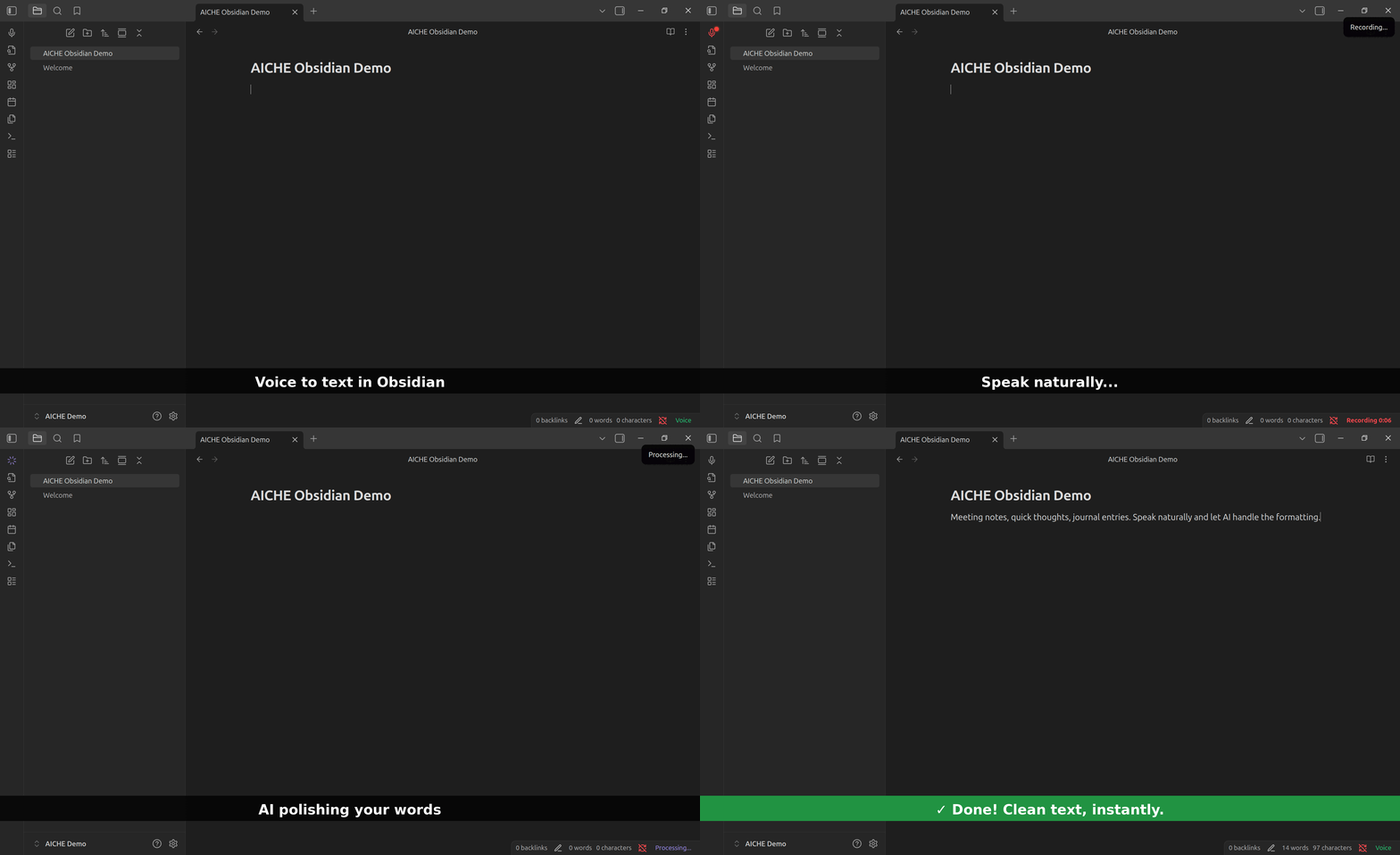
The short answer: Click the mic icon in Obsidian's left ribbon, speak naturally, and polished text appears in your note. All inside Obsidian, no switching apps.
Two Ways to Use AICHE with Obsidian
Option 1: Obsidian Plugin (Recommended)
AICHE Voice is in the Obsidian Community Plugin browser:
- Open Settings → Community Plugins → Browse
- Search "AICHE Voice"
- Click Install, then Enable
- Go to Settings → AICHE Voice → Sign In
- Start recording with the ribbon icon or hotkey
View in Obsidian Plugin Directory
What you get:
- One-click recording from ribbon icon
- Status bar shows recording state ("Recording 0:15")
- Text inserted at cursor position
- "Polish text" toggle for automatic grammar and punctuation
- "New Voice Note" command creates note and starts recording
- Optional audio attachment (embeds .webm with the note)
- Category folders for auto-sorting (Work/Life/Ideas/Misc)
Best for: Obsidian-focused workflow, mobile capture (iOS/Android), staying inside one app.
Option 2: Desktop App (Universal)
Download AICHE from aiche.app. Works in Obsidian AND 50+ other apps with one hotkey.
Install:
- Download AICHE from aiche.app (Windows, Mac, or Linux)
- Sign in with Google or GitHub (7-day free trial, no credit card)
- Set hotkey (Ctrl+Alt+R on Windows/Linux, ⌃+⌥+R on Mac)
- Open Obsidian and start dictating
What you get:
- Works in any text field (Obsidian, Gmail, Slack, Claude, etc.)
- Smart Insert auto-pastes without clipboard
- Same AI polishing as the plugin
- One subscription covers everything
Best for: Using voice-to-text everywhere, not just Obsidian.
How AICHE Voice Differs from Other Plugins
If you've tried Whisper-based plugins for Obsidian, you know the experience: raw transcription dumps exactly what you said, filler words and all.
AICHE Voice outputs polished text. The AI fixes grammar, removes "um" and "uh," structures sentences, and handles punctuation. You speak naturally; you get clean notes.
Quick comparison:
| Feature | Whisper-based plugins | AICHE Voice |
|---|---|---|
| Output | Raw transcription | Polished text |
| Setup | OpenAI API key required | Sign in with Google/GitHub |
| Pricing | Pay-per-minute (variable) | Personal from $3.99/mo annual ($4.99 monthly) |
| Platforms | Desktop only (most) | All Obsidian platforms |
| Mobile | Not available | iOS and Android |
Plugin Features

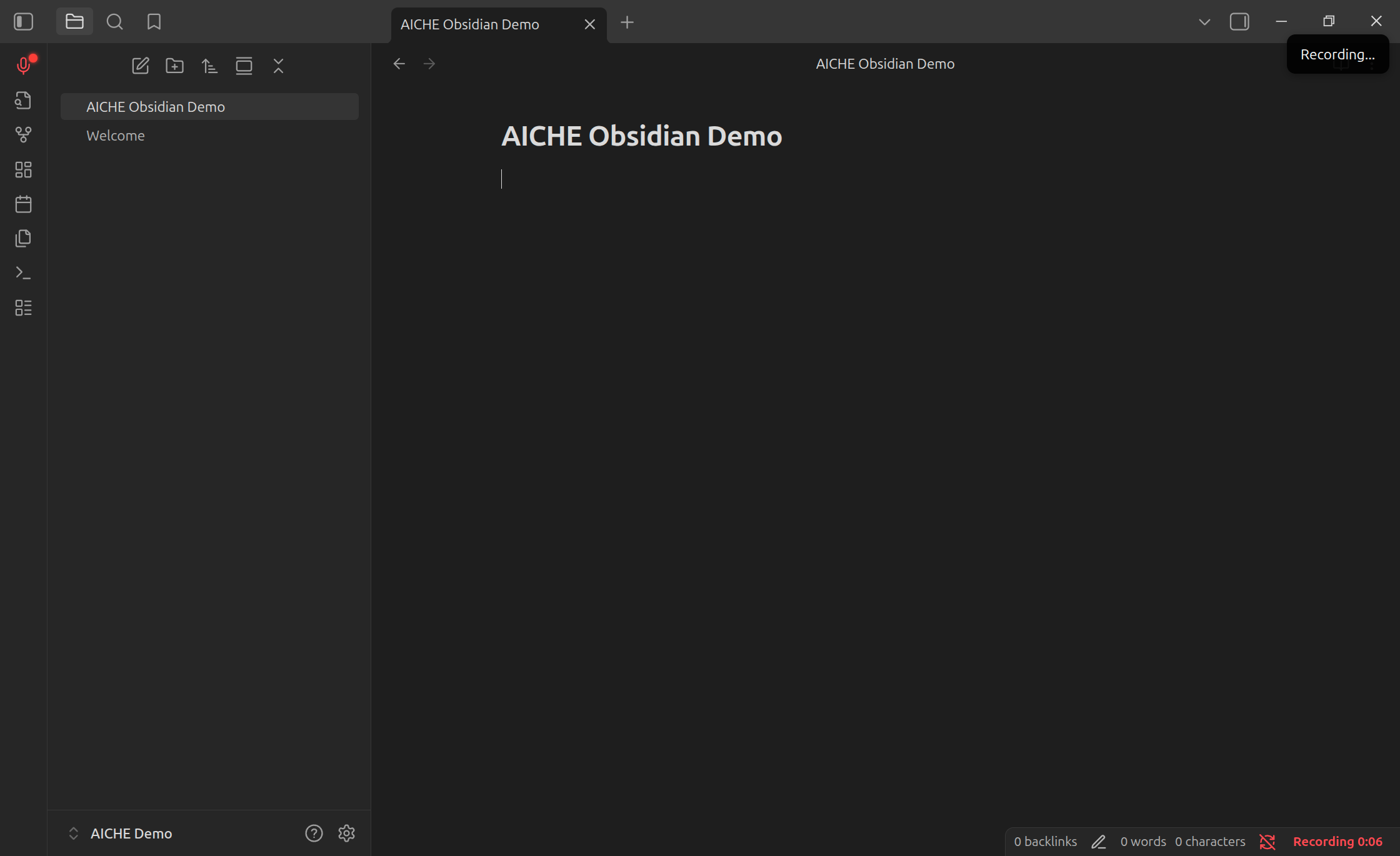
Recording state with timer in status bar
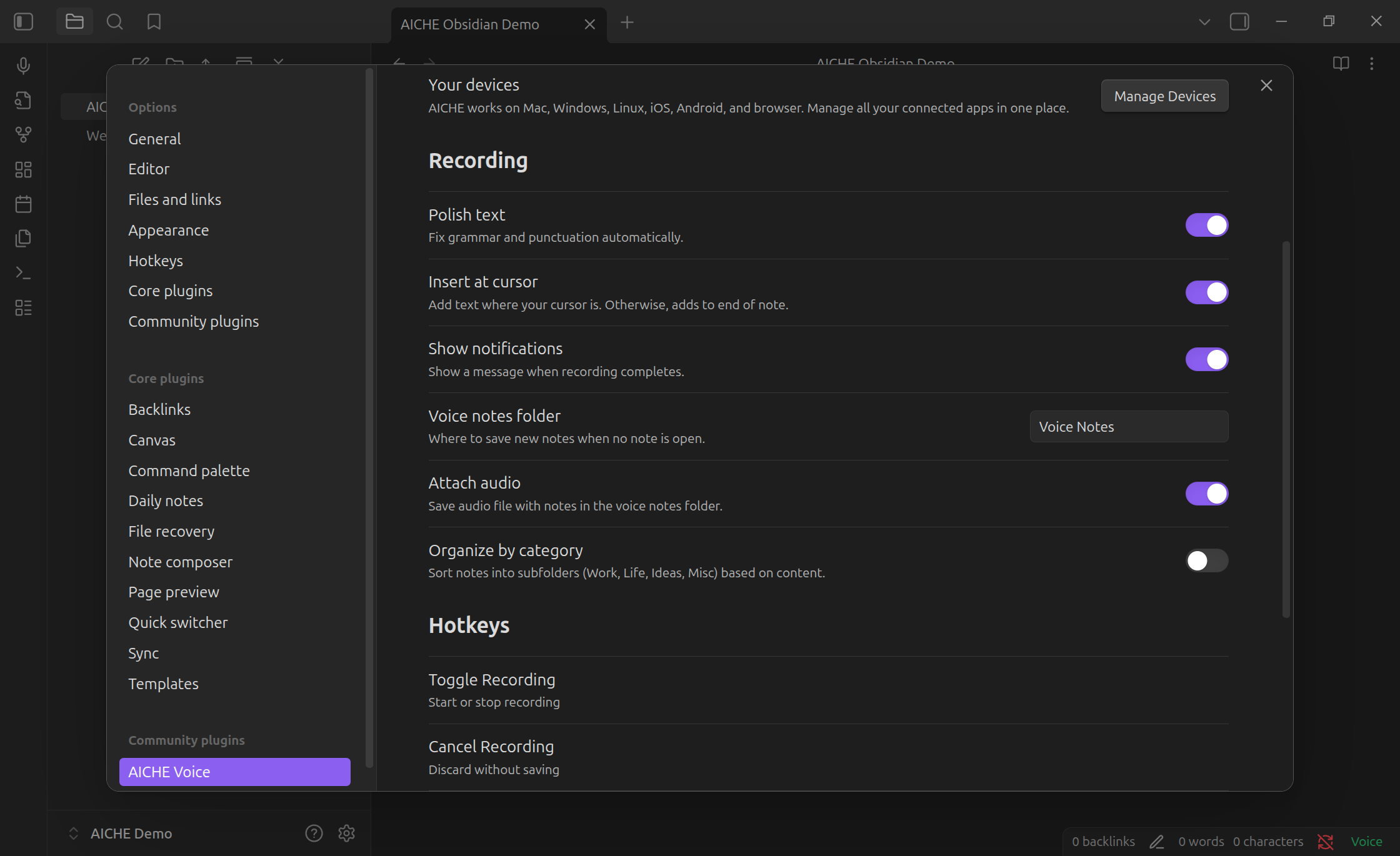
Settings panel with all options
Recording Controls
- Ribbon icon: Click the mic in Obsidian's left sidebar
- Hotkey: Customize in Obsidian's hotkey settings
- Command palette: Search "AICHE" (Ctrl+P / Cmd+P)
- Status bar: Shows "Recording 0:15" with live timer
Text Processing
- Polish text: Toggle on to clean grammar and punctuation automatically
- Insert position: At cursor, or end of note if no cursor
- Audio attachment: Optionally embed the .webm recording with your note
Organization
- New Voice Note command: Creates a new note in your Voice Notes folder and starts recording immediately
- Category folders: Auto-sort into Work, Life, Ideas, or Misc based on content
Workflows for Obsidian Users
Fleeting Notes
You're reading, an idea hits. Click the mic, speak it, done. AICHE captures your thought while it's fresh. 30 seconds of speaking replaces 3 minutes of typing.
Literature Notes
Reading a paper or book. Speak your summary: "Author argues that..." AICHE structures your words into clean paragraphs. Add wiki links and tags later.
Meeting Notes
Meeting starts, mic icon ready. Speak as the meeting happens. "Discussion about Q1 roadmap. Consensus: prioritize mobile. Alex handles design, deadline end of February." Real-time capture beats post-meeting reconstruction.
Daily Notes
Morning or evening routine. Open daily note, click mic, speak what happened. Consistency increases because friction decreases.
Pricing
One subscription covers everything. The Obsidian plugin and Desktop app share the same account.
- Personal from $3.99/mo annual ($4.99 monthly) for voice-to-text
- 7-day free trial, no credit card required
- Sign in with Google or GitHub
Whether you use the Obsidian plugin, the Desktop app, or both, the price stays the same.
Common Questions
Q: Does the plugin work on mobile?
A: Yes. AICHE Voice works on iOS and Android through Obsidian's mobile apps.
Q: What's the difference between plugin and desktop app?
A: The plugin lives inside Obsidian with native UI. The desktop app works in any application with one hotkey. Same account, same features, different integration points.
Q: Do I need an OpenAI API key?
A: No. AICHE handles all the AI processing. Just sign in and start recording.
Q: Is my audio stored?
A: Audio is discarded after processing. Zero retention.
Q: Can I keep the audio file?
A: Yes. Enable "Attach audio" in settings and the .webm file embeds with your note.
Q: What if I have an accent or speak quickly?
A: AICHE handles natural speech patterns well. The AI adapts to different accents and speaking styles.
Further Reading
How to Write a Book with Voice Dictation and Obsidian - Complete workflow guide for authors using voice dictation with Obsidian, Markdown, and the Longform plugin.
Get Started
Plugin (recommended for Obsidian users):
Settings → Community Plugins → Browse → Search "AICHE Voice" → Install → Enable → Sign In
Install from Obsidian Plugin Directory
Desktop app (for universal voice-to-text):
Download from aiche.app → Sign in → Set hotkey → Dictate anywhere
