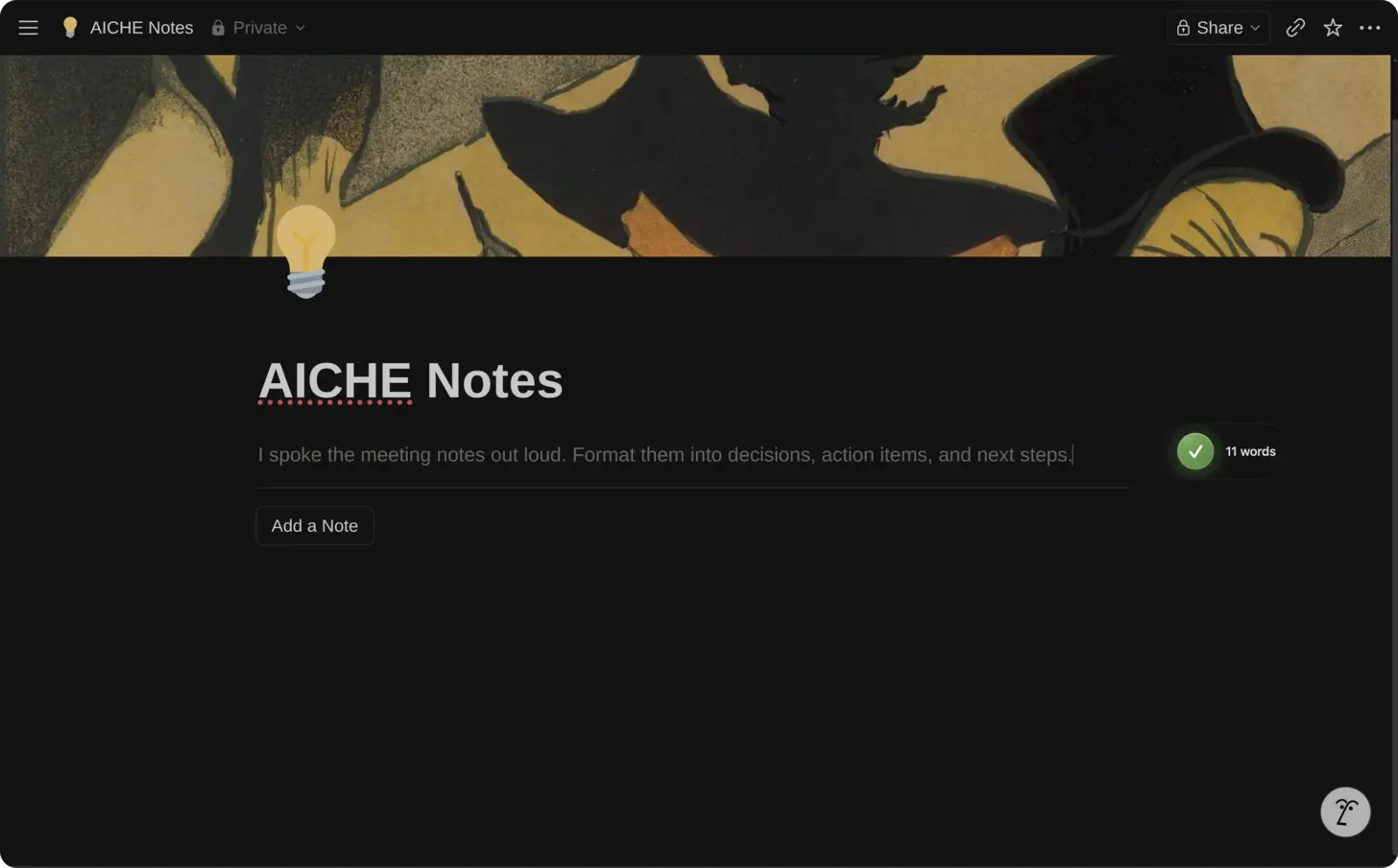
Short answer: open Notion in the browser or desktop app, click into a page block, database property, or Custom Agent Instructions field, press ⌃+⌥+R (Mac) or Ctrl+Alt+R (Windows/Linux), speak, press the hotkey again. AICHE inserts cleaned text at the cursor. You still click Run, save triggers, and approve agent actions in Notion.
The Problem
Notion in 2026 is not only pages and databases. Custom Agents (Business / Enterprise) are autonomous workers: you write instructions, set triggers (schedule, database change, Slack message), and grant Tools and Access to specific pages, databases, Slack, Mail, Calendar, and MCP connectors (Linear, Figma, GitHub, and others). Notion AI in the editor still answers from /AI, the space bar on a new line, or Cmd+K search with AI Connectors that can reach Slack, Google Drive, GitHub, Linear, Jira, and Notion Mail alongside your workspace.
The expensive work is still prose: agent instructions that define tone and boundaries, database Summary and Notes fields, project specs, meeting notes, and the first message you test in an agent's Chat tab before enabling triggers. Typing those in Notion's block editor is slow enough that agents stay half-configured and database rows stay one-line titles.
AICHE does not create agents, fire triggers, or spend Notion credits. It inserts text wherever your cursor is.
Where AICHE Helps Most
| Surface | Voice use |
|---|---|
| Custom Agent instructions | Role, sources to use, output format, escalation rules, what never to do. Test in the agent Chat tab after dictating. |
| Agent triggers (setup notes) | Plain-language description of when the agent should run (you still configure triggers in UI). |
| Database properties | Long text: Summary, Notes, Spec, Acceptance criteria, Meeting notes. |
| Page body | Specs, wikis, retro writeups, PRDs. |
| In-editor AI | Click Ask AI on a selection, or type /AI, dictate the refinement prompt, send inside Notion. |
| Cmd+K AI search | Dictate a question before Notion Q&A searches workspace + connectors. |
Personal Agents (per-user autonomous runs) and Custom Agents (shared, scheduled) both depend on clear written instructions. Dictate the instruction block once; iterate in Chat with short voice additions.
How It Works
- Open Notion (app or browser) on macOS, Windows, or Linux.
- Click the target: paragraph block, database cell, or Custom Agent → Instructions.
- Press ⌃+⌥+R or Ctrl+Alt+R to start recording (toggle).
- Speak with concrete nouns: database names, Slack channels, property names, doc titles.
- Press the hotkey again. AICHE transcribes and inserts. Audio is streamed for cloud transcription, processed, and discarded after processing. No persistent audio copy.
- In Notion: format with
/heading, set triggers, grant access, Run the agent manually before automating.
Custom Agents: Instructions That Actually Work
Weak agent instructions: "Answer questions about engineering."
Strong instructions (dictated in one pass): "You are the onboarding agent for Engineering. Only use the Engineering Wiki database and #eng-onboarding Slack archive. Answer in bullet points under 200 words. If the answer is not in those sources, say you do not know and tag @People Ops. Never create pages outside the Onboarding folder. When asked for access, link to the IT request form page, do not invent URLs."
Workflow:
- Agents in the sidebar → create agent (from template or scratch).
- Click Instructions, hotkey, dictate role + sources + output shape + guardrails.
- Open Tools and Access: grant databases and pages (AICHE does not toggle these).
- Chat tab: hotkey a test question you'd expect in Slack; verify citations.
- Add Notion or Slack triggers when output looks right.
MCP: when your admin approved Linear or GitHub MCP, say in instructions: "When the user asks for open bugs, query Linear project Payments only." AICHE inserts the sentence; the agent uses MCP at run time.
Credits: Custom Agent runs consume Notion credits on Business / Enterprise. AICHE has no effect on credit metering.
Databases, Specs, and In-Page AI
Database rows: click Notes or Description, dictate repro steps, stakeholder names, and definition of done. Batch 20 rows in a sitting because each row is ~60 seconds of speech vs several minutes of typing.
Project specs: dictate Goals, Requirements, and Risks sections into separate blocks. Use Notion's /heading between sections if you did not enable Message Ready structuring in AICHE.
In-page AI: highlight rough notes, Ask AI, click into Notion's AI input if focus moves, hotkey: "Turn this into a checklist for the launch retro with owners and dates." Notion's model runs on inserted text.
Cmd+K: open AI search, hotkey your question: "What did we decide about EU data residency in Q1 planning?" Connectors determine whether Slack or Drive is searched.
What You Get
- Agent instructions and database prose at speaking speed.
- Message Ready (optional) for cleaner paragraphs.
- Custom Vocabulary for codenames, customer names, internal tools.
- Desktop hotkey in Notion app and browser tab (Every Platform lists mobile separately; this page is the desktop Notion workflow).
Plans start at $3.99/mo (annual) with a 7-day free trial, no credit card. See pricing.
FAQ
Does AICHE create or run Custom Agents?
No. It fills text fields. You configure triggers, access, and Run in Notion.
Can I dictate agent instructions in the Chat tab?
Yes, if the field accepts typing. Instructions panel is the main target.
Does AICHE use Notion credits?
No. Notion bills credits when their agents run.
Mobile Notion?
This page is the desktop hotkey workflow. Mobile Notion uses tap-to-record in the AICHE app per install docs; not the global desktop hotkey inside Notion mobile.
What happens to audio?
Audio is streamed for cloud transcription, processed, and discarded after processing. No persistent audio copy.
Related Features
Try it now: open one Custom Agent (or a database with empty Notes columns), dictate instructions or one full row, then run a manual test in Chat before enabling automation.
