Short answer: open your Replit project in the browser, click into Replit Agent chat or any instruction field, press ⌃+⌥+R (Mac) or Ctrl+Alt+R (Windows/Linux), speak a full structured prompt, press the hotkey again, and AICHE inserts clean text. You review and send. Replit Agent runs the build. AICHE never starts agents, deploys, or approves Kanban tasks for you.
The Problem
Replit Agent builds apps from natural language: auth, databases, UI, connected services, and multi-artifact projects. Agent 4 adds Design Canvas exploration, parallel Kanban tasks, and Lite/Economy/Power modes.
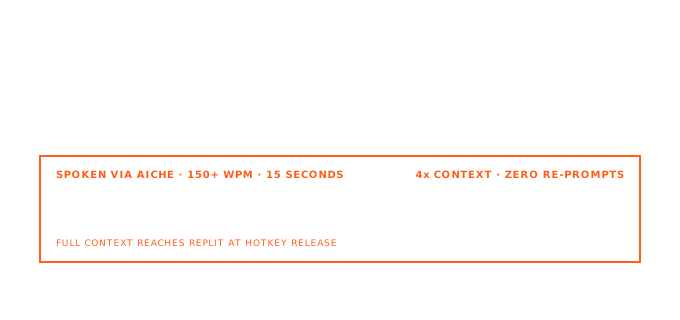
The bottleneck is still the prompt. A useful request is a mini spec: data model, routes, UI states, integrations (Slack, Notion, Linear), and mode choice. Typing that in a browser tab gets trimmed, and trimmed prompts cost extra Agent loops or rejected merges.
How It Works
- Open replit.com in your browser and open a project in the Project Editor.
- Click into Replit Agent chat, a task description, an instruction field, or any text area where you would type a prompt (including Secrets descriptions or
.replitnotes). - Press ⌃+⌥+R (Mac) or Ctrl+Alt+R (Windows/Linux) to start recording. AICHE uses toggle recording: press once to start, again to stop.
- Speak the full requirement: scope, constraints, connected services, and preferred Agent mode if you care (Lite for a scoped tweak, Economy for a standard build, Power for harder logic).
- Press the hotkey again. AICHE transcribes in the cloud, applies cleanup, and inserts text at your cursor. Audio is discarded after processing.
- Review the inserted text, then send to Agent or save the field. Agent plans, builds, tests, and proposes merges. You stay in control of approvals.
AICHE is a desktop app inserting via the OS event path. It works in browser Replit the same way it works in local IDEs: focus the field, hotkey, speak. AICHE does not run Replit Agent, click Deploy, or move Kanban cards to Done.
Replit Agent Chat: Where Voice Pays Off Most
Replit Agent in the Project Editor is the main surface: multi-turn chat where you steer builds and approve what merges into your main version. The lighter in-editor Assistant suits quick questions and small file edits; use Agent chat for full builds, parallel tasks, and Design Canvas work.
Agent quality tracks prompt completeness. Voice removes the trim reflex. Example in one pass: "Add email/password auth with bcrypt, Replit Database users table, protect /dashboard, JSON error bodies, Slack signup notification via connected Slack. Economy unless OAuth needs Power." Under two minutes spoken; enough for Agent to plan isolated tasks you approve on the board.
Name connected services in the prompt (Slack, Notion, Linear, BigQuery). Dictate the business rule, not just "connect Slack."
Design Canvas, Artifacts, and Parallel Builds
Design Canvas: explore UI variants on an infinite board, compare layouts, apply the winner to the app. Dictate the brief in Agent chat ("three hero variants: minimal, gradient, split with screenshot right"), then refine visually.
Artifacts hold multiple outputs (web, mobile, slides) sharing one backend. Speak cross-artifact rules once: "API stays in web artifact; mobile read-only, calls /api/v1/events only."
Parallel tasks use a Kanban board (Drafts, Active, Ready, Done) with isolated copies until you approve. Pro runs more concurrent background tasks than Core. Dictate separate specs per stream; you approve merges, AICHE only inserts text.
Plan mode (when enabled): review Agent's plan before build, dictate edits, then start execution.
Lite, Economy, Power, and Secondary Fields
| Mode | Good for |
|---|---|
| Lite | Quick visual tweaks, small bug fixes, scoped edits (often seconds to a minute) |
| Economy | Default for most everyday builds; balances cost and quality |
| Power | Harder logic, larger refactors, longer autonomous runs |
Mention mode in your spoken prompt when it matters. "Use Lite: change primary button color to #2563eb and fix mobile padding on the nav." vs "Use Power: refactor billing to support proration and tax lines."
Secondary surfaces still benefit from voice, but they are not the headline:
- Secrets: dictate descriptions so teammates know what
STRIPE_WEBHOOK_SECRETis for. - Deploy notes and
.replitconfig comments: speak port, build command, and env var intent once instead of typing README fragments later. - Code comments in files Agent already touched: explain non-obvious decisions for collaborators.
What You Get
- Unlimited voice notes with AI cleanup - filler removed, punctuation and paragraphs added.
- Software Development profile (Pro) - tuned for APIs, env var names, and framework terms.
- Custom vocabulary - project codenames, service names, internal table names spelled consistently.
- Multilingual input + auto-translation - think in one language, insert English prompts for Agent.
- Zero-retention audio - cloud transcription; audio discarded after processing.
Plans start at $3.99/mo (annual) with a 7-day free trial, no credit card. See pricing.
Common Questions
Q: Does AICHE work in browser Replit on macOS, Windows, and Linux?
A: Yes. Replit runs in the browser; AICHE runs on the desktop and inserts into whichever field has focus. Use the same hotkey in Chrome, Firefox, Edge, or Safari.
Q: Will AICHE run Replit Agent or approve Kanban tasks for me?
A: No. AICHE only inserts text. You send Agent messages, approve Ready tasks, and trigger Deploy yourself.
Q: Assistant vs Agent - which should I dictate into?
A: Use Agent chat for builds, parallel tasks, Design Canvas flows, and connected-service work. Use Assistant for quick in-file help. AICHE works in both; the payoff is largest in Agent where prompts are longest.
Q: Can I dictate while a background task is running?
A: Yes. Open another chat or task field, insert a new spec with the hotkey, and queue more work. Agent coordinates tasks; you coordinate approvals.
Q: Will technical terms (table names, Slack channel IDs) transcribe correctly?
A: Turn on the Software Development profile and add project-specific names to Custom Vocabulary. Review once before sending to Agent on critical integrations.
Result: Replit Agent gets the long, structured prompts it was designed for, without browser typing fatigue. Design Canvas iterations, parallel task specs, and integration-aware builds start as spoken briefs and land as clean text you control.
Try it now: open a Replit project, focus Agent chat, press your hotkey, and speak one full feature spec including data model, routes, UI behavior, and which Lite/Economy/Power mode fits. Send it and compare the first Agent plan to your usual typed one-liner.