Short answer: open Amazon Q Developer chat (or inline instruction field), press ⌃+⌥+R (Mac) or Ctrl+Alt+R (Windows/Linux), dictate your full AWS request, press again, and send.
Product Naming Context
CodeWhisperer capabilities now live under Amazon Q Developer. This page targets current Q Developer chat and inline workflows.
Why Amazon Q Workflows Need Dense Prompting
Q Developer is strongest when your prompt includes AWS specifics that developers often skip while typing:
- exact IAM actions and denied actions
- account/region boundaries
- service limits and retry strategy
- event trigger shape and failure path
- test commands and acceptance criteria
If those details are missing, output looks plausible but often violates least privilege, error-handling, or ops constraints.
Amazon Q-Native Workflows
IAM policy drafting with explicit guardrails
Instead of "generate policy for Lambda," dictate:
"Create least-privilege IAM policy for Lambda invoice-worker in eu-west-1. Allow DynamoDB GetItem, PutItem, UpdateItem on table InvoicesProd only. Allow SQS ReceiveMessage, DeleteMessage on queue invoice-jobs. Deny wildcard resources. Include CloudWatch Logs write permissions. Return policy JSON plus brief rationale for each statement."
This produces reviewable policy output, not broad * permissions.
Lambda + API Gateway incident hardening
When fixing production paths, dictate behavior-level constraints:
"Refactor handler to return 429 on downstream timeout after two retries with exponential backoff 100ms then 300ms. Keep existing response schema. Add structured log fields requestId, tenantId, upstreamStatus. Add unit tests for timeout and partial failure."
Q performs better with this operational context than with a generic "improve handler."
IaC update prompts with change boundaries
For CDK or CloudFormation changes, define what must not move:
"Update CDK stack to add SQS dead-letter queue for orders-events. Do not modify existing VPC, subnet, or security group resources. Keep logical IDs stable to avoid replacement. Output diff summary and rollback steps."
That avoids accidental infra drift.
Agentic multi-file tasks
In agent mode, dictate repository-scoped constraints once:
"Work only in services/billing and libs/aws-clients. Replace direct SDK retries with shared retry wrapper. Keep public function signatures unchanged. Run pnpm test billing and report failures with file paths."
This reduces prompt-chaining overhead and keeps edits contained.
Q Input Surfaces Where AICHE Helps
- Q chat panel prompts
- inline editor instructions
- follow-up prompts after Q suggestions
- explanation prompts for generated code
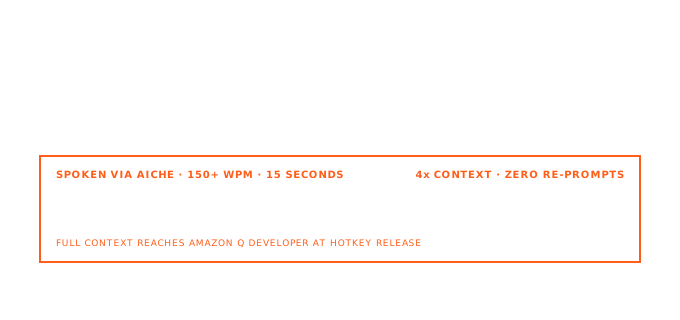
AICHE inserts text only. Q Developer executes generation, edits, and explanations.
How It Works
- Open Q Developer in your IDE.
- Focus chat or inline prompt field.
- Press ⌃+⌥+R / Ctrl+Alt+R.
- Speak complete AWS constraints, including actions, resources, and tests.
- Press again to insert.
- Send prompt in Q Developer.
Audio is streamed for cloud transcription, processed, and discarded after processing. No persistent audio copy.
FAQ
Works across IDEs?
Yes, wherever Q Developer text inputs are available.
Does AICHE run Q actions or commands?
No. It inserts text only.
Is this only for policy prompts?
No. It also fits incident fixes, IaC changes, and multi-file refactor tasks.
Try it now: dictate one IAM + Lambda prompt with explicit allowed actions, resource ARNs, failure behavior, and test expectations.