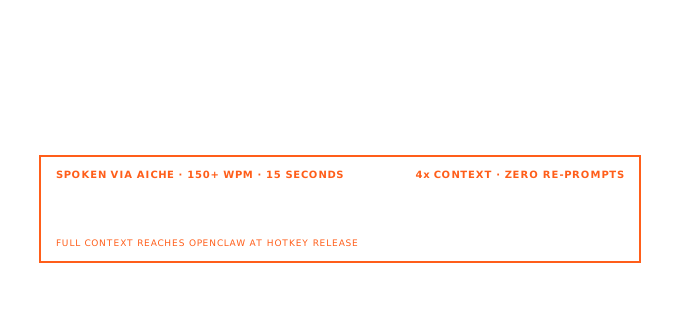
Short answer: with the OpenClaw Gateway running, open the browser Control UI (openclaw dashboard, default http://127.0.0.1:18789/), click the chat compose field, press ⌃+⌥+R (Mac) or Ctrl+Alt+R (Windows/Linux), speak your message, press the hotkey again, then send. AICHE inserts text only. OpenClaw routes sessions, channels, and agent tools.
OpenClaw is a self-hosted gateway (MIT): one long-running process connects chat channels (Slack, Telegram, WhatsApp, Discord, Signal, WebChat, plugins for Matrix, Teams, Zalo, and more) to an agent runtime with tools, memory, and multi-agent routing. It is not a single-purpose terminal coding CLI like Claude Code or Codex.
Think of OpenClaw as infrastructure you message, not an editor replacement.
Where AICHE fits
| Surface | Workflow |
|---|---|
| Web Control UI | Primary: openclaw dashboard chat box for long coding or ops tasks |
openclaw.json editing |
Dictate comments or doc blocks while editing ~/.openclaw/openclaw.json in VS Code |
| Channel replies from desktop | If you use a desktop client for Slack/Telegram linked to OpenClaw, focus that compose field and hotkey (same as /works-with/slack) |
| Mobile channels | Phone keyboards are native; use AICHE on desktop WebChat for long specs |
AICHE does not start the Gateway, pair WhatsApp, approve openclaw onboard steps, or invoke OpenClaw's code mode (tools.codeMode.enabled, experimental exec/wait surface per code mode docs).
OpenClaw nouns worth using in dictated messages
- Gateway: Single process owning sessions and channel connections.
- Control UI: Browser dashboard for chat, config, sessions, nodes.
- Channels / plugins: Inbound and outbound messaging surfaces (
channels.whatsapp.allowFrom, mention rules, etc.). - Multi-agent routing: Different agents or workspaces per sender or channel.
- Nodes: Paired iOS/Android clients for Canvas, camera, or voice-adjacent flows (OpenClaw's own voice features are separate from AICHE).
openclaw onboard: Guided install and pairing (getting started).
When you dictate a coding task, include repo path, branch, test command, and safety bounds the same way you would for a terminal agent. The Gateway forwards natural language to the configured agent; quality still depends on message length and clarity.
How it works
- Install:
npm install -g openclaw@latest(docs). - Run
openclaw onboard --install-daemonand complete pairing for your channels. - Start chatting:
openclaw dashboardor a connected channel. - In the WebChat compose field, toggle ⌃+⌥+R / Ctrl+Alt+R, speak, toggle again.
- Send the message. Review agent actions in the UI or channel thread.
Remote access: If you reach the Control UI over SSH or Tailscale, AICHE still runs on the machine where the desktop app is installed and where the compose field has OS focus.
OpenClaw code mode (do not confuse with Codex)
OpenClaw documents an experimental code mode that exposes only exec and wait to the model with a QuickJS-WASI guest runtime. That is unrelated to OpenAI Codex CLI or Codex "code mode" in the Codex harness. AICHE does not toggle OpenClaw code mode; configure it in agent JSON if you need it.
What you get with AICHE
- Long WebChat specs without mobile-grade truncation.
- Custom vocabulary for channel names, bot handles, and internal project codenames.
- Audio discarded after processing.
FAQ
Q: Can I dictate from WhatsApp on my phone through AICHE?
A: AICHE's global hotkey is on the Mac/Windows/Linux desktop app. For phone WhatsApp, type or use OS dictation; use WebChat + AICHE for long desktop specs.
Q: Does AICHE replace OpenClaw voice nodes?
A: No. OpenClaw mobile nodes may have their own voice pipelines. AICHE is an independent dictation layer for text fields you focus.
Q: Kimi kimi acp mentions OpenClaw?
A: Some stacks pair ACP backends with gateways. AICHE still only inserts text into whichever input has focus.
Related
- AICHE with Slack
- AICHE with Telegram
- AICHE with Codex CLI (terminal agent contrast)
Try it: openclaw dashboard, dictate a multi-step repo task with verification command, send, and watch the Gateway thread before you allow destructive tools.
