The short answer: click into any Slack text field (channel message, thread reply, Canvas paragraph, Workflow Builder step description, or slash command like /remind), press ⌃+⌥+R (Mac) or Ctrl+Alt+R (Windows/Linux) to start recording, speak, press the hotkey again, and AICHE inserts text at your cursor. Toggle recording, not push-to-talk.
The Problem
Slack is not one inbox. Channel sections group projects. Threads hold decisions. Canvas holds briefs. Workflow Builder steps need readable descriptions. Saved for later marks what you still owe. Huddles run while written follow-ups pile up. Typing a complete thread reply, Canvas section, or workflow note takes long enough that people send "will follow up" and the context never lands in search.
What Changes
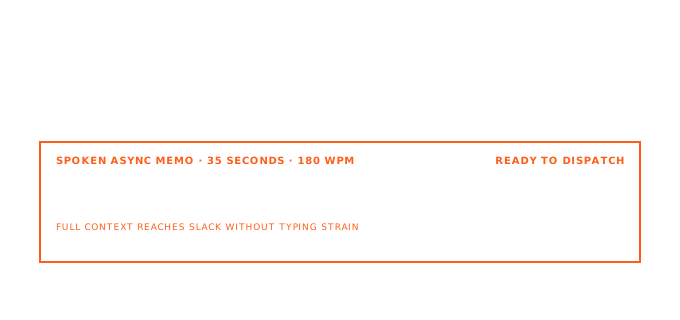
Click the field, toggle the hotkey, speak the full update, toggle off. AICHE transcribes in the cloud (audio streamed for cloud transcription, processed, and discarded after processing; no persistent audio copy) and inserts text only. You still send, attach files, pick emoji, and format Block Kit-style messages where Slack expects it. AICHE does not post for you or build workflows.
Example: #incident channel, thread on a failed deploy. You need owners, timeline, and next check. Click Reply in thread, press Ctrl+Alt+R, say: "Rollback completed at 14:32 UTC. Root cause looks like the config map for payments-api. On call is Priya until handoff. Next update in 30 minutes or when staging is green." Hotkey off, skim, Enter. Saved for later on the parent message stays; you cleared the reply you were avoiding.
How It Works
- Open Slack in the desktop app or browser on macOS, Windows, or Linux.
- Click into the exact field: main channel composer, thread reply, Canvas body, Workflow Builder text input, or a slash command prompt.
- Press ⌃+⌥+R (Mac) or Ctrl+Alt+R (Windows/Linux) to start recording.
- Speak names, ticket IDs, and deadlines the way you would on a huddle.
- Press the hotkey again. AICHE transcribes, applies cleanup, and inserts at the cursor.
- Add @mentions, links, attachments, or Block Kit formatting Slack requires, then send or save the workflow step.
Thread Replies, Channel Sections, and Saved for Later
Threads are where decisions live. A short typed reply hides missing context. Dictate the full state: what broke, what was tried, what is next, who owns it.
Channel sections let you group channels by project or function. When you batch replies across sections, voice keeps each thread complete before you jump to the next section. After you post, use Saved for later on messages you still need to act on; your dictation habit makes those items easier to clear because the reply text is already detailed.
Block Kit messages (sections, context blocks, buttons) still need manual structure in Slack's builder or app surfaces. AICHE helps most in the free-form composer and thread reply where plain text is the bottleneck.
Canvas, Huddles, and Slash Commands
Canvas is for decision logs, project briefs, and meeting notes inside Slack. Click a paragraph, toggle the hotkey, and dictate a full section: goal, constraints, open questions. Long Canvas updates are easier spoken than typed in a narrow doc view.
After a huddle, open the meeting Canvas or the channel thread and dictate outcomes while memory is fresh: attendees, decisions, action items with dates. No separate doc required if the team already works in Canvas.
For slash commands, click into /remind or similar prompts and speak the reminder text and time in one pass: "remind me to post the rollout summary Friday at 9am Pacific." Review Slack's parsed time before you confirm.
Workflow Builder and Workflow Steps
Workflow Builder forms use small text boxes for step titles, messages, and form questions. Those boxes still need complete sentences. Click the field in the builder, dictate the step copy: what triggers, what the user sees, what happens on deny.
Example workflow step message: "When a requester submits access, post here with role, system, and business justification. Deny if justification is empty." Thirty seconds of speech beats rewriting the same boilerplate for every new workflow.
AICHE does not wire triggers, branches, or apps. It only fills text fields you could type into.
What You Get
- Thread replies with full context instead of one-line deferrals
- Canvas paragraphs drafted at speaking speed
- Workflow Builder step text without copy-paste boilerplate
- Slash command bodies like
/remindfilled in one pass - Toggle hotkey (⌃+⌥+R / Ctrl+Alt+R) with cloud transcription; audio streamed for cloud transcription, processed, and discarded after processing. No persistent audio copy.
- Text insertion only in any Slack field that accepts typing
FAQ
Does AICHE send messages or run Workflow Builder for me?
No. AICHE inserts text at your cursor. You press Enter, save the workflow, or confirm the slash command.
Can AICHE build Block Kit layouts?
No. It inserts plain text into composers and text fields. Structure buttons and blocks in Slack's UI or your app as you already do.
Does dictation show a typing indicator?
Slack may show typing activity when the field is focused. AICHE does not simulate key-by-key typing; text appears when insertion finishes.
Does this work in huddles?
AICHE does not join huddles. Dictate follow-ups into the thread or Canvas after the huddle ends.
Where does audio go?
Audio is streamed for cloud transcription, processed, and discarded after processing. No persistent audio copy.
Result: A morning of thread replies, one Canvas update, and two Workflow Builder edits drops from long typing blocks to short speaking passes. Search and Saved for later stay useful because messages contain real detail.
Plans start at $3.99/mo (annual) with a 7-day free trial, no credit card. See pricing.
Try it now: open a thread you marked Saved for later, click Reply, press your hotkey, and dictate the full answer you have been postponing because it was "too long to type."