The short answer: click into any Figma text field (comment composer, component property description, FigJam sticky, Dev Mode annotation, or text layer), press ⌃+⌥+R (Mac) or Ctrl+Alt+R (Windows/Linux) to start recording, speak, press the hotkey again, and AICHE inserts formatted text at your cursor. Toggle recording, not push-to-talk.
The Problem
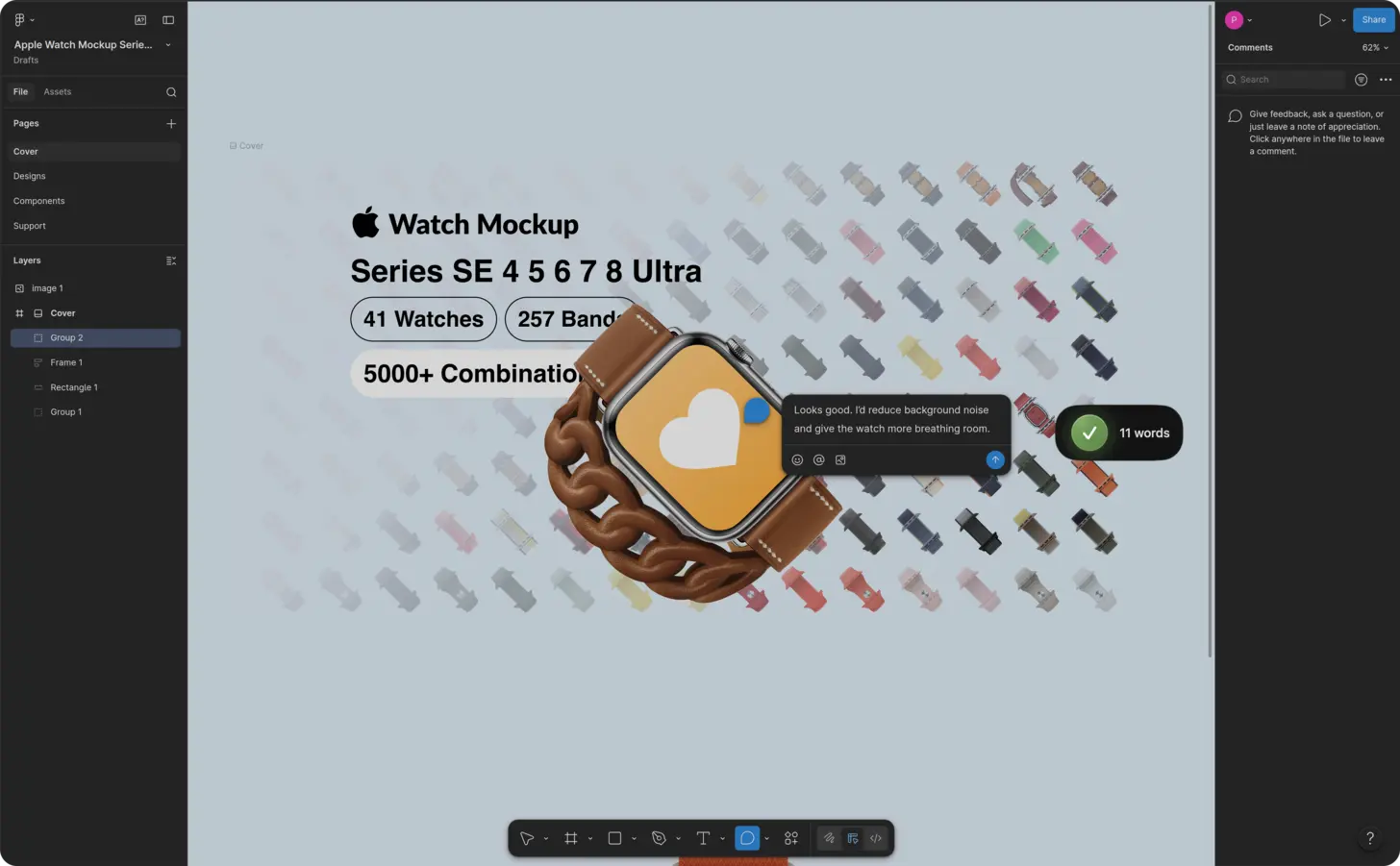
Figma work splits into canvas time and text time. Dev Mode inspect panels, component properties, variables collections, auto layout notes, prototype flow labels, design library descriptions, and comment pins all need sentences. Typing pulls your eyes off the frame you are reviewing. A 20-frame pass with inspect notes and pinned comments can cost an hour of keyboard work before engineering gets a clear handoff.
What Changes
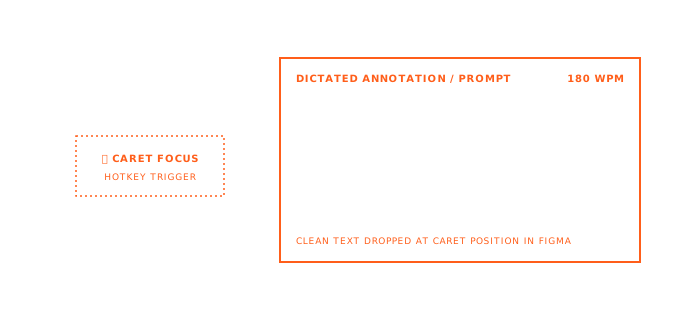
You stay in Dev Mode or on the canvas. Click the field, toggle the hotkey, speak the spec or feedback, toggle off. AICHE transcribes in the cloud (audio streamed for cloud transcription, processed, and discarded after processing; no persistent audio copy) and inserts text only. You still post comments, resize FigJam stickies, and set @mentions yourself. No Figma plugin, no extra UI from AICHE.
Example: You are in Dev Mode on a checkout frame. The spacing token on the primary button looks wrong on mobile. Click the comment pin, press ⌃+⌥+R, say: "Dev Mode: primary button uses spacing token space-12 but the mobile breakpoint in the variables collection maps to space-8. Match the collection or document the exception in the component property description." Press the hotkey again, add @dev-name, Post. You never opened a separate doc.
How It Works
- Open the file in the Figma desktop app or browser.
- Click into the target field: comment composer, a component property description, a text layer in the design library, a FigJam sticky, or a Dev Mode note area that accepts typing.
- Press ⌃+⌥+R (Mac) or Ctrl+Alt+R (Windows/Linux) to start recording.
- Speak at normal pace. Name tokens, variants, and flows the way you would in a handoff call.
- Press the hotkey again to stop. AICHE transcribes, applies cleanup, and inserts text at the cursor.
- Review, add @mentions or links Figma does not auto-fill, then Post or click away to save.
Dev Mode, Handoff Specs, and Comment Pins
Dev Mode is where engineers read layout, variables, and export settings. The gap is rarely the pixels. It is the sentence explaining why a variable override exists or what a prototype connection should do on error.
Pin a comment on the frame or layer, dictate the inspect context: which collection, which mode, what changes between breakpoints. For prototype flows, open the flow description or an adjacent text layer and speak the transition rules: "On failure, return to step 2 and show inline error on the email field, do not reset password."
Handoff specs in text layers next to the design library frame work the same way. Dictate padding rules, min widths, and when to use each variant. Engineers read it in Dev Mode without a separate Notion page.
Component Properties, Variables, and Auto Layout
Component properties and variables collections need plain-language descriptions. "Boolean: showIcon" is obvious. "When false, hide trailing icon and expand label to full width; use on settings rows only" is not.
Click the property description field or a documentation text layer, toggle the hotkey, and speak the rule once per variant. For variables, describe the semantic intent: "surface-elevated is for cards on background-default, not for modals." For auto layout frames, dictate constraints in a text note on the frame: "Hug contents horizontally, fill vertically, 16px gap, swap to vertical stack below 390px."
AICHE inserts plain text. Figma still owns property types, bindings, and collection structure. You supply the words.
FigJam Stickies, Design Library, and Review Threads
FigJam stickies are small. Dictate one idea per sticky: hypothesis, risk, or action item in two sentences. During affinity mapping, place empty stickies, then fill them by voice faster than you can type in a live workshop.
On the design library page, double-click the description under a published component and speak usage rules: max instances per screen, forbidden pairings, link to the canonical example frame. In async review, work through comment threads on pinned elements. Speak observation, impact, and suggested change while the frame stays in view.
What You Get
- Dev Mode and inspect notes without breaking review flow
- Component property and variables copy that actually gets written
- FigJam stickies filled at workshop pace
- Prototype and handoff text next to the frames engineers open
- Toggle hotkey (⌃+⌥+R / Ctrl+Alt+R) with cloud transcription; audio streamed for cloud transcription, processed, and discarded after processing. No persistent audio copy.
- Text insertion only in any field Figma already lets you type into
FAQ
Does AICHE add comment pins or edit component properties for me?
No. AICHE inserts text at your cursor. You place pins, set property values, and publish library updates in Figma as usual.
Can I dictate @mentions in comments?
AICHE inserts plain text. Say "at Alex" as a reminder, then pick the real @mention from Figma's picker before you Post.
Does this work in Figma desktop and in the browser?
Yes, wherever Figma accepts keyboard input and your cursor is in an editable field. AICHE is a desktop app; it does not run inside Figma's UI.
Will it fill in variables or bind properties automatically?
No. It only supplies descriptions and comments. Binding stays in Figma.
Where does audio go?
Audio is streamed for cloud transcription, processed, and discarded after processing. No persistent audio copy. If nothing may leave your device, AICHE is not a fit.
Result: A full Dev Mode review with pinned comments and property descriptions takes speaking time, not an hour of hunt-and-peck typing. Design library pages gain real usage text because each component costs one short dictation, not a skipped backlog item.
Plans start at $3.99/mo (annual) with a 7-day free trial, no credit card. See pricing.
Try it now: open a file in Dev Mode, pin one comment on a frame with a non-obvious token or variant, press your hotkey, and dictate what engineering should verify before build.