The short answer: open any Miro board, double-click a sticky note or text box, press ⌃+⌥+R (Mac) or Ctrl+Alt+R (Windows/Linux), speak your idea for 10-40 seconds, and AICHE inserts the transcribed text directly into the element.
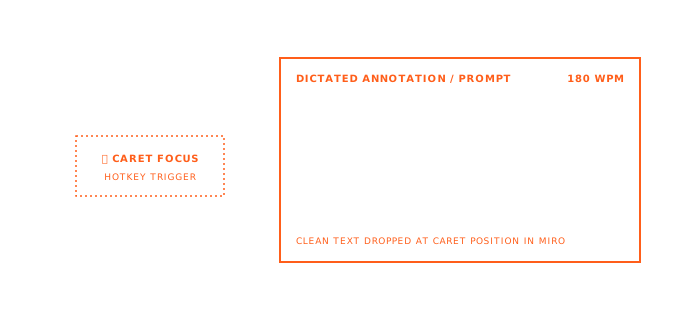
Miro's sticky notes are the digital equivalent of scribbling on a Post-it during a meeting. The problem is that typing on a tiny sticky note widget is nothing like scribbling on a Post-it. A physical Post-it takes two seconds to fill. A Miro sticky note requires clicking to edit, positioning your cursor, typing out the thought, and clicking away. Each note takes 8-12 seconds to type, and during a live brainstorming session those seconds compound. By the time you finish typing one idea, three more have passed through your mind and disappeared. Voice closes that gap. You speak the thought in 3-4 seconds, and the sticky note is done.
- Open Miro in your browser and navigate to the board you are working on.
- Create a sticky note (keyboard shortcut N) or double-click an existing one to edit it.
- With the text cursor active inside the sticky note, press ⌃+⌥+R on Mac or Ctrl+Alt+R on Windows/Linux to start recording.
- Speak your idea, observation, or comment. Be specific. Include the reasoning, not just the conclusion.
- Press the hotkey again to stop. AICHE transcribes and inserts the text into the sticky note.
- Click outside the note to save it, then move to the next one.
- Repeat. During a brainstorming session, the rhythm is: create note, hotkey, speak, hotkey, click away, create note.
Workshop Brainstorming at Full Speed
Facilitated workshops on Miro boards follow a pattern: the facilitator poses a question, participants add ideas as sticky notes, then the group clusters and discusses them. The bottleneck is always the input phase. Participants type slowly, self-edit as they go, and produce fewer ideas than they would in a physical room with real Post-its and markers.
AICHE changes the input phase. When the facilitator says "take three minutes to add your ideas," you spend those three minutes speaking instead of typing. Press the hotkey, speak the first idea, press the hotkey, click to a new note, repeat. In three minutes of speaking you can fill 8-12 sticky notes with substantive content. A typical typer fills 3-5 in the same window. The board ends up with more ideas and more detail per idea, which gives the clustering and discussion phases better material to work with.
This matters most in remote workshops where participants already feel less engaged than in a physical room. Voice input lowers the contribution barrier enough that quieter team members produce more output.
Comment Threads on Board Elements
Miro's comment feature lets you attach threaded discussions to specific elements on the board. This is where design decisions get debated, feedback gets captured, and questions get raised. But typing comments while visually scanning a complex board splits your attention between the keyboard and the canvas.
Voice handles the comment text while your eyes stay on the board. Click to add a comment on a wireframe, user flow, or diagram, press the hotkey, and speak your feedback. "This user flow assumes the user has already authenticated, but we need to handle the case where the session has expired and they land on this screen directly from a shared link." That is a 10-second dictation. Typing it takes 30-40 seconds during which you are looking at the keyboard instead of the board.
For design reviews with multiple stakeholders, this speed difference means you can comment on more elements in the same time window, and each comment has enough context to be actionable.
Mind Map Nodes and Diagram Labels
Mind maps and flowcharts in Miro require text inside each node. The nodes are small, the text needs to be concise but clear, and there are usually dozens of them. Typing into each node individually is the slow part of building any diagram.
Voice dictation handles node content naturally. Double-click a node, press the hotkey, speak the label or description, press the hotkey, move to the next node. For a mind map with 30 nodes, this cuts the content entry time from 15-20 minutes of typing to about 5 minutes of speaking. The diagram structure is visual work that requires your mouse and spatial thinking. The text content inside nodes is verbal work that benefits from your voice.
Tips for Miro Users
During live sessions, create multiple empty sticky notes first by clicking the note tool and placing them on the board. Then go back and dictate into each one. This separates the spatial placement from the content capture and keeps both tasks fast. For mind maps, build the node structure first with placeholder text, then dictate real content into each node in a second pass. When adding comments during async reviews, enable Message Ready in AICHE settings so your spoken feedback arrives as clean, punctuated text that teammates can read without guessing at your intent.
Heads-up: Miro sticky notes have a character limit that varies by note size. If you dictate a long thought, the text may overflow the visible area of a small sticky note. Resize the note after dictation, or keep your spoken ideas to 2-3 sentences per note.
The pro-tip: during brainstorming sessions, do not self-edit while speaking. Speak every idea, even the ones that feel half-formed. The point of brainstorming is volume, and voice removes the friction that usually causes people to filter ideas before they reach the board.
Result: a 45-minute workshop that produces 80 typed sticky notes across 6 participants becomes 150+ spoken contributions. The board has more material to work with, and the ideas are more detailed because speaking a complete thought takes less effort than typing one.
Do this now: open a Miro board, create a sticky note, press your hotkey, and speak one complete idea you have been thinking about. Notice how much faster the thought reaches the board compared to typing it.