The short answer: open a Confluence page in edit mode, click where you want text, press ⌃+⌥+R (Mac) or Ctrl+Alt+R (Windows/Linux), and speak. AICHE transcribes your speech and inserts it at the cursor position in Confluence's editor.
Confluence's Cloud editor uses a block-based structure. Headings, paragraphs, Expand macros, Info/Warning/Note panels, and Status lozenges each occupy distinct blocks. Good for reading. Slow for writing. Filling a Meeting Notes template means clicking each section, typing the outcome, tabbing to the next block, typing action items. AICHE skips the typing step. Click a block, press the hotkey, speak the content, move to the next. The editor structure stays intact. AICHE inserts plain text at the cursor. It does not modify Confluence's formatting or macros.
Your team finishes a standup. You open the Meeting Notes template, click into Discussion Items, press ⌃+⌥+R, and say "the API migration is on track for Thursday. Cache invalidation bug is blocked on the Redis upgrade. Sarah is handling the customer escalation and will update the Jira ticket by end of day." Press the hotkey again. Click into Action Items. Press the hotkey. Dictate the three follow-ups. Two minutes instead of ten. Publish before the next meeting starts.
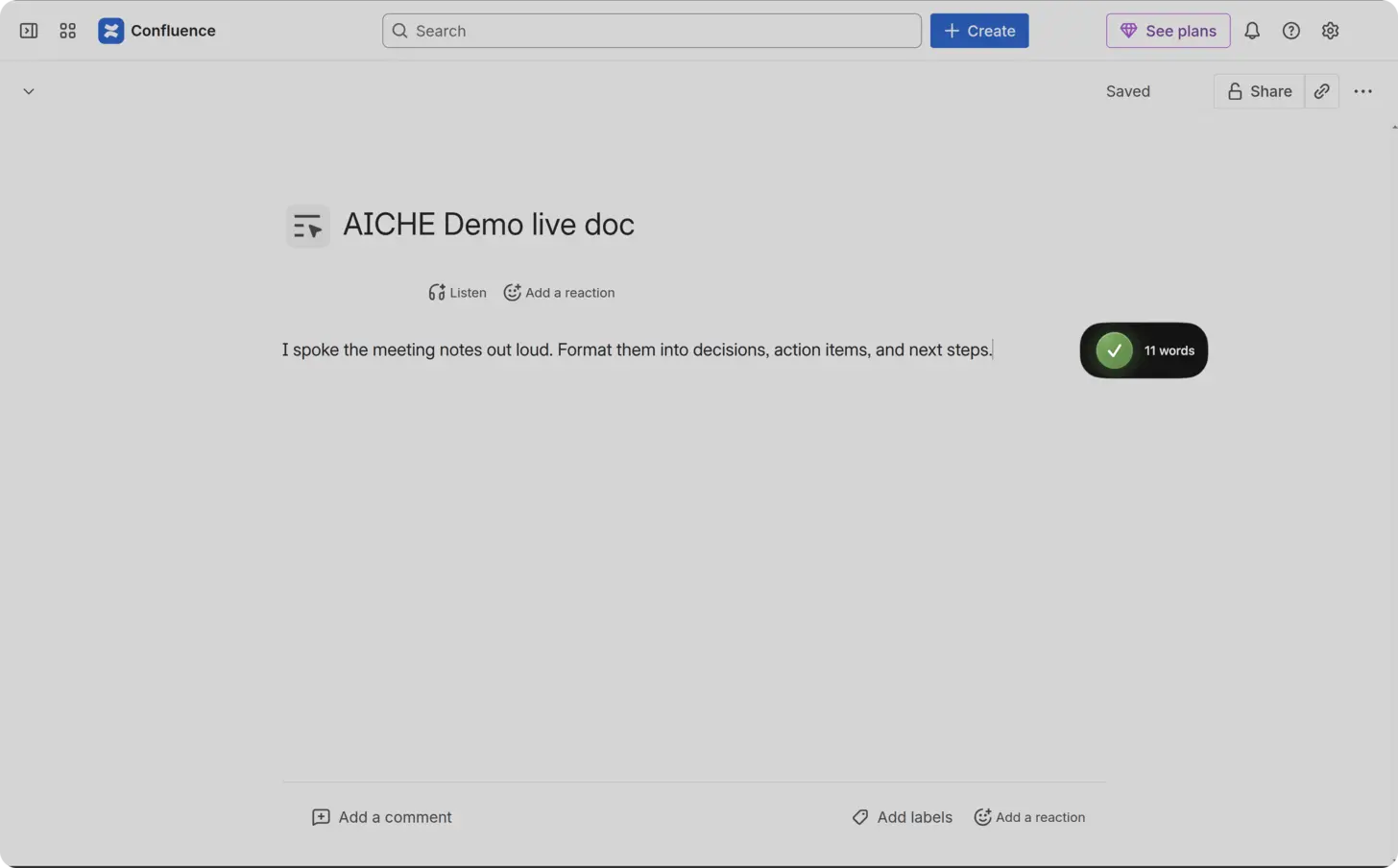
How to Use AICHE with Confluence
- Open any Confluence page and click Edit (pencil icon) or press E to enter edit mode.
- Click inside a text block, below a heading, or inside a template section (Meeting Notes, Decision, Retrospective, How-To Article).
- Press ⌃+⌥+R (Mac) or Ctrl+Alt+R (Windows/Linux) to start recording.
- Speak the content for that section. AICHE streams audio to the cloud, transcribes it, and inserts the text at your cursor.
- Press the hotkey again to stop recording.
- Apply Confluence formatting after dictation - add numbered lists, insert an Expand macro to collapse long sections, drop in a Jira issue macro, or wrap text in an Info panel.
- Publish the page or leave it as a draft for review.
Dictate the substance first, then apply formatting. Confluence's toolbar handles structure. Your voice handles content.
Runbooks and Playbooks
Runbooks are the highest-value and most-neglected pages in most Confluence spaces. They describe what to do when a service breaks at 3am. They need enough detail for someone who has never handled that incident type.
Open the runbook page, click Edit, position your cursor in the procedure section. Dictate each step as if walking a junior engineer through it. Say "first, check the CloudWatch dashboard for the API service. Look at the error rate graph for the last 30 minutes. If error rate exceeds 5%, proceed to step 2. Below 5%, monitor for 10 minutes before escalating." Continue through diagnosis, mitigation, and resolution. Spoken runbooks capture the small decisions that experienced engineers skip when typing: when to wait versus escalate, which dashboard shows the right metric.
After a deployment changes infrastructure, open the affected runbook, navigate to the outdated section, and dictate a 30-second correction. Incremental voice updates keep runbooks accurate without requiring a full rewrite.
Meeting Notes and Architecture Decision Records
ADR dictation example (Confluence Decision template or blank page with four headings):
Click under Status, press the hotkey, say "Proposed."
Click under Context, speak: "Checkout service calls inventory synchronously. Peak traffic causes 800ms p95 and oversells when inventory lags by two seconds."
Click under Decision, speak: "Move to event-driven reservation via Kafka topic inventory.reserved. Checkout publishes; inventory service confirms or rejects within five seconds."
Click under Consequences, speak: "Adds Kafka ops burden and idempotent consumer logic. Removes synchronous coupling and lets us scale checkout pods independently."
Add an Info or Tip panel manually for the final decision line. AICHE inserts plain text; Confluence macros and Jira issue links are yours to add after dictation.
Onboarding Documentation
Onboarding pages determine how quickly new hires become productive. Dictate environment setup instructions, codebase walkthroughs, team conventions, and common pitfalls into your team's onboarding space. Speak as if you are sitting next to someone on their first day.
Update these pages when a new hire reports confusion. After answering their question, press the hotkey and dictate the clarification into the Confluence page so the next person finds it there. Use the Page tree macro on the space homepage to organize onboarding pages by topic, and add Date lozenges to mark when each section was last verified.
Working with Confluence Macros and Formatting
AICHE inserts plain text at the cursor position. It does not add or modify Confluence macros. The workflow is: dictate content, then apply formatting using the editor toolbar.
- Expand macros. Dictate a long procedure, then wrap it in an Expand macro so the page stays scannable. Readers click to expand only the sections they need.
- Info, Warning, Note, and Tip panels. Dictate a callout, then convert it to the appropriate panel type. Use Warning panels for destructive operations, Tip panels for shortcuts.
- Jira issue macro. After dictating context about a bug or feature, insert the Jira issue macro to link the relevant ticket inline.
- Page templates. Start from Meeting Notes, Decision, Retrospective, or How-To Article templates. Click into each template section and dictate the content for that section.
- Labels and Page restrictions. After publishing, add Labels for discoverability and set Page restrictions if the content is team-specific or sensitive.
- @mentions. Tag teammates in the page text after dictating. Confluence sends them a notification with the context you just wrote.
AI Inputs In Confluence
Confluence now includes Rovo/Atlassian Intelligence surfaces where prompt quality matters:
- Create/edit with AI in page editor prompts
- Rovo chat follow-up questions from current page context
- Summarize and summarize-changes follow-up prompts for scope and format
AICHE is useful when those prompts need multiple constraints (audience, format, exclusions, linked Jira context). It inserts the prompt text only. Confluence/Rovo runs the AI action.
What You Get
- Text insertion at the cursor. Dictated speech appears exactly where you clicked in Confluence's editor.
- Content Organization. Toggle this in AICHE settings to structure spoken paragraphs into organized sections.
- Custom Vocabulary. Add project names, service names, acronyms, and technical terms so transcription gets them right the first time.
- Message Ready. Optional AI cleanup that tightens phrasing and fixes filler words before inserting into the page.
- Auto-translation. Dictate in one language, insert in another - useful for teams spread across regions sharing the same Confluence space.
- Cloud transcription. Audio streams to Groq, Google Generative AI, or DeepInfra, is processed, and is dropped after processing. No persistent audio storage.
Pricing
AICHE Personal costs $3.99/month on the annual plan. Includes a 7-day free trial, no credit card required.
FAQ
Does AICHE modify Confluence macros or page formatting?
No. AICHE inserts plain text at your cursor position. Formatting, macros, panels, and page structure are applied manually using Confluence's editor toolbar after dictation.
Can I dictate into Confluence Cloud and Data Center?
AICHE works with both Confluence Cloud and Data Center. It inserts text into any standard browser text field, and Confluence's editor qualifies on both platforms.
What happens to my audio?
Audio is streamed to Groq, Google Generative AI, or DeepInfra for cloud transcription and discarded after processing. No persistent audio copy.
Does AICHE work inside Confluence Whiteboards?
Whiteboards use a canvas-based editor, not standard text fields. AICHE works in Confluence's page editor, not the Whiteboard view.
Can I dictate into inline comments?
Yes. Click "Add inline comment" on any text selection, position your cursor in the comment field, press the hotkey, and dictate your feedback.
Result: Runbooks updated after every deployment. Meeting notes published before the next meeting starts. ADRs written with full context in three minutes. Onboarding pages that stay current because updating them takes 30 seconds of speaking.
Try it now: Open a Confluence page that needs updating, click Edit, press ⌃+⌥+R (Mac) or Ctrl+Alt+R (Windows/Linux), and dictate the corrections.