The short answer: open Canva in your browser, click into any text element, press ⌃+⌥+R (Mac) or Ctrl+Alt+R (Windows/Linux), speak your content, press again to stop. AICHE transcribes and inserts formatted text at your cursor. Works in design text boxes, Canva Docs, Whiteboard sticky notes, speaker notes, and Bulk Create fields.
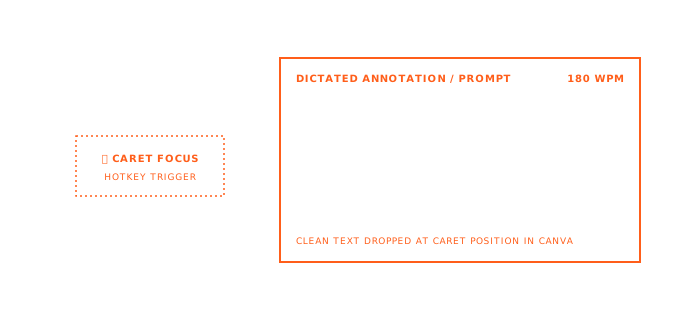
Canva is where non-designers produce visual content at scale. Brand Kit enforces your company colors and fonts. Magic Resize adapts one design to Instagram, LinkedIn, X, and Facebook formats. Content Planner schedules the result. The design work is visual and click-based: drag elements, adjust layouts, apply templates. The text inside every design (headlines, body copy, captions, speaker notes, Canva Docs paragraphs) is still typed character by character. Voice handles the text. Your eyes stay on the canvas.
Real Example: Social Media Post With Brand Kit and Magic Resize
You open a social media template from the Templates gallery. Brand Kit auto-applies your company colors and font. You click the headline text box, press ⌃+⌥+R (Mac) or Ctrl+Alt+R (Windows/Linux), and dictate:
"Q2 revenue grew 23% driven by enterprise expansion in APAC."
Click the body text box, press the hotkey, dictate the supporting detail:
"New enterprise contracts in Singapore, Tokyo, and Sydney accounted for 60% of the growth. Self-serve revenue held steady at 15% year over year."
Magic Resize generates the LinkedIn, Instagram, and X versions from this one design. Content Planner schedules all three for next Tuesday at 9 AM. The design work was clicks and drags. The text work was voice. Total time for three platform-ready posts: under 4 minutes.
Social Media Captions Across Multiple Formats
Each platform has different character limits and audience expectations. Instagram captions run long and casual. X posts stay under 280 characters. LinkedIn posts need professional tone with specific metrics.
Without voice, you type the Instagram caption. Then retype a shorter version for X. Then rewrite a formal version for LinkedIn. With AICHE, dictate the core message into your Instagram design. Click into the X text box, press the hotkey, speak a compressed version. Then the LinkedIn text box with a data-focused take. You already know what you want to say. You are adjusting delivery, not starting over.
For content calendars with 10-20 social graphics per session, dictating captions keeps you in the visual flow. A batch finishes in an hour instead of an afternoon.
Canva Docs: Brand Guidelines, Briefs, and Internal Wikis
Canva Docs is a document editor inside Canva. It combines long-form writing with embedded images, charts, and design blocks. Marketing briefs, project proposals, brand guidelines, and team wikis fit here.
Click where you want to write. Press the hotkey. Dictate a full section. For brand voice guidelines, speak the tone description, audience profile, and do/don't examples. For a project brief, dictate objective, scope, timeline, and deliverables one section at a time. Message Ready structures your speech into clean paragraphs.
A 400-word brand guidelines section takes 2.5 minutes to dictate. Typing it takes 12-15 minutes.
Whiteboard: Sticky Notes During Brainstorming
Canva Whiteboard is a collaborative brainstorming canvas with sticky notes, connectors, shapes, and drawing tools. The bottleneck is getting ideas onto sticky notes fast enough. Typing forces you to condense every idea into a few words. The input friction is too high for full thoughts.
Double-click to create a sticky note. Press the hotkey. Speak the full idea: "A/B test the onboarding flow, product tour versus checklist format, measure activation rate at day 7." Press again. Move to the next note. Each idea lands as a complete thought, not a cryptic abbreviation nobody remembers tomorrow.
Presentations: Slide Content and Speaker Notes
Canva's presentation templates are popular for pitch decks, team meetings, and conference talks. Filling slides with text is the slow part.
Click into a slide's text placeholder. Press the hotkey. Dictate the headline: "Customer acquisition cost dropped 34% after switching to content-led growth." Click the body text box and dictate the supporting data points. For the next slide, repeat.
Speaker notes are where voice input saves the most time. Click into the speaker notes field below the slide. Press the hotkey. Dictate exactly what you plan to say during that slide: your talking points, the anecdote you want to tell, the transition to the next slide. A 15-slide deck with detailed speaker notes takes 10 minutes of dictation instead of 40 minutes of typing.
Canva AI Inputs (Magic Write and Assistant)
Canva has explicit AI prompt boxes in Docs and supported design contexts (Assistant button or + menu). AICHE is convenient when those prompts need detailed audience/tone/format constraints. Canva AI generates; AICHE inserts prompt text only.
Magic Write and AICHE: Different Tools, Different Jobs
Canva's Magic Write is an AI text generator that suggests headlines, body copy, and content based on your design context. AICHE is a transcription tool that converts your spoken words into text. They solve different problems.
Use AICHE when you know what you want to say and need to get it into a text field fast. Use Magic Write when you want AI-generated suggestions for copy you have not written yet. They work in the same text fields without conflict. You can dictate a rough draft with AICHE, then use Magic Write to generate alternative phrasings.
Bulk Create: Data-Driven Design at Scale
Bulk Create generates multiple designs from a spreadsheet (CSV or Google Sheets) where each row produces a unique version. Event name tags, product cards, certificate batches, personalized invitations. The text column values in the spreadsheet are what vary per design.
If you are populating a spreadsheet with 50 certificate recipient names and achievement descriptions, dictation is faster than typing each entry. Open your Google Sheet or CSV editor, click into a cell, press the hotkey, dictate the value. Move to the next cell, repeat. Once uploaded to Canva's Bulk Create, each row generates a finished design with your dictated text.
What You Get
- Dictate into any Canva text element (headlines, body copy, captions, labels)
- Voice input for Canva Docs (briefs, guidelines, wikis, proposals)
- Whiteboard sticky notes filled by voice during brainstorming
- Presentation slide content and speaker notes
- Works alongside Brand Kit, Magic Resize, and Content Planner
- Toggle recording with
⌃+⌥+R(Mac) orCtrl+Alt+R(Windows/Linux) - Message Ready formats conversational speech into structured paragraphs
- Runs at the OS level - works in any browser where Canva is open
- Desktop apps for macOS, Windows, and Linux plus Chrome extension and mobile
Plans start at $3.99/mo (annual) with a 7-day free trial, no credit card. See pricing.
FAQ
Does AICHE work inside Canva's text elements?
Yes. Canva text elements are standard browser text inputs. Click into any text box on the canvas, press the hotkey, and dictate. The text appears directly in the element.
Can I dictate into Canva Docs?
Yes. Canva Docs uses a browser-based text editor. Click where you want to write, press the hotkey, and dictate. Works for paragraphs, headings, and any text area within the document.
Does AICHE conflict with Magic Write?
No. AICHE inserts your spoken words as text. Magic Write generates AI suggestions. They operate independently in the same text fields. You can use AICHE to dictate a draft, then invoke Magic Write for alternative phrasing.
What about Whiteboard sticky notes?
Double-click a sticky note to open the text input, press the hotkey, and dictate. Each sticky note is a standard text field that accepts AICHE input.
Does it work in Canva's desktop app?
AICHE runs at the OS level, so it works in both the browser version and the Canva desktop app. Any text field that accepts keyboard input accepts AICHE dictation.
Can I use AICHE for Bulk Create spreadsheet data?
AICHE works in the spreadsheet editor (Google Sheets, Excel, CSV editors) where you prepare Bulk Create data. Dictate cell values, then upload to Canva for batch generation.
Result: writing copy for 5 social media variants drops from 15 minutes of typing to 4 minutes of dictation. A 15-slide Canva presentation with speaker notes takes 10 minutes to fill instead of 40. Canva Docs sections that take 12 minutes to type take 2.5 minutes to dictate.
Try it now: open a Canva template, click into the headline text box, press the hotkey, and dictate one product announcement or quarterly result you have been meaning to design.