Short answer: run codex in your terminal, click the interactive TUI prompt, press ⌃+⌥+R (Mac) or Ctrl+Alt+R (Windows/Linux), speak a full task brief (scope, files, tests, approval boundaries), press the hotkey again, then send in Codex. AICHE inserts text only. Codex plans, edits files, and runs commands per your approval mode.
Codex CLI is OpenAI's local coding agent: Rust-based, terminal-native, and included with many ChatGPT plans (Plus, Pro, Business, Edu, Enterprise) or usable with an API key. It is separate from Codex in the IDE (VS Code, Cursor, Windsurf) and Codex Cloud on the web.
Where typing hurts
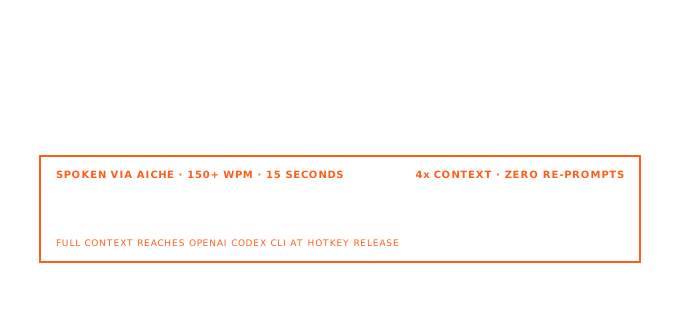
Codex rewards the same input density as Claude Code or Cursor agents: constraints, file hints, test commands, and "do not touch" boundaries. In the TUI, a one-line ask produces a one-line plan. Speaking a 200-word brief takes about 90 seconds; typing it often takes five minutes, so developers compress and pay in extra /plan or correction rounds.
Codex surfaces AICHE fills
- Interactive TUI (
codex): main agent prompt and follow-ups. - Slash commands: dictate text before
/model,/plan, or permission changes, then paste if needed. - Image + prompt: spoken caption before screenshots (Codex reads images with your text per OpenAI docs).
codex exec: one-shot task strings; dictate into the terminal field or paste from Notes.- Commit / review: spoken notes before local code review or Codex Cloud handoff.
AICHE does not run codex exec, approve sandboxed commands, or configure MCP servers. You do.
How it works
- Install Codex CLI (install guide):
npm install -g @openai/codex, Homebrew cask, or the install script from openai/codex. - Authenticate:
codex login(ChatGPT sign-in) or API key per auth docs. cdinto the repo directory Codex should own.- Run
codex. Focus the TUI input. - Toggle ⌃+⌥+R / Ctrl+Alt+R, speak 30 to 120 seconds of intent.
- Toggle again. AICHE inserts cleaned text at the caret.
- Send. Review diffs and terminal actions per your approval mode (
~/.codex/config.toml, MCP, sandbox settings).
@ file context: In the TUI you can add paths with @ fuzzy search. Dictate the prose first, then add @packages/api/routes in the keyboard if you want precise file anchors.
Product-native details worth including in prompts
- Approval modes: Say whether Codex may edit, run tests, or only propose until you accept.
- MCP: If you use Model Context Protocol servers, name which tools the task needs so Codex does not guess.
- Subagents / parallel work: For large refactors, ask for a plan first, then execution in a second message.
- Windows: Codex runs natively in PowerShell with Windows sandbox, or WSL2 for a Linux-native tree (Windows setup).
What you get with AICHE
- Software Development profile (Pro) for flags, paths, and library names.
- Custom vocabulary for internal service names and acronyms.
- Smart Insert back to the TUI after processing (Smart Insert).
- Audio streamed for transcription, discarded after processing.
Plans from $3.99/mo billed annually. See pricing.
FAQ
Q: Same hotkey as Claude Code in the same terminal?
A: Yes. Focus the field that should receive text (Codex TUI vs shell prompt). AICHE inserts only where the caret is.
Q: Does AICHE trigger Codex tools?
A: No. Codex invokes read_file, terminal runs, and MCP after you send.
Q: Codex IDE extension vs CLI?
A: This page is the CLI TUI. For VS Code-style Codex, use your editor's prompt field the same way or see /works-with/vscode and /works-with/cursor.
Q: Push-to-talk?
A: No. Toggle hotkey: start, stop, transcribe.
Related
- AICHE with Claude Code CLI
- AICHE with Ghostty
- Voice Code for AI Coding Agents (Pro continuous listening for agent loops)
Try it: codex in a repo you know, dictate one task you've been shortening because typing the spec felt too heavy, send, and review before you approve command runs.
