The short answer: position your cursor in a VS Code comment block, markdown file, or the Source Control commit message field, press ⌃+⌥+R (Mac) or Ctrl+Alt+R (Windows/Linux) to start recording, speak your explanation, and press the hotkey again. AICHE transcribes and inserts the formatted text at your cursor.
AICHE drops text into every VS Code surface that accepts typing: the main editor pane, the integrated terminal (Ctrl+`), the Source Control commit message field, the Debug Console, and the Output panel search box. It runs as a separate desktop app, not a VS Code extension, so it has zero conflict with Copilot, ESLint, Prettier, or anything else in your Extensions sidebar. Open a markdown file, split the editor so the preview pane (Ctrl+Shift+V) is visible on the right, and dictate directly into the left pane while watching your prose render live.
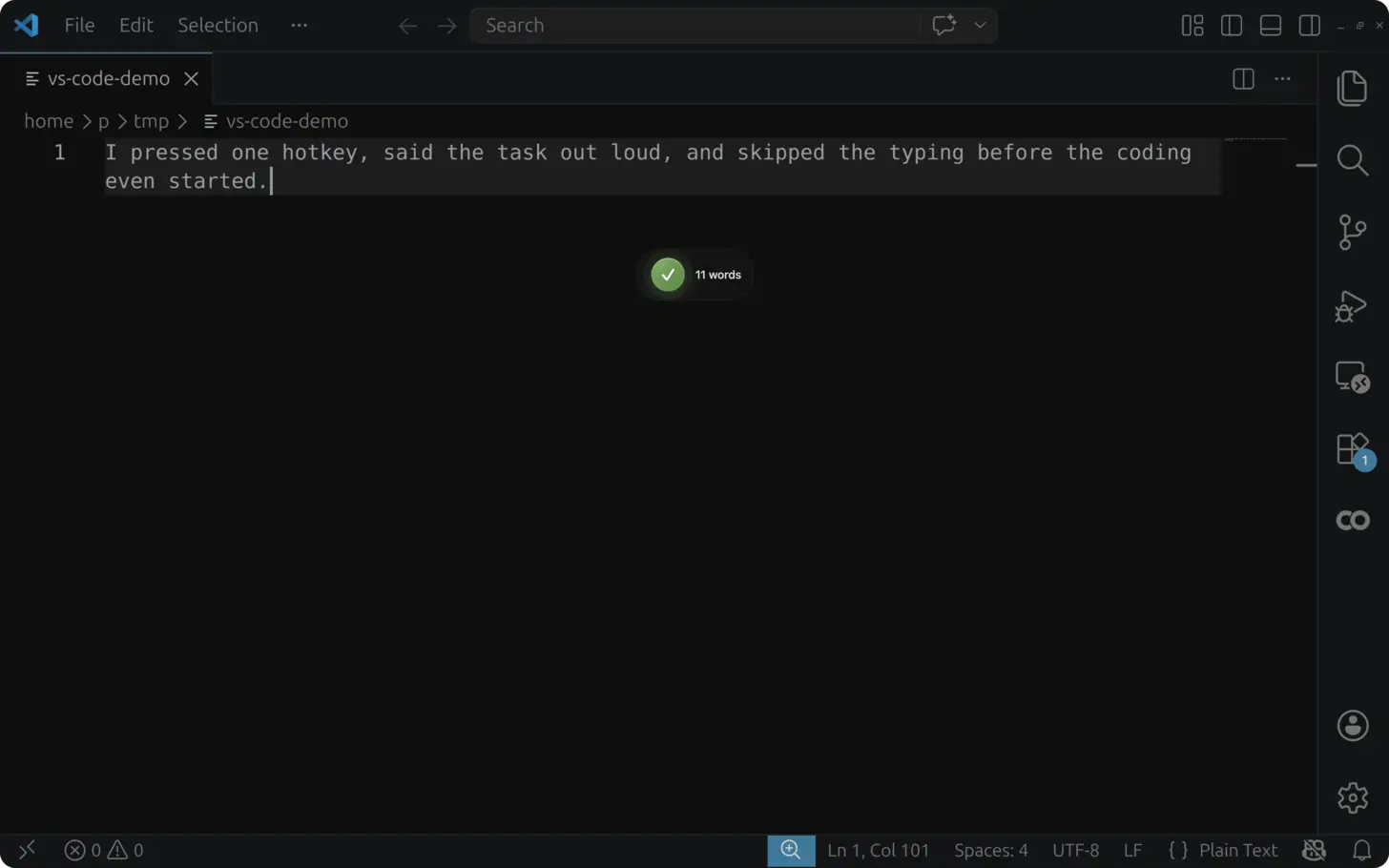
Real Workflow: Document a Function and Commit in One Session
You have just written a utility that validates webhook signatures. Here is what a single AICHE session looks like:
- Place your cursor on the line above the function and type your comment prefix (
//or/**). - Press ⌃+⌥+R and say: "this function validates incoming webhook signatures by computing an HMAC-SHA256 digest of the raw request body using the shared secret, then comparing it against the signature header with a timing-safe comparison to prevent timing attacks."
- Press the hotkey again. AICHE transcribes and inserts the text. Add
@paramor@returnstags around it. - Open the Source Control sidebar (Ctrl+Shift+G). Click into the commit message field.
- Press ⌃+⌥+R and say: "add webhook signature verification utility with timing-safe comparison, covers HMAC-SHA256 only for now, RSA variant tracked in issue 214."
- Press the hotkey again. The commit message appears in the field. Commit and move on.
Two pieces of documentation in under 90 seconds of speaking. The function gets a real explanation and the commit message gives reviewers actual context.
How to Set Up
- Download AICHE and install it on your Mac, Windows, or Linux machine.
- Open VS Code with your project.
- Position your cursor where you want text: an inline comment, a docstring, a
.mdfile, or the Source Control commit message field. - Press ⌃+⌥+R (Mac) or Ctrl+Alt+R (Windows/Linux) to start recording. The hotkey is toggle-based, not push-to-talk.
- Speak your explanation naturally for 15 to 90 seconds depending on length.
- Press the hotkey again. AICHE transcribes, optionally applies Message Ready cleanup, and inserts the text at your cursor.
- Review for technical accuracy and adjust specifics.
Heads-up: AICHE transcribes your spoken words into text. If you say "create a function that adds two numbers," it inserts that sentence as text. It does not generate code, run terminal commands, or interact with VS Code extensions.
Inline Comments and Docstrings
Comment Blocks Above Functions
The most common use in VS Code is documenting functions you just wrote. Place your cursor on the line above, type your comment prefix, press ⌃+⌥+R, and explain what the function does as if a colleague is sitting next to you. Describe what it accepts, what it returns, why it exists, and any edge cases.
After AICHE inserts the text, add language-specific formatting. For JSDoc, wrap with /** and add @param and @returns tags. For Python docstrings, wrap with triple quotes. The content is already there.
Inline Explanations for Complex Logic
When you write a tricky algorithm or a workaround for a library bug, add a comment immediately. Position your cursor above the line, press the hotkey, and say "this uses a binary search instead of linear scan because the dataset exceeds 10,000 items and response time needs to stay under 50ms." That comment takes 8 seconds to speak. Over a full day of coding, the time saved adds up.
README and Markdown Authoring
VS Code's built-in markdown preview (Ctrl+Shift+V) pairs well with voice input. Open your README.md, split the editor so the preview is visible, then dictate section by section.
For each section, speak the content naturally: what the project does, how to install it, how to configure it, common pitfalls. Enable Content Organization in AICHE settings to have your spoken explanation automatically structured into clear paragraphs. After dictating, add markdown headers, code fences, and links manually.
You can also dictate descriptions inside .vscode/settings.json comments or launch.json description fields. Anywhere VS Code accepts text, AICHE can insert.
Git Commit Messages
Source Control Panel
Click into the commit message field at the top of the Source Control sidebar (Ctrl+Shift+G), press ⌃+⌥+R, and speak your message. AICHE inserts directly into that field. Detailed commit messages make git blame useful months later. The reason developers write "fixed bug" is not laziness. Typing a proper explanation feels slow when you want to move on. Speaking it takes 15 seconds.
Integrated Terminal
In VS Code's integrated terminal (Ctrl+), when your editor opens for a git commit` message, press the hotkey and dictate the full context: what changed, why it changed, and what to watch for during review.
Remote-SSH, WSL, and Dev Containers
AICHE inserts text into whatever VS Code window has focus, including Remote-SSH sessions, WSL, and Dev Containers. No server-side installation is needed. Your development environment can be running on a remote host, inside a Linux distribution on Windows, or in a Docker container. As long as VS Code is the focused window on your local machine, the hotkey works and text arrives at your cursor.
What You Get
- Comment blocks and docstrings dictated in seconds instead of typed over minutes.
- README sections drafted by speaking, formatted by hand. Content Organization structures paragraphs automatically.
- Git commit messages with real context, spoken into the Source Control panel or terminal.
- Multi-cursor awareness. AICHE inserts at the primary cursor position when multiple cursors are active.
- No extension conflicts. AICHE runs as a standalone desktop app. Copilot, Copilot Chat, ESLint, Prettier, and every other extension works unchanged.
- Remote compatibility. Works in Remote-SSH, WSL, and Dev Container sessions without server-side setup.
- Custom Vocabulary for repo names, internal services, and library names that standard speech recognition would miss. 50 entries included.
- Software Development profile (Pro) for code-tuned recognition of identifiers, CLI flags, and library names in your dictation.
- Auto-translation to dictate in one language and insert in another.
Pricing
AICHE Personal starts at $3.99/mo (billed annually) with a 7-day free trial, no credit card required. The Software Development profile is available on the Pro plan.
FAQ
Does AICHE install as a VS Code extension?
No. AICHE is a standalone desktop app. It intercepts a system-wide hotkey and inserts text at whatever cursor has focus. There is nothing to install inside VS Code, no extension panel entry, and no conflict with your existing extensions.
Is my audio stored anywhere?
AICHE streams audio to Groq, Google Generative AI, or DeepInfra for transcription. Audio is discarded after processing. No persistent copy is kept.
Can I use AICHE alongside GitHub Copilot?
Yes. AICHE handles voice-to-text input. Copilot handles code generation. They do different things and do not interfere with each other. You can dictate a comment explaining a function, then let Copilot suggest the implementation below it.
Does it work in VS Code's Zen Mode or full-screen splits?
Yes. The hotkey is system-wide and works regardless of VS Code's UI layout, including Zen Mode, editor splits, and the side-by-side diff viewer.
What about multi-cursor editing?
When you have multiple cursors active, AICHE inserts text at the primary cursor position. Place your cursor deliberately before recording.
Related Features
- Global Voice-to-Text Hotkey - how the system-wide hotkey registers and works across applications.
- Smart Insert - how text arrives at your cursor in VS Code's editor panes, terminal, and Source Control panel.
- Software Development Profile - Pro: code-tuned recognition for identifiers, CLI flags, and library names in your documentation.
- Custom Vocabulary - 50 entries for repo names and internal jargon that appear in your docs.
Result: function docstrings get written in the same session as the code. Commit messages carry real context. READMEs get drafted in minutes instead of being pushed to a cleanup sprint that never happens.
Try it now: download AICHE, open any VS Code file with an undocumented function, press ⌃+⌥+R, and dictate what the function does and why it exists.