Short answer: open Thunderbird, click Write or Reply, click into the message body, press ⌃+⌥+R (Mac) or Ctrl+Alt+R (Windows/Linux), speak as long as you need, press again. AICHE inserts cleaned-up text in 2-3 seconds. Send.
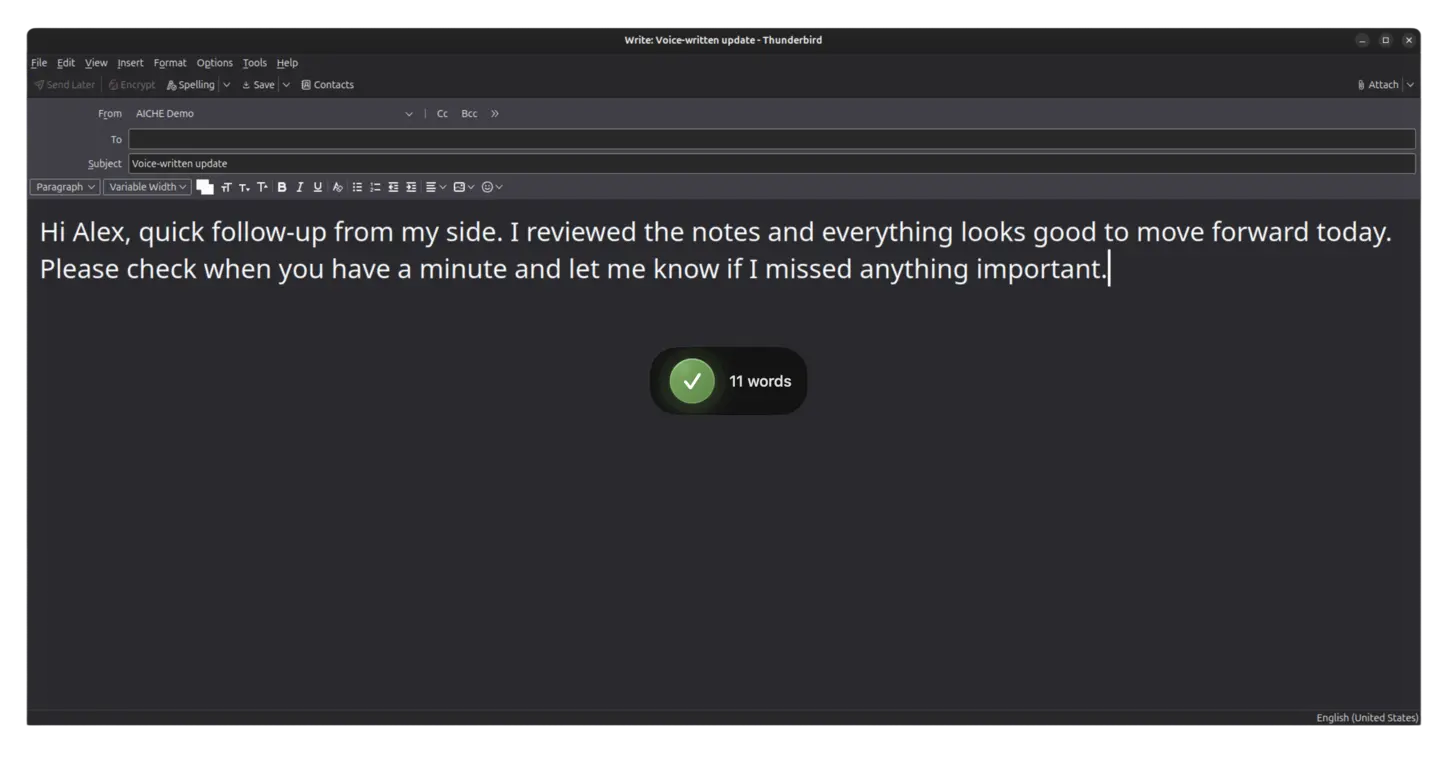
Thunderbird users tend to be technical, privacy-minded, and juggling multiple identities: a work address, a personal address, a mailing-list identity, maybe a project-specific one. You picked Thunderbird because it's open-source, free, doesn't track you, and gives you control over the whole email setup. The one missing piece was a fast way to compose long messages. AICHE adds that without touching Thunderbird itself.
How It Works
- Open Thunderbird.
- Click Write (new) or Reply (thread).
- Fill in recipients and subject. Click into the message body.
- Press ⌃+⌥+R (Mac) or Ctrl+Alt+R (Windows/Linux).
- Speak. No length cap.
- Press the hotkey again. AICHE transcribes, applies AI cleanup, inserts.
- Review, format if needed (
Options → Format → Rich Text Onlyfor HTML), Send.
Heads-up: plain-text vs HTML mode is your call. Plain text plays well with mailing lists; HTML lets you add headings and lists post-dictation.
Where Voice Pays Off in Thunderbird
Multi-Identity Style Switching
Thunderbird's identity system lets you send from different addresses per context. The hard part isn't picking the From; it's switching tone. AI cleanup handles that. Casual speech produces structured, professional text by default; turn it down for personal emails where a conversational tone fits.
Mailing-List Posts Worth Reading
A useful mailing-list reply takes 10-15 minutes to type because precision matters: context, prior-thread references, your position, technical detail. Speaking the same response takes 60-90 seconds, and people speak more thoroughly than they type because words are free, not keystrokes. For lists where completeness is valued, voice biases the output the right way.
Long Technical Replies
Client follow-ups, contract clarifications, code-review-by-email, incident postmortems sent to a list. The kind of email you keep deferring because the typing tax is real. Speak the full reply, review for accuracy, send.
OpenPGP and Encrypted Workflows
If you use Thunderbird's built-in OpenPGP (or Enigmail historically), AICHE inserts plain text into the compose field before encryption runs. Your dictation never sees the encryption layer; the encryption layer never sees the audio. Clean separation.
Linux Native
Thunderbird is the default mail client on many Linux distros. AICHE runs natively on Linux with the same workflow as macOS and Windows. No compat shims, no compromises.
What You Get
- Unlimited voice notes with AI cleanup - filler words removed, punctuation and paragraph breaks added.
- System-wide dictation - same hotkey works across Thunderbird, browser, terminal, every app.
- Custom vocabulary - drop in client names, library names, mailing-list jargon. Spelled correctly.
- Multilingual voice input - speak in any supported language, transcribe in that language.
- Auto-translation - speak in your native language, output English (or any target). Useful for international mailing lists.
- Zero-retention audio - audio purged after processing.
Plans start at $3.99/mo (annual) with a 7-day free trial, no credit card. See pricing.
Common Questions
Q: Will AICHE work with Thunderbird's tags and filters?
A: Yes. AICHE only inserts text. Tags, filters, smart folders, and quick-filter rules keep working as normal.
Q: I use Thunderbird with mbsync / mu4e / notmuch for sync. Any conflict?
A: No. AICHE inserts text into the compose window. Sync and indexing run independently.
Q: Does AICHE support PGP / S/MIME signing?
A: AICHE only handles the text. Thunderbird's signing and encryption run on the resulting message exactly as if you'd typed it.
Q: I run Thunderbird on a low-spec machine. Does AICHE add overhead?
A: AICHE runs as a small desktop app. Audio capture is fast; transcription happens in the cloud, so the heavy lifting isn't local.
Q: Can I dictate the subject line?
A: Yes. Click into the subject field first, then press the hotkey.
Result: 15 technical emails or mailing-list replies that takes 50 minutes to type becomes 15 minutes of dictation. Replies include more context because speaking removes the typing tax. Multi-identity workflows stay clean.
Try it now: open Thunderbird, click Write, press your hotkey, and dictate one technical email or list post you've been deferring because the details felt too tedious to type.