Short answer: click into any text field in Zen, press ⌃+⌥+R on Mac or Ctrl+Alt+R on Windows/Linux, speak, then press the same hotkey to stop. AICHE inserts a clean transcript at the cursor. Works in every Split View pane, every workspace, and every Glance modal.
The Problem
Zen is built around keeping the browser quiet so the content can breathe. Vertical tabs collapse into the sidebar, Compact Mode (Ctrl+S) hides the chrome entirely, workspaces hide tabs you do not need right now. Then you click into a text field and the calm ends. You start typing into a Linear comment, a ChatGPT box, a Google Doc, a GitHub issue, and the friction comes back. The interface got out of your way. The keyboard did not.
Most "voice for browsers" answers ask you to install a Firefox extension, pin a toolbar button, grant per-site mic permissions, and accept some chrome back. That undoes the thing you picked Zen for.
What Changes
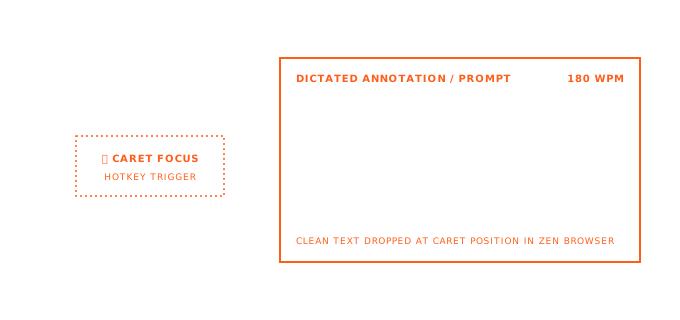
For Zen, AICHE works as a desktop app rather than a browser extension. It captures the global hotkey at the OS level and inserts text at your cursor wherever the cursor happens to be. In Zen that means it works in:
- Any web text field on any page
- Every pane of a Split View, including 2, 3, and 4-tile grids
- Every workspace, with no per-workspace setup
- Essentials and pinned tabs, including the always-visible ones
- The URL bar, search bars, and find-in-page
- Glance modals opened over the current tab
You install AICHE once. Zen stays exactly as minimal as you set it up. No toolbar button, no extension entry in about:addons, no per-site permission prompt.
Math: speaking runs around 150 words per minute. Typing runs around 40. A 200-word forum reply that takes five minutes to type takes under 90 seconds to speak.
How It Works
- Open Zen and click into the text field you want to dictate into. In a Split View, click the specific pane so its cursor is active.
- Press
⌃+⌥+Ron Mac orCtrl+Alt+Ron Windows/Linux to start recording. - Speak. Long-form is fine, recording is toggle-based, not push-to-talk.
- Press the same hotkey again to stop.
- AICHE transcribes, cleans up filler and adds punctuation, and inserts the result at your cursor.
- Review and submit.
The hotkey works whether Zen is in Single Toolbar mode, Multiple Toolbar mode, or fully collapsed Compact Mode. Sidebar visible, hidden, floating, none of it matters to AICHE.
Split View as a Real Research Surface
Zen's Split View tiles two to four tabs in one window. Workspaces and Essentials keep context; Glance opens a link without losing the underlying tab.
Two-pane workflow: drag an API spec PDF or HN thread to the left pane. Open Linear or a GitHub issue in the right pane. Click the issue comment box (right pane has focus), press ⌃+⌥+R or Ctrl+Alt+R, speak: "Root cause looks like cache stampede on deploy. Propose rolling restart of api-worker pods and adding jitter to the health check. Need SRE sign-off before Friday deploy window." Stop. The summary sits in the issue field; the source stays visible on the left.
Same pattern: ChatGPT or Claude in one pane, Google Doc in the other. Dictate the draft into the Doc without alt-tabbing away from the model's answer.
Workspaces, Container Tabs, and Voice Context
Zen workspaces separate tab sets by project or role, and they can be tied to Firefox container tabs so cookies and logins stay isolated per workspace. A "Work" workspace with the work Google account, a "Client A" workspace with their tools, a "Personal" workspace, each with its own identity.
AICHE works across every workspace with the same hotkey and no per-workspace configuration. There is nothing to set up when you create a new workspace. The practical effect is that dictation lands in the right account by default: speak into a Gmail compose window in the Work workspace and you are dictating from your work identity, not your personal one. The browser already handled identity isolation. You just speak.
If you keep a "Scratch" or "Inbox" workspace open all day for quick captures, dictation is what makes it actually useful. A 10-second voice note dropped into a Notion inbox is something you will do. Typing the same note is something you will skip.
Essentials and Pinned Tabs
Essentials are the cross-workspace pinned tabs that stay visible everywhere - usually mail, calendar, a chat client, an LLM. Regular pinned tabs are scoped to one workspace.
These are the tabs you bounce into all day for short bursts: reply to one Slack thread, send one email, ask one question in Claude or ChatGPT, then leave. Short bursts are exactly where typing friction is most expensive, because the setup-to-payoff ratio is bad. AICHE collapses the typing cost of those short trips. Click into the Essential, hotkey, two sentences, hotkey, done. The tab unloads, you go back to what you were doing.
Compact Mode and Long-Form Writing
Compact Mode (Ctrl+S) hides Zen's toolbars and gives the page the full window. If you write inside the browser - a CMS, a blog editor, Notion, a Google Doc - this is where Zen earns its name. The next step is removing the keyboard from the loop too.
A 1,000-word draft is roughly 7 minutes spoken versus 25 to 30 minutes typed. In Compact Mode, with a single text surface and no chrome, dictation tends to come out as one continuous thought rather than a stop-start sequence of sentences. You edit afterwards. The first-draft cost drops by a large factor.
If you write in multiple languages, AICHE supports multilingual input and optional auto-translation. Think in your native language, get clean English text into the editor.
Smart Insert Across Web Text Fields
The web has roughly a hundred different ways to render a text input. Plain <input> and <textarea>, contenteditable divs, the various rich-text editor frameworks (ProseMirror, Slate, Lexical, TipTap, Quill), and the editor surfaces inside Google Docs, Notion, Linear, GitHub, and ChatGPT each behave a little differently. AICHE's Smart Insert handles the common cases by inserting at the active cursor position rather than fighting the editor.
In practice that means it works in the places you actually use: ChatGPT and Claude conversation boxes, Google Docs, Notion, GitHub issues and PR comments, Linear, Slack, Discord, Gmail, Reddit, Hacker News comment boxes, and the URL bar.
Firefox Engine, No Extension
Zen is a Firefox fork and inherits Gecko plus Firefox's extension system. AICHE is a desktop application, so none of this matters to it. There is no Firefox extension to install, nothing in about:addons, no per-site microphone permission, no Manifest V2/V3 concern. If a future Zen update changes the rendering engine or extension model, AICHE keeps working - it never talked to the browser in the first place.
This also means uBlock Origin, Sidebery, Tree Style Tab equivalents, container managers, and the rest of your Firefox-extension setup are untouched by adding voice input.
What You Get
- Global hotkey capture - one shortcut, works across every Zen window, workspace, and Split View pane.
- Smart Insert - text appears at the cursor in plain inputs, rich-text editors, and contenteditable surfaces.
- AI cleanup - filler words removed, punctuation and paragraph breaks added.
- Custom vocabulary - product names, internal jargon, repo names, people's names spelled the way you actually spell them.
- Multilingual input and translation - speak in your native language, get clean English out.
- Offline queueing - record without a connection, process when you are back online.
- Local encrypted storage - audio is handled with privacy-focused defaults; check the features pages for current specifics.
Plans start at $3.99/mo (annual) with a 7-day free trial, no credit card required.
Common Questions
Do I need to install a Firefox or Zen extension?
No. For Zen, AICHE runs alongside the browser as a desktop app and inserts text at the OS level. Nothing in about:addons, no toolbar button.
Does it work in Compact Mode with the sidebar hidden?
Yes. The hotkey is captured by the OS, not by Zen's UI. Sidebar visible, hidden, floating, or in collapsed Compact Mode all work identically.
Does it work in Split View, including 3 and 4-tile grids?
Yes. AICHE inserts wherever the cursor is. Click into a pane to give it focus, then dictate. You can move between panes and dictate into each in turn.
What about Glance modals?
Yes. Click into a text field inside the Glance modal and dictate normally. Or dictate into the underlying tab with the modal open over it.
Do workspaces and container tabs need any setup?
None. AICHE does not know or care about workspaces. The browser is already isolating cookies and identities per container, so dictation into a Work-workspace Gmail tab uses your work identity automatically.
Will it work in rich-text editors like Google Docs and Notion?
Yes. Smart Insert targets the active cursor, so contenteditable surfaces, ProseMirror, Lexical, and the editors inside Docs and Notion work. Some editors have quirks around bullet lists and code blocks; AICHE inserts plain text and the editor formats from there.
Is it push-to-talk?
No. Recording is toggle. Press once to start, press again to stop. You can pace around the room mid-recording without holding anything down.
Does Zen's tracking protection or strict privacy mode break anything?
No. AICHE does not run in the page, so content blockers and tracking protection have nothing to block. Microphone access is granted to AICHE at the OS level, not to any site.
Result: Zen takes the browser chrome out of the way. AICHE takes the keyboard out of the way. Vertical tabs, workspaces, Split View, Glance, and Compact Mode all become more useful when the input cost of writing into them drops by roughly 4x.
Try it now: open Zen, drag two tabs into a Split View with a reference page on one side and any editor on the other, click into the editor pane, press your hotkey, and talk through what you see on the left. The note will be waiting in the right pane when you stop.
