Short answer: click into any Comet or Opik text field (experiment Notes, trace feedback, prompt template, Report cell), press ⌃+⌥+R (Mac) or Ctrl+Alt+R (Windows/Linux), speak the observation, press the hotkey again. AICHE drops the cleaned text where the cursor is.
The Problem
Comet is built around capturing the things you can measure automatically: metrics, parameters, gradients, traces, token counts. The pieces it cannot capture for you are the ones you have to type: why you ran the experiment, what the loss spike at epoch 12 means, why this trace failed but the next one passed, what to try next.
ML and LLM work happens fast. You start a run, you start another, you scroll through 200 Opik traces looking for hallucinations. Each one of those moments deserves a written note. None of them survive when typing the note costs more attention than the observation itself. The Notes field stays empty. The trace gets a feedback score but no comment. The report you meant to write at the end of the week never happens.
Voice closes that gap. You speak the context at the moment you see it, the cursor sits in the Comet field, and the note is already there.
What Changes
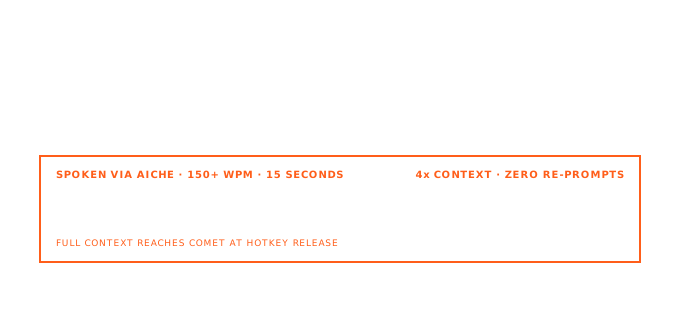
Speaking runs around 150 WPM. Typing detailed ML prose runs around 40 WPM, less when you stop to look at a chart between sentences. A 200-word experiment writeup that takes five minutes to type takes about 80 seconds to speak. The math is the same as for any text field, but the effect is sharper in Comet because the comparison view is only as useful as the context attached to each row.
Stand up. Watch the dashboard. Press the hotkey when something is worth noting. Keep the cursor in the field, speak, press again. Move on.
How It Works
- Open Comet or Opik in your browser (the app supports both at comet.com).
- Navigate to the experiment, trace, dataset, or report you want to annotate.
- Click into the target text field: experiment Notes, the comment box on an Opik trace, a Prompt Playground cell, a Report markdown block.
- Press ⌃+⌥+R (Mac) or Ctrl+Alt+R (Windows/Linux).
- Speak the observation. Stop when you are done.
- Press the hotkey again. AICHE transcribes, removes filler, and inserts clean text at the cursor.
- Save or move to the next item.
The recording is toggle-based. You are not holding a key down while talking, so you can pace, look at a chart, gesture at a teammate, then come back to the sentence.
Experiment Notes And Tags
Comet's experiment view has a Notes panel (markdown) and a Tags field. Opik adds traces, spans, metrics, and parameters on the same run. AICHE fills text fields only; it does not read charts or write to the SDK.
Example run: exp-2026-05-bert-finetune-v3, dataset support-tickets-v2, model distilbert-base, learning rate 2e-5, batch size 16.
Click into Notes, press the hotkey, speak: "Third finetune on support-tickets-v2. Dropped LR from 3e-5 after epoch-8 loss spike on the validation split. Expect F1 above 0.82; if recall on billing class stays below 0.7, try class weights next run." Stop recording. The note sits beside the metrics Comet logged automatically.
Open the Tags field, dictate baseline or class-weights-v1. Three months later, the comparison view shows numbers and reasoning on one screen.
Opik Trace Feedback And Comments
Opik logs every step of an agent or LLM application. The UI lets you open any trace, score it, leave feedback, and annotate individual spans. The point of the annotation is not the score itself but the reason behind it. A 1-out-of-5 with no comment is harder to act on than a 1-out-of-5 with a sentence explaining what the model got wrong.
This is where voice has the largest payoff in Comet. Trace review is repetitive work. You open a trace, read the LLM response, decide it hallucinated a function name that does not exist in the codebase, type a comment, move on. Doing that across 50 traces is the kind of work where typing fatigue makes you start leaving blank scores.
With AICHE, the workflow becomes: click the feedback box, hit the hotkey, say "Hallucinated function name. The model called pandas.read_jsonlines which does not exist. Probably confused with read_json plus the lines=True argument. Worth adding the actual signature to the system prompt." Hit the hotkey, move to the next trace. The comment is specific enough that the prompt engineer reading it next week knows exactly what to change.
Prompt Playground
Opik's Prompt Playground is a side-by-side workspace for testing prompt variants against the same input. The text fields are large and the workflow rewards iteration: write a version, run it, compare, edit, run again.
Speaking prompts into the Playground beats typing them for the same reason it beats typing them into Claude or ChatGPT. You include more constraints because including them is easy. "Respond in JSON with three fields: intent, confidence between zero and one, and a one-sentence rationale. If the confidence is below 0.6, set intent to unknown and explain why in the rationale. Never include any text outside the JSON object." That is 25 seconds of speech and roughly two minutes of careful typing.
When a version works, dictate the changelog note for that prompt version into the description field so the team knows why this revision exists and what it fixed.
Reports
Comet Reports are markdown documents that pull live charts, tables, and experiment links from your projects. They are the closest thing the platform has to a research write-up. They are also the most under-written feature on most teams, because writing a multi-section report at the end of a sprint is a context-switch most people skip.
A report is a great match for dictation. The structure is already there: hypothesis, method, results, discussion, next steps. Click into a markdown cell, hit the hotkey, narrate one section. Move to the next cell. Move to the next. A report that would have taken an hour to type takes fifteen minutes of speech and editing, and you actually do it instead of promising yourself you will write it later.
Datasets, Annotations, And Span Labels
Opik datasets and trace spans both accept human annotations: a label, a score, a free-text comment explaining the labeling decision. For evaluation work, the comment is what makes the dataset useful later, because "wrong" is not training signal but "wrong because the model assumed the user wanted a SQL answer when the prompt was about pandas" is.
Voice makes this scale. Annotation passes that used to take an afternoon get into the range where you actually finish them. Open the dataset, click the comment box on the first item, hit the hotkey, speak, hit again, advance. Repeat. The custom vocabulary feature lets you drop in your model names, your evaluator names, and any internal jargon so they spell correctly without manual fixing.
What You Get
- Smart Insert into whichever Comet or Opik text field has focus, in Chrome, Firefox, Safari, or Edge.
- Optional cleanup that strips filler and adds paragraph breaks, useful for long experiment notes and report sections.
- Software Development profile (Pro) tuned for code, identifiers, framework names, CLI flags, and metric names.
- Custom vocabulary for your model names, dataset names, evaluator IDs, and internal terms.
- Offline queueing if you are dictating in transit and want the transcription to land when you reconnect.
- Multilingual input with optional auto-translation to English, useful for international teams whose internal review notes happen in one language and whose Comet workspace is in another.
Common Questions
Q: Does AICHE integrate with Comet's API or only the web UI?
A: Only the UI, and that is the point. AICHE inserts transcribed text into the focused field. It does not call Comet's REST or Python SDK. If you want logged-from-code annotations, use experiment.log_other() or the Opik SDK. If you want the human-facing notes, traces feedback, and reports, dictate them with AICHE.
Q: Will it handle Opik trace IDs and long identifiers?
A: Turn on the Software Development profile (Pro) and add your common prefixes to custom vocabulary. Trace UUIDs themselves are usually copy-pasted, not spoken, so the realistic case is dictating prose around the IDs rather than the IDs themselves.
Q: Comet Reports use markdown. Does AICHE add markdown syntax?
A: AICHE outputs clean prose by default. If you want headings or lists, say them out loud ("heading two: results") or enable Content Organization for paragraph breaks and basic structure. For heavy markdown, dictate the text and add the syntax yourself in the cell.
Q: I review traces in batches. Can I keep the cursor in the field and dictate trace after trace?
A: Yes. The hotkey is global, so each trace is press-to-start, speak, press-to-stop, click next trace, repeat. There is no app to open or window to switch to.
Q: My team writes notes in Spanish but the Comet workspace is in English.
A: Turn on Auto-translation in AICHE settings. Speak Spanish, English text lands in the field.
Q: Does AICHE work in the self-hosted Comet deployment?
A: Yes. AICHE inserts into whichever browser tab has the cursor. It does not care whether the Comet UI is cloud or on-prem.
Result: the Notes panel, trace feedback boxes, prompt descriptions, and report cells stop being the parts of Comet you skip. The platform turns into a real log of why each experiment ran and what each trace meant, written at the speed you observed it.
Try it now: open your most recent experiment in Comet, click into Notes, press your hotkey, and dictate the hypothesis you had before you started the run.
