AICHE runs on Android 8.0 and newer.
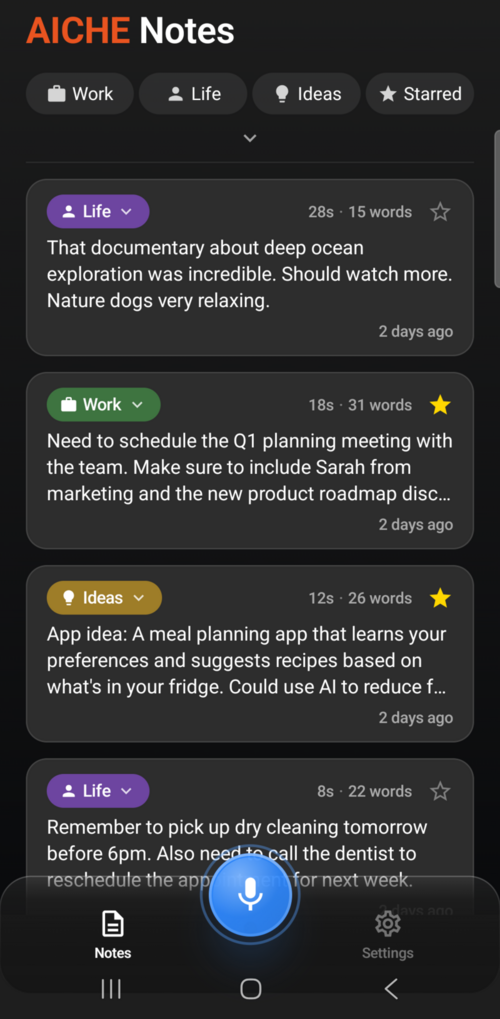
Installation
- Open Google Play Store and search for "AICHE"
- Tap Install
- Open the app, swipe through the 4-slide onboarding
- Sign in with Google, GitHub, Email (magic link), or Team credentials
How to Record
In the App
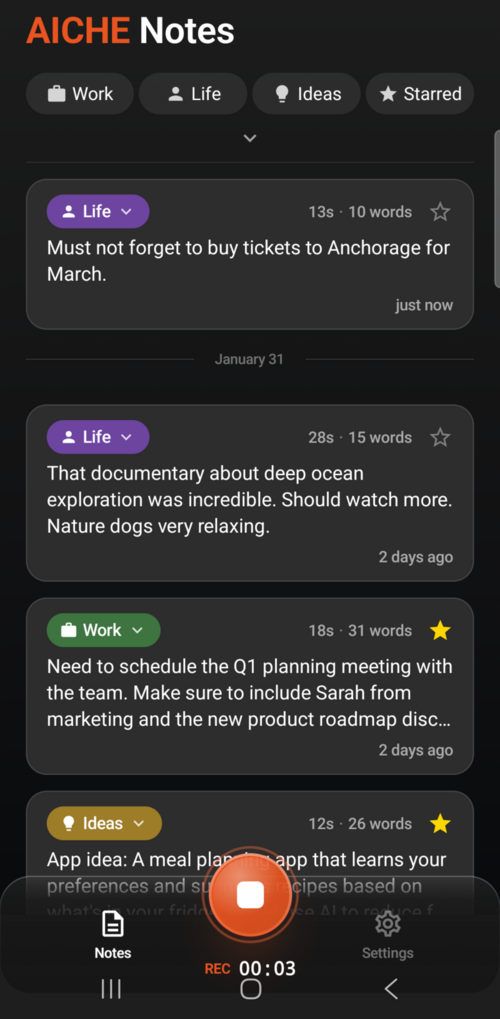
Tap the big blue mic button at the bottom center. Tap again to stop. Your transcription appears in the feed.
Home Screen Widget
Add the 2x2 "Quick Record" widget to your home screen. Tap it to start recording instantly without opening the app.
From Notifications
While recording, you can stop from the notification shade - no need to switch back to the app.
Features
- Home screen widget - one tap to record from your home screen
- Background recording with notification controls
- Cloud sync - E2E encrypted sync across all your devices
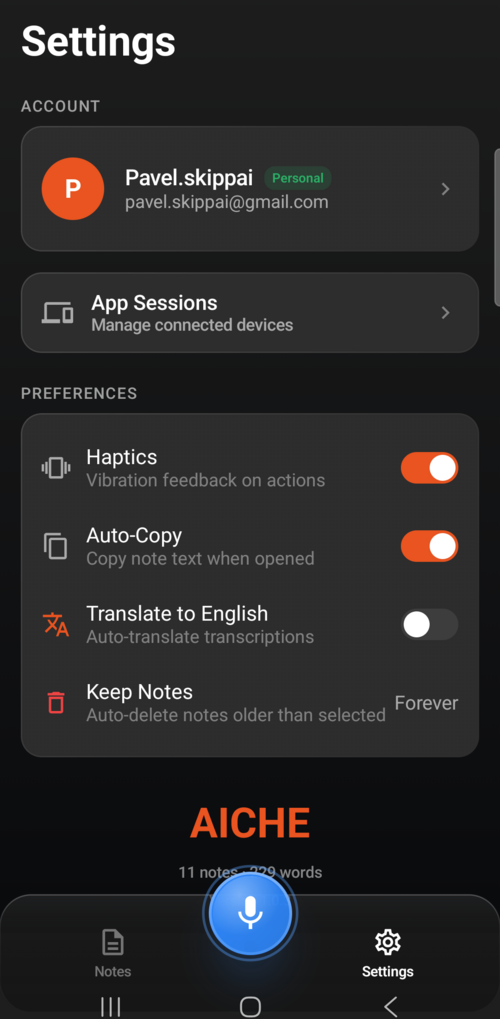
- Auto-copy - note text copied to clipboard when you open it
- Auto-translate to English toggle
- Category filtering - Work, Life, Ideas, Misc + platform source filters
- Calendar view for browsing notes by date
- Swipe actions on note cards (copy, delete)
- Long press for multi-select mode
- 28 UI languages with auto-detection
- Per-app language on Android 13+ via system settings
Permissions
- Microphone - required, prompted on first recording
- Notifications - optional, for transcription alerts and recording controls
Known Limitations
- No Wear OS app (no smartwatch support yet)
- No Google Assistant integration
- No offline transcription - recordings save locally, transcribe when online
- No split-screen or foldable optimization yet
Common Issues
"Recording too short": Taps under 1KB are auto-discarded to prevent accidental recordings.
Sync not working: Check if Cloud Sync is enabled in Settings. Verify your E2E passphrase is correct.
Notes not appearing after recording: Check your internet connection. Pending recordings show in a collapsible section.
App language not changing: On Android 12 and below, use the in-app Language picker in Settings. On Android 13+, you can also change it in system Settings > Apps > AICHE > Language.