
AICHE can process your notes, meetings, and searches on your own machine instead of in the cloud. Dictation, meeting transcription, search by meaning, text enhancement, and answers can all run locally, without an internet connection. This is useful when you have limited connectivity, want more privacy, or simply prefer that your data stays on your device.
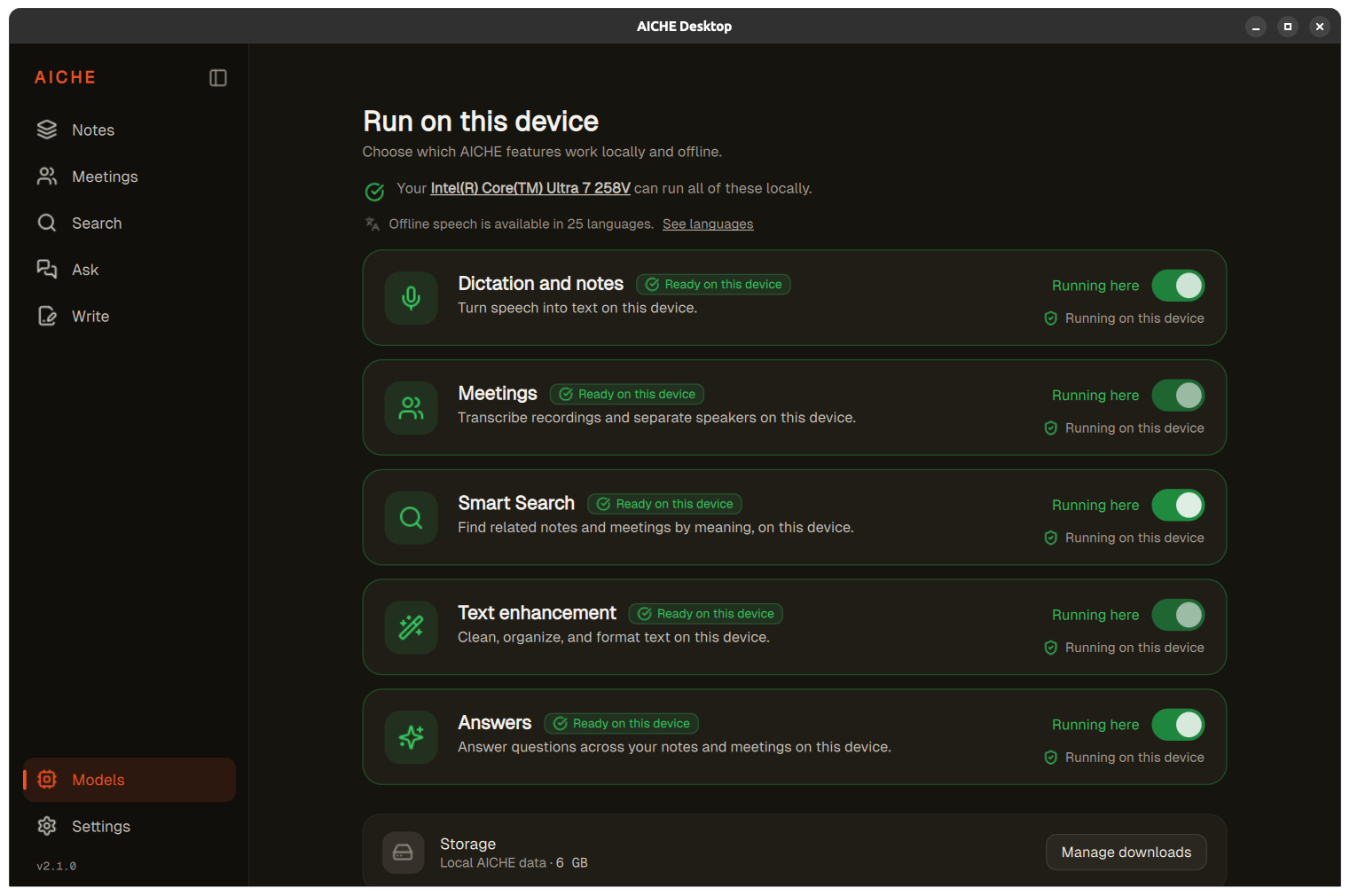
Choose which features run locally
Open Models in the sidebar. The Run on this device screen shows five controls, each with a toggle and a short description of what it does:
- Dictation and notes turns speech and imported recordings into text on this device. Use it for voice notes, dictation, or importing an existing audio file.
- Meetings transcribes recordings and separates speakers on this device. Use it for room recordings or imported meeting audio.
- Smart Search finds related notes and meetings by meaning on this device. Search by concept rather than by exact keyword.
- Text enhancement cleans up, organizes, and formats text on this device; it also provides local meeting summaries.
- Answers answers questions across your notes and meetings on this device.
These are capabilities, not five separate model downloads. Some share underlying dependencies that you can manage through Manage downloads at the bottom of the screen. Turning off a capability stops it from running locally; it does not remove any notes or meetings.
Work offline in 25 speech languages
Local speech recognition supports 25 languages. Cloud transcription supports 99 languages. For other languages, turn off Dictation and notes or Meetings in Models, depending on the task, to use cloud transcription. AICHE does not automatically switch processing methods based on the language you speak.
You can record a meeting without an internet connection and transcribe it later. Recording for later and local speech recognition are separate features. Recording captures audio that stays on your device until you process it; speech recognition converts spoken words to text on the device. The full recording workflow is covered in Record and transcribe your first meeting.
Keep the workflow local
Enable Dictation and notes for local transcription. If you use text cleanup, also enable Text enhancement to run that step on your device.
For meetings, enable Meetings for local transcription and speaker separation, and Text enhancement for local summaries.
With Text enhancement off in Models, text cleanup and meeting summaries use cloud processing. You can choose a mix of cloud and on-device features; some features share downloaded models.
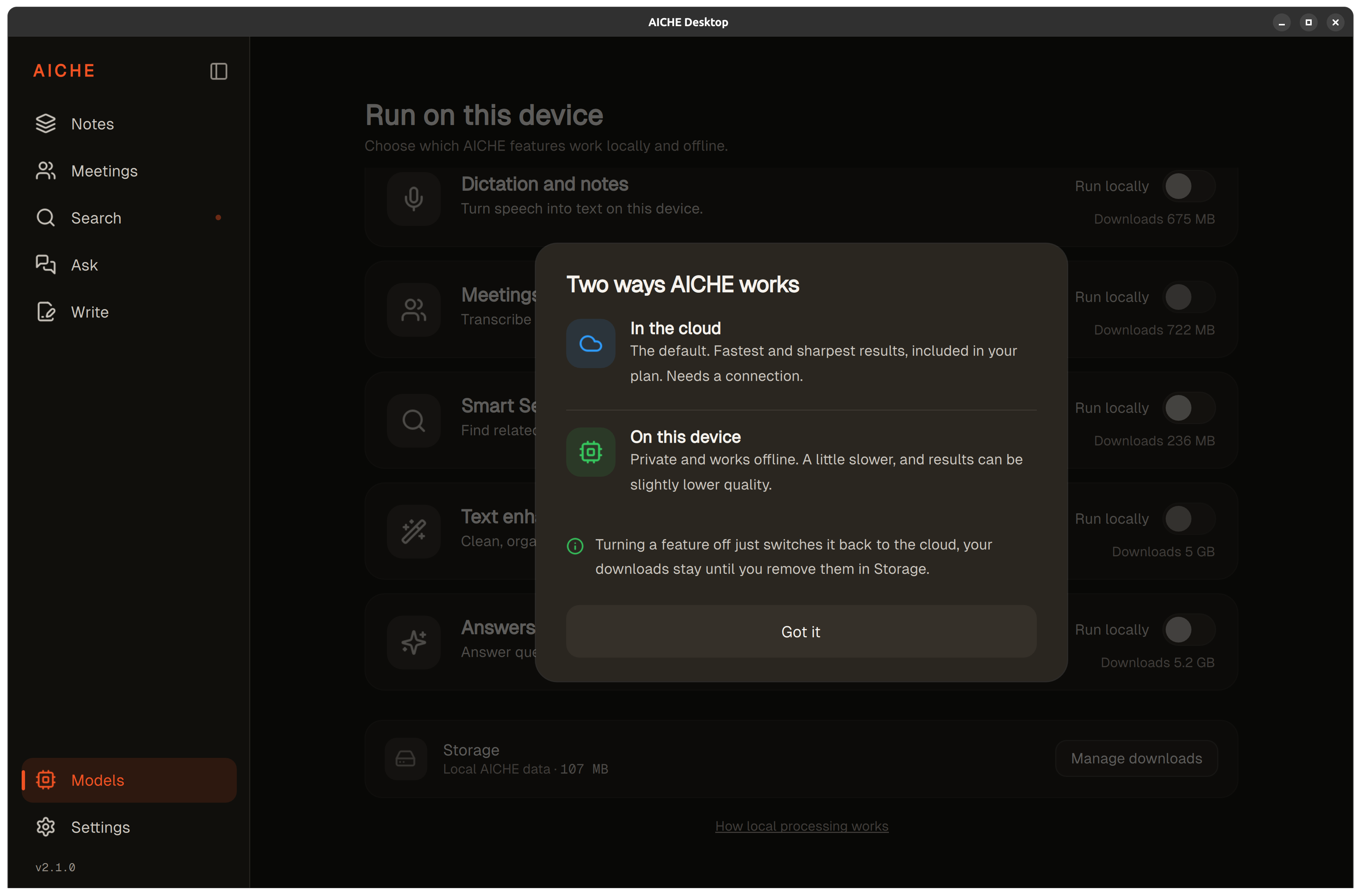
Availability and setup
Local models require AICHE Professional. Voice Code and Write are cloud-based workflows and are not part of on-device processing.