Record a conversation in the room, capture an online call, or import an existing recording. AICHE turns it into a speaker-labelled transcript you can search, summarize and export. Keep the discussion, the decisions and the next steps together.
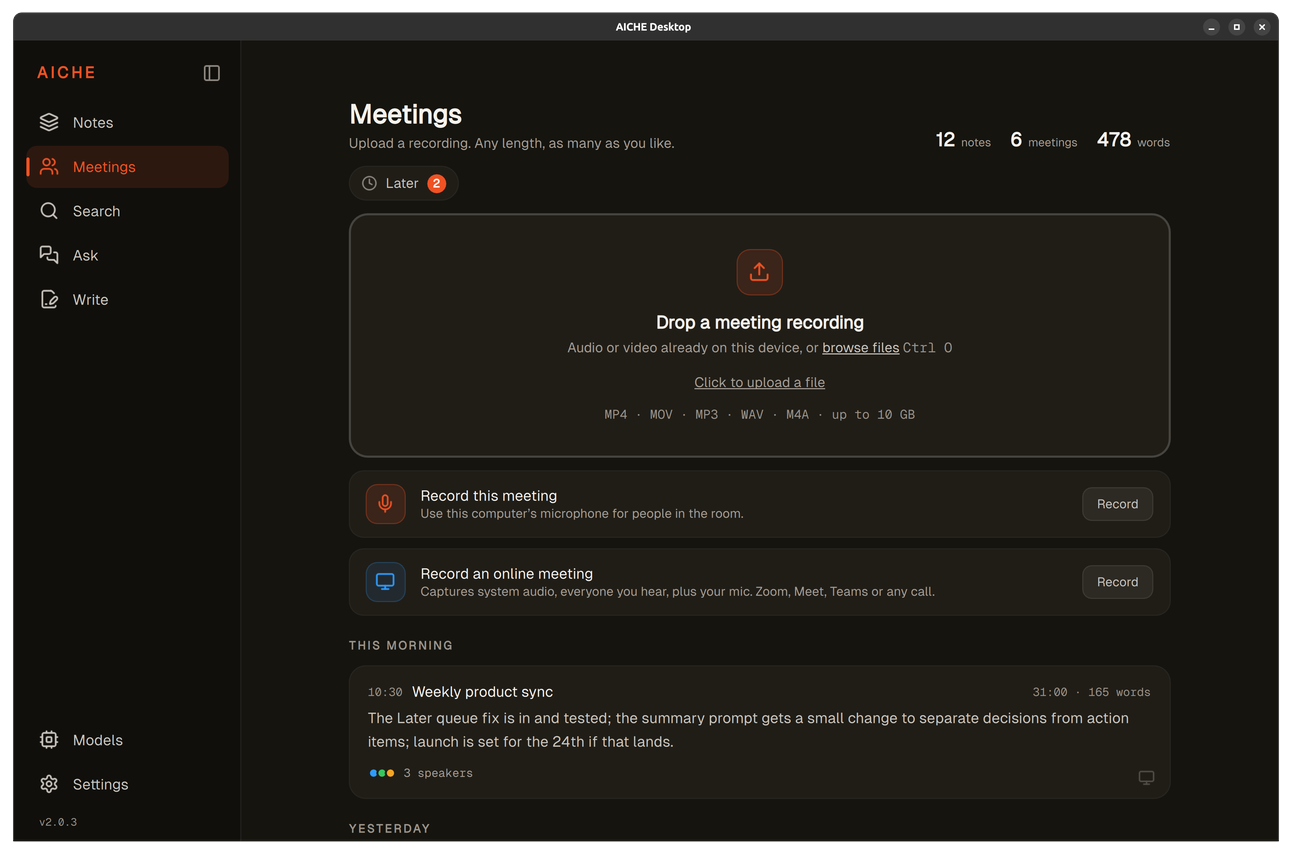
Record a meeting or bring your own recording
There are three ways to get a meeting into AICHE.
If people are in the room, start a recording through the microphone. AICHE captures what everyone says without needing screen share or a separate app.
For online calls, Zoom, Meet, Teams or anything else, AICHE captures system audio plus your microphone. It records the audio, not your screen.
If a recording already exists on your computer, drop the audio or video file onto the Meetings screen. MP4, MOV, MP3, WAV and M4A are supported, up to 10 GB per file.
Unprocessed recordings wait in a Later queue until you're ready to transcribe them. If an upload or processing step fails, open Later on the Meetings page. Use Process or Try again on the recording to resume processing.
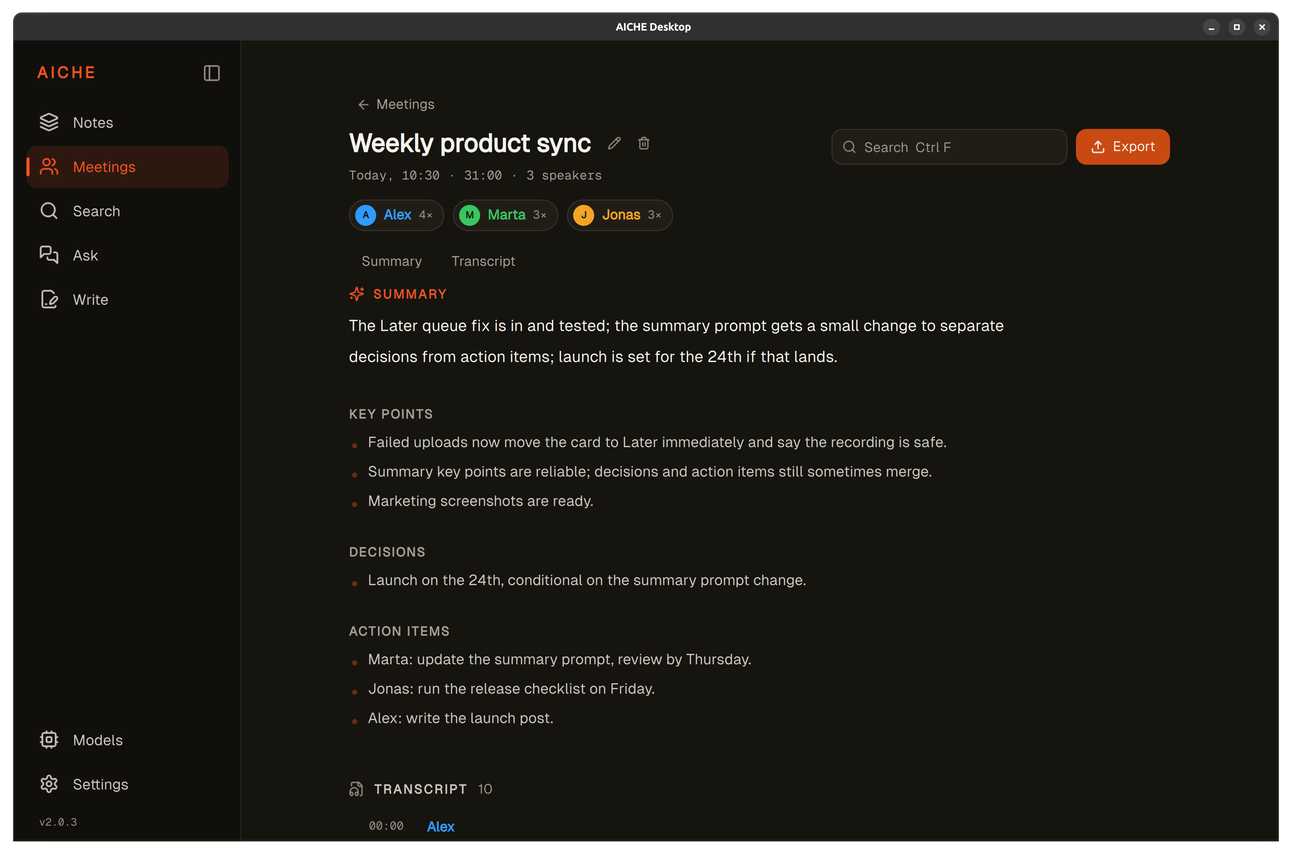
See who said what
AICHE separates the transcript by speaker. Rename labels such as
"Speaker 1" to real names, merge labels that belong to the same person,
or correct the speaker assigned to an individual line.
You can jump to a specific passage inside the transcript and search for a word or phrase to find exactly where it was said. Each speaker's contribution is easy to scan, and the transcript sits alongside the summary so you can move between the overview and the raw conversation.
Get the summary, decisions and next steps
When you're ready, ask AICHE to Summarize this meeting. It produces a short overview of what happened, a list of key points, the decisions that were made, and the action items, including owners and deadlines mentioned in the conversation.
This is an action you request, not something that happens automatically to every recording. The summary reflects what was actually discussed. Use Ask to ask follow-up questions about your meetings and notes, with answers grounded in the source material.
Copy or export the result
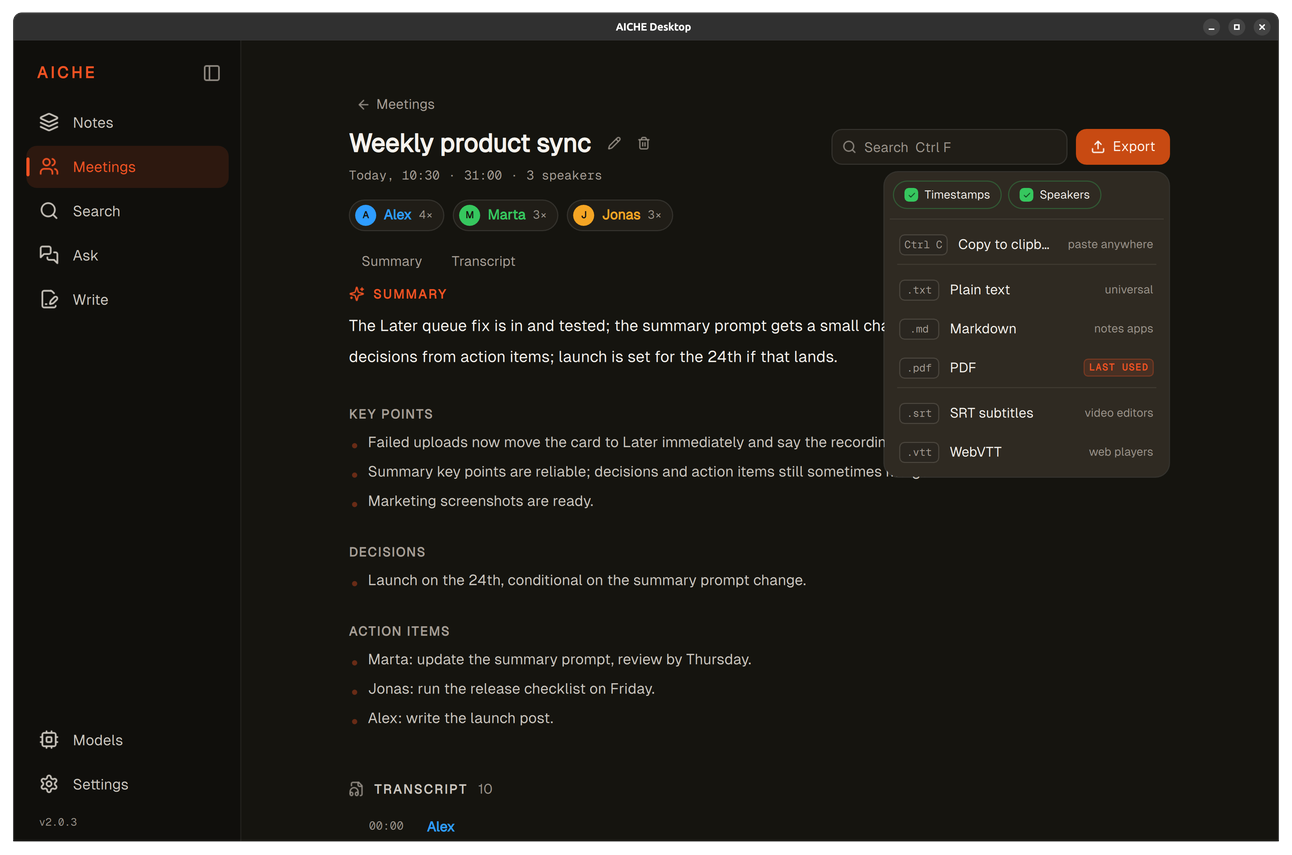
The finished meeting can leave AICHE in five formats. Plain text works everywhere. Markdown fits into notes apps. PDF is ready for documents. SRT and WebVTT give subtitles for video editors and web players.
Include timestamps and speaker names in text, Markdown and PDF exports,
or leave them out for a cleaner document. SRT and WebVTT retain subtitle
timing, with optional speaker names. Copy to clipboard for pasting into
a shared document, or export directly to a file.
Choose cloud or on-device processing
AICHE can process meetings in the cloud or on your device.
For on-device processing, open Models and enable Meetings for
local transcription and speaker separation. Enable Text enhancement
for local summaries.
On-device processing and online-call recording require AICHE Professional.
You can record a meeting without an internet connection and transcribe
it later. Unprocessed recordings stay on your device in Later.
When you're ready, open Later and choose Process or Process All.
Processing runs on your device when local Meetings is enabled in
Models, or in the cloud when you're connected.
Later also keeps recordings whose upload or processing was interrupted,
so you can try again.