Copy drafts, brainstorms, long-form content - the linear keyboard tax, removed
The shape of the day
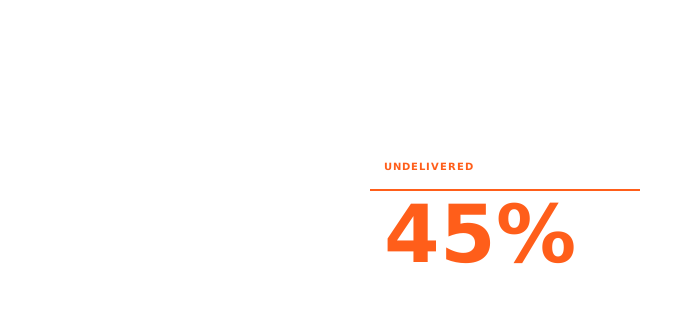
A marketer's output is almost entirely text: copy, briefs, blog posts, campaign plans, stakeholder updates, email sequences, social content, case study interviews. And there is a lot of it. Deloitte Digital's survey of 650 marketing leaders found that content demand grew 1.5x in 2023 while teams only met that demand 55% of the time - the volume of content needed increased 54% year-over-year, but headcount did not. That gap is structural, not seasonal. It is not solved by working harder; it is solved by producing text faster.
The personal math is equally uncomfortable. HubSpot's State of Marketing research (1,500+ US professionals, 2025-2026) found that marketers spend roughly 4 hours per day on manual, operational, and writing tasks - content writing being the single largest category in that bucket. A Statista survey of US professionals found that writing-related tasks consume close to 19 hours per week across the workforce; for marketers, whose output is disproportionately written, that figure sits at the high end. Meanwhile, Asana's 2023 Anatomy of Work report found that knowledge workers spend 58% of their day on coordination and communication - not the skilled work they were hired to do. For a content marketer, this means the majority of the workday is consumed before substantive writing begins.
The machine itself is not broken. Marketers know what they want to say. The bottleneck is getting a thought from brain to document - a process that, for most people, runs entirely through a keyboard. And a keyboard is a linear, deliberate, slow-ish instrument that is genuinely bad at capturing the kind of associative, mid-thought, "oh and this connects to that" reasoning that makes a piece of marketing land. The ideas arrive faster than they can be typed. CMI's 2025 B2B survey named "lack of resources" as the top content challenge for the fourth consecutive year - and 54% of B2B content teams still lack a scalable content creation model. That is a throughput problem. Ideas are not the constraint. Typed output is.
Where typing slows you down
Not every part of a marketer's day is equally bottlenecked by the keyboard. A few specific places where it costs the most:
Brainstorming. Sitting down to brainstorm on a keyboard produces a different kind of thinking than talking through ideas out loud. Typed brainstorming is naturally sequential - you finish one thought before starting the next. Spoken brainstorming tends to be branchy and associative, closer to how ideas actually develop. CMI's 2025 B2B research found that 68% of B2B marketers who use AI list ideation and brainstorming as their primary use case - ahead of drafting (54%) and SEO (47%). The blank-page problem is real and widespread. Voice gives you a different surface to start from: speak the idea, then structure it.
Long-form first drafts. Without AI help, 38% of marketers spend 2-3 hours writing a single long-form article. That is not mostly research time - a meaningful portion is the physical friction of translating a fully-formed argument into typed paragraphs. A 1,000-word blog post takes about 25 minutes to dictate at average speaking speed (per National Center for Voice and Speech, ~150 WPM for conversational speech) and 40-50 minutes to type, given that most people compose prose at 20-40 WPM rather than their peak transcription speed (per Wikipedia, Words per minute; Stanford HCI, Ruan et al. 2017). For a marketer producing multiple pieces of content per week, that difference compounds quickly.
Campaign brief notes. Campaign briefs get drafted at the keyboard but the thinking often happens elsewhere - walking to a meeting, in the car, between calls. By the time you sit down to write, the sharp version of the idea from twenty minutes ago has been replaced by a slightly duller reconstruction. The problem is not that marketers forget; it is that they have no capture surface available when the thinking is actually happening.
Stakeholder and internal messages. Slack messages, email to agency partners, quick campaign updates for leadership - none of this is complex writing, but it is constant, and it accumulates. The time is not in any single message; it is in the aggregate of small typed tasks that fill the gap between focused work blocks.
How voice fits this workflow
Voice is not a replacement for the keyboard; it is a complement for specific parts of the job. Being precise about where the substitution works - and where it does not - is more useful than a blanket "try voice for everything."
What works well:
Voice brainstorming into a structured outline. Press the hotkey, speak through the idea for 3-5 minutes without editing yourself, stop. AICHE cleans up the filler and delivers a block of text you can reshape into an outline. The result is a starting point that reflects how you actually think about the topic, not a compressed version of it.
Dictating long-form first drafts. Works best when you already know the structure and want to move fast through the body copy. Speak in chunks (one section at a time), let AICHE clean and insert. You still edit, but you start from something coherent rather than a blank document.
Capturing campaign brief notes on the move. Open the mobile app, tap record, walk through the brief out loud. The transcript auto-copies to clipboard; paste into your doc when you're back at the desk. The thinking happens when it happens - not when you're in front of a keyboard.
Drafting stakeholder updates and quick internal messages at the desk. Press
⌃+⌥+R(Mac) orCtrl+Alt+R(Windows/Linux), speak the message, text inserts wherever your cursor is - in Notion, Google Docs, Gmail, Slack, anywhere. No app switching. No paste step.
What voice is not good for:
Editing and revision. Going back through a draft, restructuring paragraphs, tightening a headline - these are visual, nonlinear tasks that the keyboard handles better.
Short-form copy that requires precision from the first word. Subject lines, meta descriptions, ad headlines - the kind of copy where every word is load-bearing. You can dictate a set of candidates for review, but voice does not reliably produce finished short-form copy on the first pass.
Writing while consuming source material. If you're referencing a brief, a research document, or a competitor's page while writing, voice requires you to split attention in a way that slows down rather than speeds up.
AICHE specifically for marketers
The features that matter most for this workflow, in plain terms:
Capture-first mobile apps (iPhone, iPad, Apple Watch, Android). Tap record, speak, save. The transcript auto-copies to clipboard. The focus is getting the idea out when it arrives - not inline keyboard replacement. A 3-minute voice brainstorm in the car becomes a usable draft fragment by the time you're at your desk. The Apple Watch lets you record from your wrist when your phone isn't in your hand.
AI cleanup. Removes filler words (um, uh, like), stutters, false starts, and run-on sentences. Adds punctuation and paragraph breaks automatically. The output is closer to a first draft than a transcript. You still edit, but you edit prose rather than raw stream-of-consciousness. This is what separates a voice-to-text tool from a voice-to-usable-text tool - and it is the single most important feature for anyone using voice for professional copy.
Custom vocabulary (50 entries, synced across platforms). Teach AICHE the product names, brand terms, campaign names, and industry jargon you use every week. They get spelled correctly, every time, in every recording. Worth spending 10 minutes populating at setup - it saves hours of correcting misheard proper nouns over months of use.
Transcript history (searchable by date). Every recording is saved and searchable. A brainstorm from three weeks ago about Q3 positioning is still there. A campaign brief you captured on the move during a commute in February is findable. The history is not a graveyard; it is a working archive for ongoing content pipelines.
System-wide hotkey on desktop (Mac, Windows, Linux). ⌃+⌥+R on Mac, Ctrl+Alt+R on Windows and Linux. Works in any app with a text field. Cursor stays where it is; text inserts when you're done speaking. No app switching, no copy-paste step. The workflow is: open Notion, place cursor, hotkey, speak the section, hotkey again.
Offline recording with auto-queue. If you're on a flight, in a basement, or somewhere with spotty coverage - recording still works. Audio saves locally, encrypted on disk. When connection returns, the queue processes automatically. The recording is saved locally and queues for processing when conditions allow.
Honest tradeoffs
AICHE does not fit every part of a marketer's workflow, and it is worth being direct about that before you build habits around it.
AICHE is not a copywriting AI. It does not write your headline for you. It does not suggest angles, improve your hook, or iterate on your value proposition. What it does is transcribe your spoken thoughts into clean text quickly. If you want an AI writing layer on top of that, you still need ChatGPT, Claude, or Jasper in the next step. AICHE is the capture layer; the generative AI of your choice is the revision layer.
Brand voice still requires human editing. AI cleanup normalizes for grammar and removes noise, but it does not enforce your brand's tone. The copy AICHE returns from a dictation session sounds like you, not your brand. Editing for voice and style is still the human's job. Expect to spend time on that - especially for client-facing copy.
Not for client-sensitive campaigns at launch. Audio is processed via Groq, Google Generative AI, or DeepInfra (named cloud providers), not locally. Audio is discarded after processing, and AICHE does not store recordings server-side. But if you are working on a campaign under strict NDA - a product launch under embargo, a client campaign with confidentiality requirements - consider whether any cloud-round-trip tool is appropriate for that specific work. For most everyday marketing content, this is not a real concern; for genuinely sensitive pre-launch material, it is worth knowing.
Not a meeting transcription tool. AICHE is voice-to-text for your own dictation - brainstorming, drafts, notes you generate. It is not designed for recording and transcribing meetings with multiple speakers. For that, Otter.ai is the purpose-built tool.
Desktop interface is English only. Mobile apps support 28 UI languages; the desktop app, Chrome extension, and Obsidian plugin are English only. Voice input works in 99 languages on every platform, so transcription into your language works fine - but if you need the desktop controls in another language, they are not there yet.
What to try first
Three concrete experiments for your first week, each taking under 15 minutes to set up:
1. Voice brainstorm one piece of upcoming content.
Pick a blog post, email sequence, or case study you need to write. Instead of opening a blank Google Doc, open AICHE on your phone (or use the desktop hotkey), set a timer for 5 minutes, and speak through everything you know about the topic - angles, examples, questions the reader probably has, what the conclusion should be. Stop. Read the cleaned transcript. You now have a first-draft outline in the shape of your actual thinking. Takes about 5 minutes; saves the 20-minute "staring at a blank doc" problem.
2. Populate your custom vocabulary with 10-15 brand terms.
Open AICHE settings, find Custom Vocabulary, add the product names, internal brand terms, and industry jargon you use constantly. Abbreviations, campaign names, technology names, proper nouns that voice transcription consistently gets wrong. 10 minutes once, permanent payoff for every recording after.
3. Dictate your next stakeholder update from the desktop.
Open your email client or Slack. Place your cursor in the message field. Press the hotkey (⌃+⌥+R on Mac, Ctrl+Alt+R on Windows). Speak the update at normal conversation speed - complete sentences, your actual thoughts. Press the hotkey again. Read what landed. Edit the 2-3 words that need fixing. Send. For most stakeholder messages, dictating tends to be meaningfully faster than typing, and the output tends to be less terse - because you are not artificially abbreviating to spare your fingers.
Try AICHE
Seven days free, no credit card. Every platform: Mac, Windows, Linux, iPhone, iPad, Apple Watch, Android, Chrome. Start with the personal plan from $3.99/mo if you decide to keep it.
The brainstorm bottleneck and the keyboard tax are not solved by working more hours. They are solved by changing the surface you use to capture ideas and produce first drafts. Voice is that surface - for the specific parts of the workflow where it fits.