The short answer: install AICHE on 2-4 computers, run a different AI tool on each (Claude, Cursor, ChatGPT), and dictate commands as you walk between them while each processes your requests.
Typing on one machine creates a bottleneck. Your brain can think through multiple problems simultaneously, but typing forces you to tackle them one at a time. While Claude processes your architecture question, you're sitting idle waiting for the response instead of working on a different problem.
Voice changes the equation. You speak a prompt in 30 seconds, walk to the next machine, speak another prompt, and by the time you circle back, the first response is ready.
The Setup
Computer 1: Architecture and Planning
Set up your primary machine with Claude (web or API) for high-level design work. This is where you think about system architecture, data models, API design, and tradeoffs. Install AICHE and configure the hotkey to ⌃+⌥+R (Mac) or Ctrl+Alt+R (Windows/Linux).
Computer 2: Implementation
Place a second computer 10-15 feet away running Cursor or your preferred AI coding tool. This machine handles the actual code generation - writing functions, building components, implementing the designs from Computer 1. Install AICHE with the same hotkey configuration.
Optional: Computer 3 and 4
Some people add a third machine for debugging (running test suites and asking an AI to diagnose failures) and a fourth for documentation. The setup scales based on how many parallel workstreams you can manage.
Physical Layout
The distance between machines matters. You want 15-30 seconds of walking time between stations. This creates a natural pacing loop - dictate a prompt, walk, think about the next problem, arrive at the next machine, dictate, walk back. The walking time perfectly overlaps with AI processing time, so you never wait.
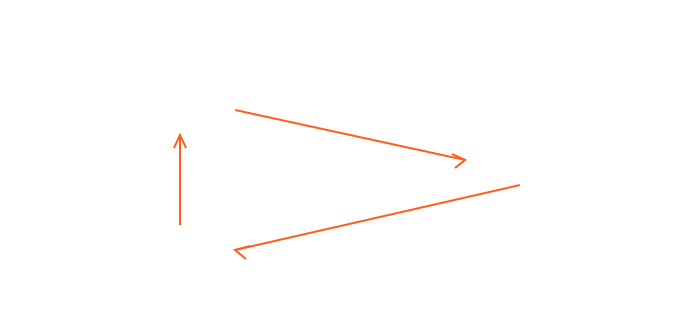
Place machines in a circuit so you walk a loop rather than back-and-forth. This feels more natural and keeps you moving in one direction.
The Workflow in Practice
Here's what a typical session looks like:
Start at Computer 1. Press your hotkey and dictate a high-level architecture prompt to Claude: "I need to design a webhook system that handles 10,000 events per minute with at-least-once delivery guarantees. Walk me through the queue architecture and retry strategy."
Walk to Computer 2 while Claude processes. During the walk, your mind shifts to the implementation problem you left on Cursor - a React component that needs error boundary handling.
At Computer 2, press the hotkey and dictate implementation instructions to Cursor: "Add an error boundary component that catches rendering errors in the dashboard and shows a retry button. It should log the error to our monitoring service and preserve the user's unsaved state."
Walk back to Computer 1. Claude's architecture response is waiting. Read it, then immediately dictate follow-up refinements: "Good approach, but I want to use a dead letter queue instead of infinite retries. What's the tradeoff with exactly-once semantics?"
Walk to Computer 2. Cursor has generated the error boundary code. Review it, dictate adjustments if needed.
Repeat. Each cycle takes 2-3 minutes and produces meaningful output from both machines.
Why This Works
Parallel Processing
AI assistants typically take 10-30 seconds to generate a response. During that time, you're idle on a single-machine setup. With two machines, you use that idle time to work on a completely different problem. Over an 8-hour day, you eliminate 2-3 hours of waiting.
Context Switching by Location
Assigning each computer a specific context - architecture, implementation, debugging, documentation - means your physical location cues your brain into the right mindset. Walking to the "architecture machine" primes you to think about systems design before you even sit down. This is the same principle behind dedicated workspaces for different types of work.
Movement Improves Thinking
Research on embodied cognition consistently shows that walking improves creative problem-solving. The physical movement between stations isn't wasted time - it's when your best ideas happen. Many developers report that the walk between machines is when they figure out the solution to a problem they were stuck on.
Voice Removes the Bottleneck
This workflow only works with voice input. Typing at each station would take 3-5 minutes per prompt, destroying the pacing loop. Voice dictation at 30-60 seconds per prompt keeps the rhythm tight - dictate, walk, think, dictate, walk, think.
Practical Tips
Use the same AICHE account on all machines. One subscription covers up to 3 devices on Personal (10 on Pro). Your settings sync automatically.
Keep prompts focused. Each prompt at each station should address one specific problem. Don't try to cover multiple topics in a single dictation - save that for the next loop.
Take notes on paper. Keep a notepad at each station for jotting down quick thoughts that come up while reading AI responses. These become your prompts for the next rotation.
Start with two machines. Adding a third or fourth increases cognitive load. Most people find two machines is the productive sweet spot, with three being useful for specific sessions.
The Numbers
On a single machine with typing, most developers send 40-60 AI prompts per day. With the multi-computer voice workflow, that jumps to 150-200 prompts daily. Each prompt contains more context (because speaking is faster than typing), so the AI responses are higher quality. The compound effect - more prompts, better context, zero idle time - can represent a significant multiplier in daily output.
Do this now: set up one additional laptop with a different AI assistant and try walking between it and your main machine for 20 minutes. Most people are surprised by how natural the rhythm feels after the first few loops.