
Short answer: Wispr Flow is a polished, well-marketed product with real users, and the alternatives worth considering depend on which of Wispr Flow's specific gaps you're trying to fix. If price is the issue, AICHE delivers comparable AI dictation at roughly a third the cost ($3.99/mo vs $12/mo) with more platforms. If Linux, iPad, Apple Watch, Chrome, or Obsidian matters, AICHE is the only product in this round-up that ships there. If Mac-native polish is what you want, SuperWhisper. If you want to own the app outright with a one-time payment, MacWhisper. If you want free and don't dictate that much, your OS's built-in option (Apple Dictation, Gboard, or Microsoft Voice Typing) is enough. The honest rankings are below.
What Wispr Flow does well (start here)
It is worth being clear-eyed about what Wispr Flow gets right before talking about alternatives. The product wouldn't have its reputation if it didn't:
- Polished UX on macOS and Windows. Widely cited as the most-refined modern dictation experience in the segment.
- Cross-platform across four major surfaces: macOS, Windows, iPhone, Android. One of the broader platform sets in the modern paid category, even if it's not the broadest.
- Mature AI cleanup with filler-word removal, paragraph structure, and per-app tone adjustment.
- Name recognition. If you're walking into a meeting with a non-technical buyer and want a product they'll recognize, Wispr Flow has the most brand traction.
If those qualities are the things you care about, and the gaps below don't apply to you, Wispr Flow is a fine product and you don't need this article. Most people searching for alternatives are searching because one of the gaps below is biting them.
Why people search for Wispr Flow alternatives
| Gap | Wispr Flow (sourced) | AICHE | SuperWhisper | MacWhisper / local Whisper |
|---|---|---|---|---|
| Price (annual Pro) | $12/mo (pricing) | Personal $3.99/mo, Pro $8.33/mo | Pro ~$7.08/mo or $249 lifetime | One-time ~€59 MacWhisper |
| Platforms | Mac, Windows, iPhone, Android (docs) | 9 platforms + REST API (every-platform) | Mac, Windows, iOS | Mac (local) |
| Linux | No | Yes (.deb, .rpm, AppImage, Flatpak) | No | Via Whisper.cpp |
| iPad / Apple Watch | iPad unsupported; no Watch app | Native iPad + Watch apps | iOS, no Watch | N/A |
| Chrome / Obsidian | No | Yes | No | N/A |
| Offline queue | Cloud-only (efficient.app review) | Local encrypted queue (offline mode) | Optional local Whisper models | Local |
| Public REST API | Partner-only (Wispr help) | Self-serve Pro API (REST API) | No | N/A |
| Self-serve team admin | Pro team billing; enterprise via sales | Pro team panel | No team product | N/A |
Pick the row that matches your reason for leaving Wispr Flow; the ranked sections below map each gap to a product.
#1: AICHE - the direct alternative
The closest "same workflow, more platforms, lower price" alternative to Wispr Flow in 2026.
Same workflow. Press ⌃+⌥+R on Mac, Ctrl+Alt+R on Windows / Linux. Speak. Press the same combo to stop. Cleaned text inserts at the cursor. AI cleanup includes filler-word removal, paragraph structure, custom vocabulary enforcement, and a final LLM polish via Groq, Google Generative AI, or DeepInfra (zero retention) - roughly 3 seconds for 15 minutes of audio from stop-talking to text-in-cursor. Same shape as Wispr Flow, same problem solved.
More platforms. macOS + Windows + Linux (.deb, .rpm, AppImage, Flatpak) + iPhone + iPad (full tablet layout) + Apple Watch + Android + Chrome extension + Obsidian plugin + public REST API. 9 platforms + REST API vs Wispr Flow's four. One subscription covers up to 3 devices (Personal) or 10 (Pro).
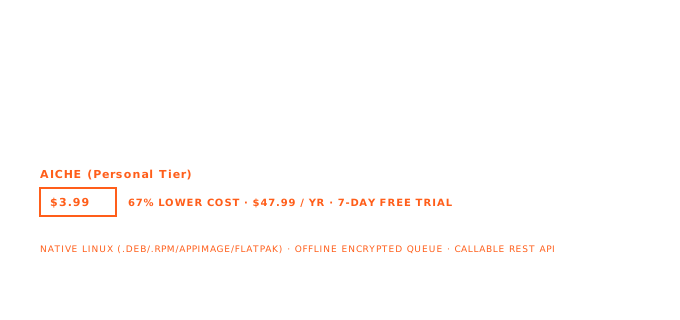
Lower price. Personal $3.99/mo on annual ($47.99/yr), Pro $8.33/mo on annual ($99.99/yr). Monthly: $4.99 and $9.99. 7-day free trial, no credit card. Wispr Flow Pro is $12/mo on annual; AICHE Personal is roughly a third of that, AICHE Pro is roughly two-thirds.
Never-lose offline queue. If your network drops mid-recording, AICHE's local encrypted queue saves the recording and processes it when the connection returns. Same for an app crash, a subscription lapse, a server error: the recording is yours from the moment you stop speaking, no failure mode silently loses it. This is the architectural difference vs Wispr Flow's cloud-only path.
Voice Code for AI coding agents (Pro). Continuous-listening mode designed for piping voice into Claude Code, Codex, Cursor, Antigravity, in terminals and IDEs. Opt-in, off by default, shows a visible floating bar on screen whenever it runs, has a mute. Pause-aware auto-send so a brief silence ships your prompt. Wispr Flow doesn't market an equivalent on their product page.
Software Development profile (Pro). Recognition mode tuned for code identifiers, CLI flags, library names, kebab/snake-case. The only mainstream voice app in this category with a tuned dev profile.
Self-serve team plan + public REST API (Pro). Four-person team buys today, no sales call, single bill, admin panel. Pro also exposes voice transcription as a callable REST API. Wispr Flow's REST API is restricted to select partners only; their team billing is available via Pro but the admin tooling is more limited than AICHE's purpose-built team panel.
Honest tradeoffs vs Wispr Flow:
- Brand recognition. Wispr Flow wins on this for now; we're newer to the category and our brand traction is smaller. If you're going to be defending the tool choice to a non-technical buyer, Wispr Flow's name will land more familiar.
- Polish on macOS. Wispr Flow's Mac UX is widely cited as the most refined in the segment. AICHE's Mac build is honestly good but we wouldn't claim to outpolish Wispr Flow there. If Mac-only polish is the buying decision and platforms / price / API don't matter to you, see #3 (SuperWhisper) or stay on Wispr Flow.
- Same cloud round-trip. AICHE streams audio to Groq, Google Generative AI, or DeepInfra, processes in seconds, purges. We are not local-only by design. If "audio strictly local" is a hard constraint, see #5 (MacWhisper) or #6 (Whisper.cpp).
Try AICHE if: the platforms (Linux, iPad, Apple Watch, Chrome, Obsidian) matter, the price matters, the REST API or self-serve team plan matter, the never-lose offline queue matters, or you want Voice Code for AI coding agent workflows.
#2: Apple Dictation / Microsoft Voice Typing / Gboard (free, built-in)
If the issue with Wispr Flow is "I don't want to pay $12/mo for dictation," your operating system already ships something free.
On Mac / iOS / iPad / Apple Watch: Apple Dictation. Free, system-integrated, on-device on Apple Silicon for supported languages per Apple's privacy page.
On Windows: Microsoft Voice Typing (Win + H). Free, built into Windows 10 and 11. On Copilot+ PCs, Fluid Dictation adds AI cleanup on-device for English.
On Android: Gboard / Google Voice Typing. Free, pre-installed. On Pixel 6 and later, advanced voice typing runs on-device per Google's documentation.
What you give up: AI cleanup beyond punctuation (except Fluid Dictation on Copilot+), custom vocabulary, transcript history, auto-translate, cross-platform reach. The built-in option is good for short-session inline keyboard dictation; it isn't a Wispr Flow replacement for users who actually want AI-polished long-form notes.
Use this if: the entire reason you're looking for an alternative is the $12/mo price, you dictate occasionally, you live mostly on one OS, and you don't need AI cleanup beyond punctuation.
#3: SuperWhisper
If the issue with Wispr Flow is "I want the most polished Mac-native experience and I only use a Mac" (or Mac + Windows + iOS), SuperWhisper is the cleaner pick.
Platforms: macOS, Windows (x64 + ARM64), iOS 18+ (App Store listing). No Linux, no Android, no Chrome, no Obsidian, no Apple Watch.
Pricing. Free tier with small local Whisper models. Pro $8.49/mo monthly, $7.08/mo on annual ($84.99/yr), or $249.99 lifetime (SuperWhisper Pro docs).
Wins outright on:
- Mac-native polish. Probably the prettiest dictation app on macOS in 2026.
- Optional local Whisper modes (free tier small models + Pro larger models).
- Lifetime option at $249.99 for users who want a one-time premium purchase.
- Their own vs-Wispr-Flow page acknowledges they're not the team-management leader, but for solo Mac use their UX is genuinely first-class.
Loses on:
- No Linux, no Android, no Chrome, no Obsidian, no Apple Watch. Same single-ecosystem limitation as Wispr Flow's larger gaps.
- No public REST API, no self-serve team plan.
Use SuperWhisper if: you only use a Mac (or Mac + Windows + iOS), you want the most polished Mac-native experience with optional local Whisper, and the cross-platform / API / team questions don't apply to you.
#4: Voicenotes
If the issue with Wispr Flow is platform-specific - you want Wear OS for an Android watch, or a strong AI-generated-outputs layer on top of voice notes - Voicenotes covers what Wispr Flow misses in that direction.
Platforms: iOS, Android, macOS, Windows, web, Apple Watch, Wear OS, Chrome extension - Wear OS and Apple Watch confirmed on their watch page. No Linux native.
Pricing. $14.99/mo, $99.99/yr ($8.33/mo equivalent). Free tier is constrained by monthly recording minutes per their pricing page.
Wins outright on:
- Wear OS coverage. The only product in this article that ships an Android-watch app.
- AI-generated outputs on top of raw transcripts (mind maps, blog post drafts, structured docs). Some users specifically want this.
Loses on:
- No Linux native app.
- Constrained free tier. Monthly minutes cap.
- More expensive than AICHE on the headline monthly tier ($14.99/mo vs $4.99/mo); annual is comparable to AICHE Pro.
Use Voicenotes if: Wear OS coverage is the missing piece, or the AI-generated-outputs layer is the feature you specifically want.
#5: MacWhisper
If the issue with Wispr Flow is subscription itself - you'd rather own the software outright - MacWhisper is the credible one-time-purchase alternative.
Platforms: macOS, iPhone, iPad, Apple Watch, Vision (Apple ecosystem only).
Pricing. Gumroad: €59 (~$69) one-time lifetime for the desktop build with the global overlay (MacWhisper on Gumroad). App Store: subscription-based (the App Store version can't do system-wide dictation due to Apple's sandbox restrictions).
Wins outright on:
- One-time payment. ~$69 once, yours forever. No monthly bill.
- Default-local on-device Whisper. Cloud providers (Groq, ElevenLabs, Deepgram) are opt-in and labeled.
- File / batch transcription. Batch folders, watch folders, YouTube URL ingestion, SRT/VTT export, speaker diarization (beta). If your use case is "transcribe these 40 podcast files," MacWhisper is built for it.
Loses on:
- Apple ecosystem only. No Windows, no Linux, no Android.
- System-wide dictation is awkward outside the Gumroad version. Lumevoice's 2026 review describes the global dictation mode as feeling "bolted on" relative to the file-transcription experience that's the app's core.
- AI cleanup requires a BYO OpenAI API key (per MacWhisper's support docs); additional provider support is listed as forthcoming. There is no built-in subscription path for AI cleanup.
Use MacWhisper if: you want a one-time payment, you mostly transcribe files (interviews, podcasts, lecture recordings), and you're on Mac. AICHE doesn't sell a publicly-available lifetime tier; if no-subscription is your constraint, we're not the right pick and we're saying so.
#6: Whisper.cpp roll-your-own (fully local FOSS)
If the issue with Wispr Flow is the cloud round-trip itself - you specifically want audio to never leave your machine - the credible alternative is a roll-your-own Whisper.cpp setup.
What you build. Install whisper.cpp or faster-whisper, download a model, wire it to a hotkey via your platform's automation (AutoHotkey on Windows, a window-manager keybind on Linux, a shell script on macOS), accept that you'll handle plumbing yourself. On Linux, Speech Note (Flatpak from Flathub) is a GUI frontend over the same underlying engine if you'd prefer not to write scripts. On Mac, MacWhisper (above) provides a similar GUI layer.
Wins outright on:
- Local-only privacy. No audio leaves the machine. No cloud provider.
- Cost. Free, FOSS, forever.
- No vendor lock-in. Swap engines, swap models, run any language Whisper supports.
Loses on:
- No polish layer. Raw Whisper output, including hallucinations and filler words.
- Setup cost. Not a turnkey installer.
- Speed. Local Whisper Large on Apple Silicon (M5) takes 40-60 seconds for 15 minutes of audio; on a standard CPU it is slower still.
- No support. It's FOSS. You debug it.
Use the roll-your-own option if: you specifically don't want audio leaving the machine, and you're comfortable in a terminal. AICHE streams audio to Groq, Google Generative AI, or DeepInfra for processing; we are not local-only by design and we're not pretending otherwise.
#7: Otter.ai
Worth listing because users sometimes confuse the two categories, and the answer for one isn't the answer for the other. If the issue with Wispr Flow is "I actually need meeting transcription with speaker diarization, not dictation," Otter is the right tool and Wispr Flow was the wrong shape from the start.
Native apps: macOS, Windows, iOS, Android, plus a web app and Chrome extension (Otter.ai apps page). No native Linux desktop. The web app runs in a Linux browser but isn't a system-wide dictation tool.
Wins outright on:
- Meeting transcription with speaker diarization at scale, including Zoom / Teams / Meet bot integrations.
Loses on (as a dictation alternative):
- Built for meetings, not for dictation. Wrong shape if you want to dictate into Outlook, Cursor, or a terminal.
Use Otter if: you misread your own use case and what you actually want is meeting transcription, not dictation.
What we left off
- Letterly: record-and-rewrite app, iPhone + Mac + Apple Watch + Android per their App Store listing; Windows listed as "soon" on letterly.app. Solid for users who specifically want the rewrite-first workflow as their mental model. Worth considering as a fifth or sixth pick if AICHE / SuperWhisper / MacWhisper aren't the right shape.
- Aqua Voice: Mac-only paid app with app-context awareness as a differentiator. See our broader Mac dictation ranking for the full context.
- Dragon NaturallySpeaking / Dragon Anywhere: the specialized medical-and-legal vertical. Not a Wispr Flow alternative for general use; the right answer only if you're dictating high-stakes domain documents.
- VoiceTypr, Voibe, VoiceInk, DictaFlow, Jamie, Willow Voice: narrower fits or partial overlaps. Some show up as runners-up in the platform-specific articles in this series.
Quick comparison: Wispr Flow vs the top alternatives
| Wispr Flow | AICHE | SuperWhisper | MacWhisper | Voicenotes | |
|---|---|---|---|---|---|
| Paid tier (annual) | $12/mo | $3.99/mo (Personal), $8.33/mo (Pro) | $7.08/mo | ~$69 lifetime (Gumroad) | $8.33/mo |
| Platforms | Mac + Win + iOS + Android | Mac + Win + Linux + iOS + iPad + Watch + Android + Chrome + Obsidian + REST API | Mac + Win + iOS | Mac + iOS + iPad + Watch + Vision | iOS + Android + Mac + Win + Web + Watch + Wear OS + Chrome |
| Linux | No | Yes (.deb / .rpm / AppImage / Flatpak / Snap) | No | No | No |
| iPad (full layout) | No (iPhone app) | Yes | No (iOS only) | Yes | Varies |
| Apple Watch | No | Yes | No | Yes | Yes |
| Wear OS | No | No | No | No | Yes |
| Chrome extension | No | Yes | No | No | Yes |
| Obsidian plugin | No | Yes | No | No | No |
| Public REST API | No | Yes (Pro) | No | No | No |
| Self-serve team plan | Pro plan (basic team billing; enterprise admin features require sales) | Yes (Pro) | No (enterprise) | Bulk license email | Varies |
| AI coding agent mode | No | Yes (Voice Code, Pro) | No | No | No |
| Offline queue | No (cloud-only per reviews) | Yes (local encrypted) | Optional local | Default local | Varies |
| Local processing option | No | No (cloud) | Yes (free + Pro local) | Yes (default) | No (cloud) |
| One-time purchase option | No | No | Yes ($249.99 lifetime) | Yes ($69 Gumroad) | No |
Decision tree: which Wispr Flow alternative is right for you
Pick the row that matches the reason you're looking:
- "Wispr Flow is too expensive": AICHE ($3.99/mo Personal annual, $8.33/mo Pro annual) does the same workflow at roughly a third the price. Or just use Apple Dictation / MS Voice Typing / Gboard for free if your needs are basic.
- "Wispr Flow doesn't ship Linux": AICHE is the only modern paid dictation product that ships native Linux (.deb / .rpm / AppImage / Flatpak / Snap, featured on Ubuntu App Center). For fully local FOSS, roll your own with Whisper.cpp + Speech Note.
- "Wispr Flow doesn't have an iPad app": AICHE ships a full iPad layout. SuperWhisper iOS works on iPad but as the iPhone app.
- "Wispr Flow doesn't have an Apple Watch app": AICHE ships native Apple Watch with iPhone sync. MacWhisper and Voicenotes also do.
- "Wispr Flow doesn't have a Wear OS app": Voicenotes is the only product in this article that does.
- "Wispr Flow doesn't have Chrome or Obsidian": AICHE ships both.
- "Wispr Flow doesn't have a public REST API": AICHE Pro exposes voice transcription as a callable REST API. Wispr Flow's API is partner-only and not open to general users.
- "Wispr Flow's team features or admin panel aren't enough": AICHE Pro has a self-serve admin panel and centralized team billing without a sales call.
- "Wispr Flow doesn't queue recordings when my connection drops": AICHE's local encrypted offline queue saves the recording and processes it when the connection returns.
- "Wispr Flow is cloud-only and I want fully local": MacWhisper (default local, Mac), Whisper.cpp roll-your-own (any platform), VoiceInk (Mac), Speech Note (Linux).
- "Wispr Flow's $12/mo is fine, I just want a one-time payment": MacWhisper Gumroad ($69 lifetime). SuperWhisper Lifetime ($249.99). AICHE is subscription only.
- "Wispr Flow's UX on Mac is the best part, I just want something cheaper Mac-only": SuperWhisper.
- "I want Voice Code for AI coding agents in a terminal": AICHE Pro.
Try AICHE
7-day free trial, no credit card. Personal $3.99/mo on annual ($4.99/mo monthly). Pro $8.33/mo on annual ($9.99/mo monthly) adds the Software Development profile, Voice Code for AI coding agents, the REST API, and the self-serve team plan. Available on macOS, Windows, Linux (.deb, .rpm, AppImage, Flatpak, Snap), iPhone, iPad, Apple Watch, Android (Google Play + Galaxy Store), Chrome, Obsidian, and via REST API.