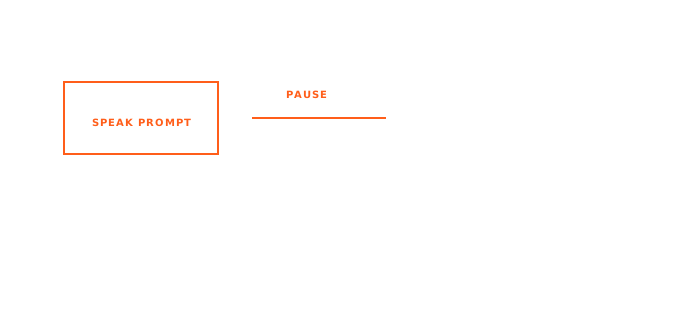
The short answer: enable Voice Code, focus a supported AI coding agent, speak the prompt, then pause. AICHE transcribes, cleans, inserts, and submits the prompt without you pressing Enter.
Voice Code is for the agent loop, not for every text field. It is useful when you are repeatedly prompting Claude Code, Codex, Cursor, or another supported coding agent and want to keep thinking out loud instead of typing every turn.
Step-by-Step
- Open your AI coding agent on desktop.
- Click into the agent input.
- Enable Voice Code. On Mac, use
Control + Option + .. On Windows, useCtrl + Alt + .. On Linux, enable it from AICHE settings if the shortcut is not configured. - Speak a complete prompt with context and constraints.
- Stop speaking and pause.
- AICHE detects the pause, inserts the cleaned prompt, and sends it.
- When the agent asks for a routine confirmation, answer by voice where supported.
- Mute Voice Code during meetings or side conversations.
What to Say
Good Voice Code prompts are specific:
Inspect the failing test, identify the smallest code path that changed, and propose a patch before editing files.
Review this diff for unsupported product claims, especially platform, privacy, and retention wording.
Add a focused regression test for the empty-state behavior and run only the related test file.
Voice is faster than typing, so include the context you usually omit.
Safety Habits
Voice Code can submit after a pause, so treat it as an active input mode.
- Keep the overlay visible.
- Mute Voice Code before talking to another person.
- Use keyboard input for commands that need exact paths, secrets, or risky flags.
- Review agent actions before approving them.
- Disable Voice Code when you leave the coding context.
What Voice Code Is Not
It is not local-only. Voice Code streams audio for server-side processing. It is also not a generic wake-word assistant. It is a desktop coding workflow for supported agent surfaces.
Do This Now
Open a low-risk agent session and say: "List the files changed in the current branch and summarize what each one does." Pause, let it send, and watch the timing before using Voice Code on a real task.